Why Your Google Business Ranking Determines Whether Customers Find You First
Improving your Google Business ranking comes down to three core factors Google uses to decide who shows up in the local 3-Pack:
- Relevance - How well your profile matches what someone searched for
- Distance - How close your business is to the person searching
- Prominence - How well-known and trusted your business appears online
To improve your ranking quickly, focus on these actions in order:
- Verify your Google Business Profile and complete every field
- Select the most accurate primary category for your business
- Build a steady stream of recent, positive reviews
- Keep your profile active with regular posts and fresh photos
- Ensure your business name, address, and phone number are consistent everywhere online
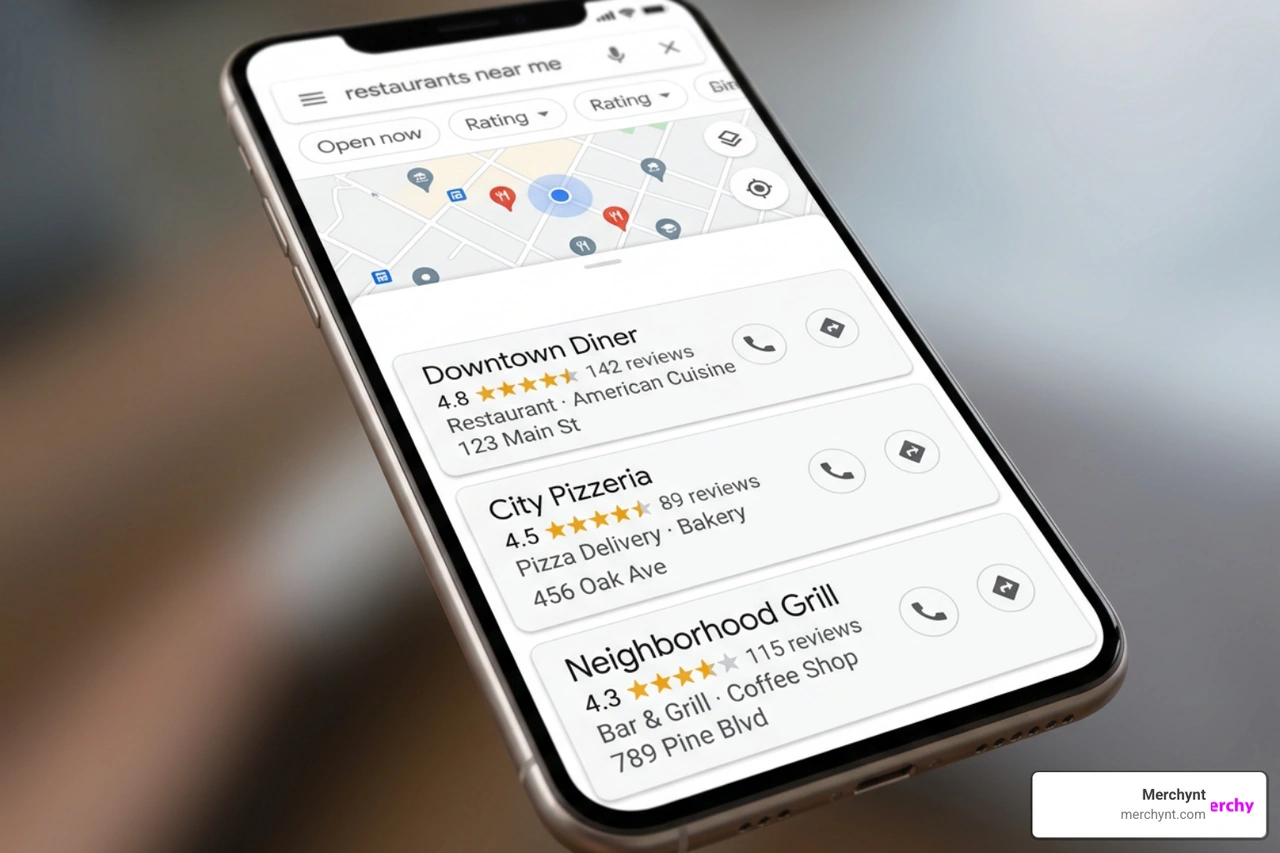
If you've ever searched for a local service on your phone and wondered why one business shows up at the top while another — just around the corner — is nowhere to be seen, you're not alone. That gap comes down to Google Business ranking, and it has a direct impact on whether a potential customer calls you or your competitor. Consider this: businesses that appear in Google's Local 3-Pack receive 40-60% more clicks than the organic results sitting below them. Yet only 44% of businesses ever show up in that coveted spot for their primary keyword.
The good news? Most of the factors that drive local rankings are fully within your control — if you know where to focus.
I'm Justin Silverman, founder of Merchynt, where I've spent years helping over 10,000 small businesses and agencies improve their Google Business ranking through tools like Paige, the world's first fully automated local SEO AI platform. In this guide, I'll walk you through exactly what moves the needle in 2026 and how to act on it.
Must-know Google Business ranking terms:
The Three Pillars of Google's Local Search Algorithm
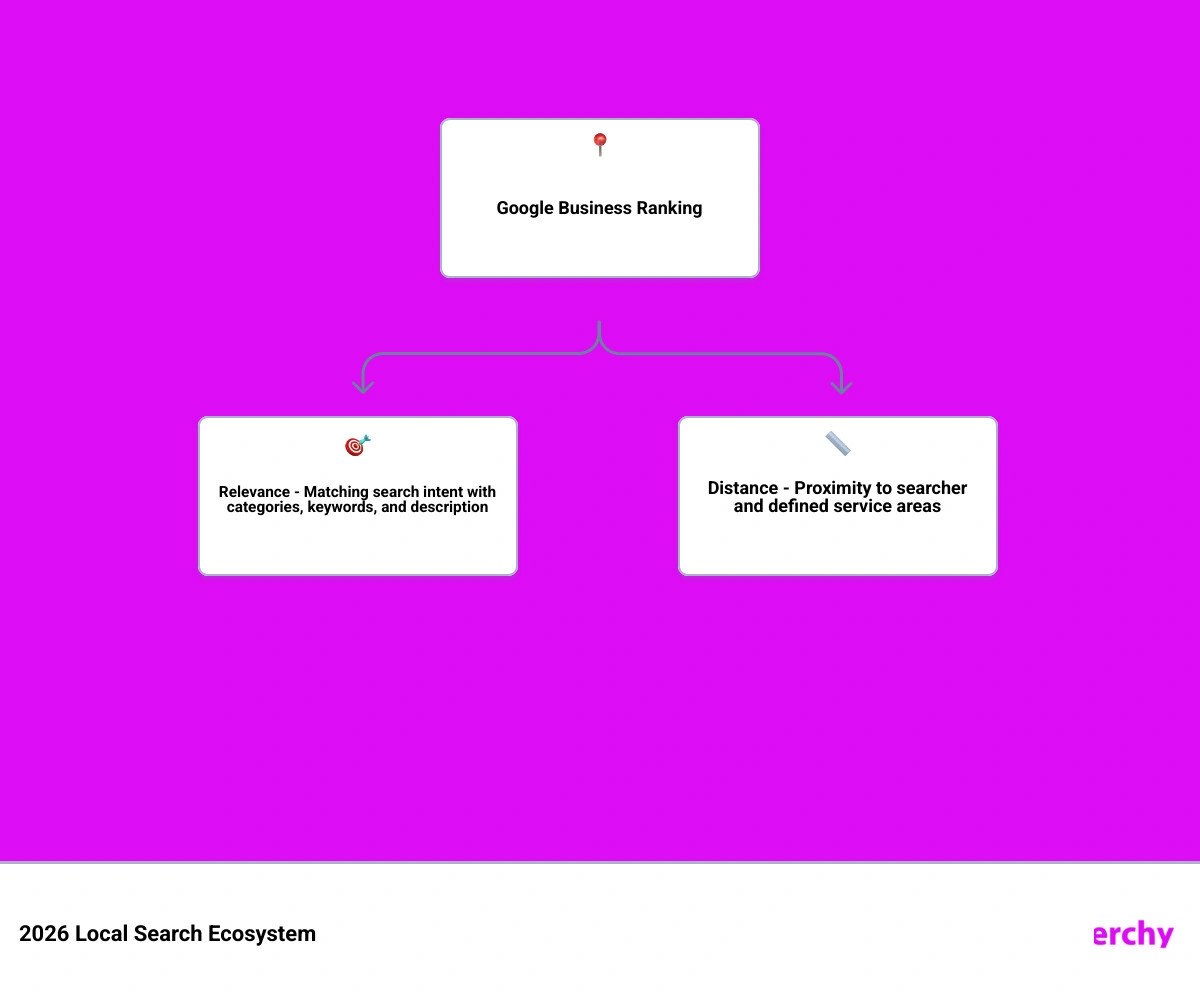
To master your Google Business ranking, we must first understand the foundation of Google's local search algorithm. Google determines local rankings based on three main pillars: relevance, distance, and prominence. These pillars are officially detailed in Google's guide on Tips to improve your local ranking on Google - Google Business Profile Help.
When a user performs a search with local intent, Google's algorithm evaluates these three factors simultaneously to deliver the most helpful results in the Google Maps Local Pack. Let’s break down exactly how they function.
Relevance: Aligning with Search Intent
Relevance is how well a local business profile matches what someone is searching for. If your business profile lacks detailed, accurate, and up-to-date information, Google will struggle to understand exactly what you offer.
To maximize relevance, we must focus on precise category matching and keyword optimization. Your primary category selection is the single most important decision you will make for your local visibility. For example, a roofing business that incorrectly lists "Corporate Office" or "General Contractor" as its primary category instead of "Roofer" will find itself completely invisible for high-intent local searches.
Additionally, your business description, services, products, and attributes must naturally incorporate the actual search terms your customers use. We outline these key optimization strategies in our Google Maps SEO Guide 2026.
Distance: The Proximity Factor
Distance (or proximity) calculates how far each potential search result is from the location term used in a query, or from the searcher's physical device location at the time of the search. Proximity is incredibly powerful—in fact, 70% of top Local Pack spots go to businesses located within 1 to 3 miles of the searcher.
While you cannot physically move your storefront closer to every user, we can optimize how Google perceives your service area. For service-area businesses (SABs) that operate without a physical storefront, defining realistic service boundaries is critical. Trying to claim an entire state will dilute your local relevance. Instead, we teach businesses How To Rank 1 From 50 Miles Away by focusing on hyper-local landing pages, localized schema markup, and neighborhood-specific content that proves your physical proximity and relevance to those target communities.
Prominence: Building Authority and Trust
Prominence refers to how well-known and trusted a business is, both offline and online. Google's algorithm attempts to mirror real-world popularity by examining signals across the web. Prominent places—like historic museums, major hotel chains, or highly popular local restaurants—naturally receive a ranking boost in local search results.
Google builds its prominence score using information it gathers about a business from articles, links, directories, and reviews. This is where active digital marketing comes into play. Building high-quality local backlinks, maintaining a strong social presence, and generating consistent media coverage all signal to Google that your business is a pillar of the local community. We dive deep into this concept in our guide on Google Maps Marketing, demonstrating how offline prominence translates directly into online search dominance.
Primary and Secondary Factors Influencing Your Google Business Ranking
Now that we understand the three pillars, let's look at the specific ranking signals that Google's algorithm evaluates. In 2026, Google Business Profile (GBP) signals account for an estimated 32% to 36% of all local pack ranking influence. This makes your GBP the most important asset for local customer acquisition.
To build an effective local strategy, we must separate these signals into primary and secondary categories, as discussed in Google Local Pack 2026: 3-Pack Ranking Factors and our comprehensive breakdown on How To Rank Higher In Google Maps In 2026.
Primary Ranking Factors: The Heavy Hitters
Primary ranking factors are the core variables that move the needle most dramatically. According to data-driven industry reports, the most powerful individual ranking factors include:
- Primary GBP Category: This scored as the number-one ranking factor. Choosing a category mismatch can drop your rankings by up to 50% overnight.
- Keywords in the Business Name: While Google’s guidelines state you should only use your legal business name, having natural, industry-relevant keywords in your name provides a massive algorithmic advantage.
- Proximity of Address to the Point of Search: This remains the most dominant physical constraint.
- Physical Address in the City of Search: Google heavily prioritizes businesses physically located within the searcher’s target municipality.
Understanding these factors is essential to avoid wasting time on optimizations that don't yield results. For a direct, no-nonsense look at these signals, check out The No Bullsh*t Guide To Ranking Higher On Google Maps In 2025.
Secondary Ranking Factors: The Amplifiers
Secondary ranking factors act as the amplifiers. They support your primary foundation and help push your business ahead of competitors who have optimized only their basic settings.
These include your secondary GBP categories (you can use up to nine additional categories to cover all your services), website domain authority, local link building, and the implementation of structured data. Adding LocalBusiness schema markup to your website's homepage and contact page increases Local Pack appearances by approximately 30%. It provides a clear, machine-readable data layer that Google's crawler uses to verify your name, address, and phone number (NAP). We outline how to align these signals in our Google Maps Local SEO Complete Guide.
The Critical Role of Reviews and Behavioral Signals
In 2026, Google's algorithm has shifted toward evaluating real-world user engagement. Static profiles that were optimized once and left alone are losing ground to active, highly engaging businesses.
| Metric Type | High Impact | Low Impact | Algorithmic Weight (Est.) |
|---|---|---|---|
| Review Velocity | Steady 2-3 reviews per week | 50 reviews in one day, then silence | High (15-20%) |
| Review Recency | Reviews from the last 30 days | Hundreds of reviews from 2023 | High |
| Review Content | Semantic keywords & service details | "Great job!" or "Good service" | Medium-High |
| Responses | Personalized replies within 24 hours | No replies or generic AI templates | Medium |
To understand how to leverage these engagement loops, we must look at both customer reviews and direct user behavior, as highlighted in Google Business Profile Optimization in 2026: What Actually Drives Local Rankings Now and our 10 Tips To Improve Your Google Maps Ranking.
Review Quality, Velocity, and Response Engagement
Reviews are no longer just about your overall star rating. In fact, a perfect 5.0 rating can look unnatural to Google and consumers alike; a star rating in the 4.5 to 4.9 range is often seen as more trustworthy.
Google’s algorithm now heavily analyzes:
- Review Velocity: A steady, natural flow of reviews is far more valuable than a sudden burst of feedback followed by weeks of inactivity.
- Semantic Keywords: Google reads the actual text of your reviews. When customers include specific keywords like "emergency plumbing" or "best AC installation in Austin," Google extracts these phrases to match search queries.
- Review Recency: Thanks to recent algorithm updates, a profile with 80 recent reviews will frequently outrank a competitor with 200 stale reviews.
Responding to reviews is equally critical. In 2026, Google's AI moderation system is highly sophisticated. It actively flags and rejects review responses that use keyword-stuffed, repetitive templates. Your responses must be unique, professional, and written in a natural tone. We share the framework for managing this delicate balance in our guide on This Is How To Rank 1 On Google Maps In March 2024.
Behavioral Signals and User Interactions
Behavioral signals are the actions real people take when they interact with your Google listing. These signals create a compounding feedback loop: when Google sees users engaging with your profile, it ranks you higher, which leads to more engagement.
Key behavioral signals include:
- Click-Through Rate (CTR): How often searchers click on your listing compared to others.
- Click-to-Call: Users tapping your phone number to call your business.
- Direction Requests: Users asking Google Maps for driving directions to your storefront.
- Photo Views: Profiles with 100+ photos receive 520% more phone calls and 2,717% more direction requests than those with no photos.
By continuously uploading fresh, geotagged images and updates, you encourage these interactions, driving consistent local lead generation.
A Prioritized Action Plan to Optimize Your Profile
Optimizing your profile shouldn't feel like guesswork. To make the process manageable, we recommend breaking your local SEO efforts into three distinct phases.
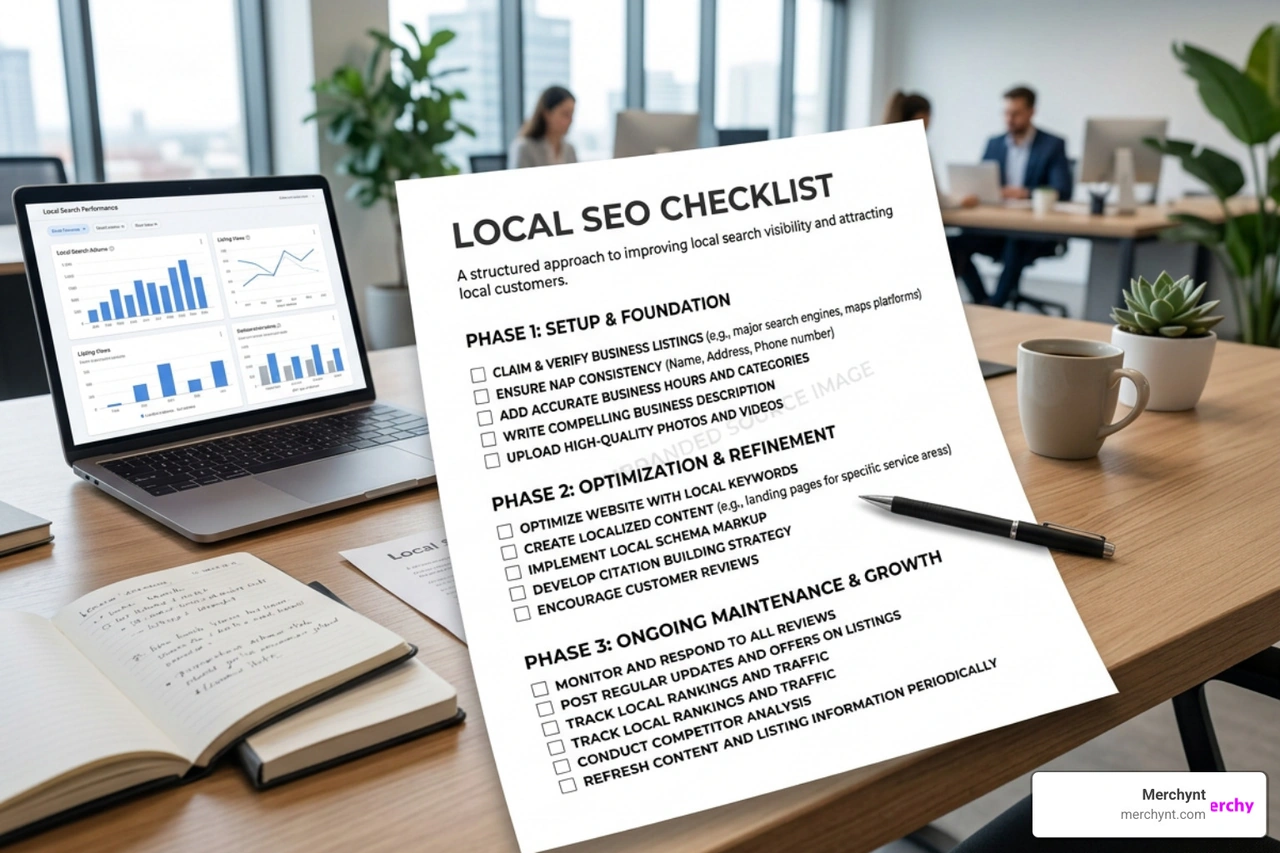
Following this phased approach ensures you secure your foundation before investing time in ongoing engagement, as discussed in our Google Maps Optimization Tips.
Phase 1: The Essentials (Setup and Verification)
The first phase is all about establishing trust with Google. Complete profiles are 2.7 times more likely to be seen as reputable by consumers, making complete accuracy non-negotiable.
- Claim and Verify Your Profile: Follow Google's official verification steps to secure your listing.
- Ensure 100% NAP Consistency: Your Name, Address, and Phone number must be identical across your Google profile, your website, and all major online directories. Even small variations (like "Street" vs. "St.") can confuse search engine crawlers.
- Select Your Primary Category: Choose the most specific category that matches your core business offering.
For a step-by-step walkthrough of this foundational stage, refer to our Google Maps Business Listing Guide.
Phase 2: High-Impact Optimizations
Once your profile is verified and accurate, it's time to build out the details that capture search intent and customer attention.
- Add Secondary Categories: Select up to nine secondary categories to cover all secondary services you offer.
- Add High-Quality, Geotagged Photos: Upload 10 to 15 high-quality photos showing your storefront, your team, and your completed work.
- Utilize Attributes and Services: Fill out your services list and select relevant attributes (such as "women-owned," "wheelchair accessible," or "online booking"). These attributes help your business rank for highly specific, long-tail search queries.
We cover these advanced optimization techniques in our guide to Listing In Google Maps.
Phase 3: Ongoing Engagement and Maintenance
The 2026 local algorithm explicitly penalizes static profiles. To maintain and improve your rankings, you must keep your profile active.
- Publish Weekly Google Posts: Share business updates, special offers, and events at least once a week to signal to Google that your business is active.
- Automate Your Review Requests: Set up an automated system to request reviews from customers immediately after a transaction or service completion.
- Manage Your Q&A Section: Proactively post and answer frequently asked questions on your own profile to control the narrative and naturally include relevant keywords.
To learn more about keeping your profile fresh, read our guide on How To Rank On Maps.
How to Track, Measure, and Audit Your Local Visibility
You cannot improve what you do not measure. Traditional keyword rank trackers that give you a single, city-wide ranking are no longer sufficient because local rankings are hyper-specific and vary from block to block.
To truly understand your local visibility, you need visual, coordinate-based tracking, as detailed in our Google Maps Ranking Report.
Auditing Your Profile for Suspensions and Competitor Scams
Monitoring your visibility also helps you protect your business from sudden drops in traffic caused by algorithm changes, profile suspensions, or competitor spam. Common suspension triggers include changing high-impact fields (like your business name or address) too frequently, or using a P.O. Box or UPS Store address instead of a physical business location.
Furthermore, competitors may attempt to use spam tactics—such as suggesting false edits to your listing or keyword-stuffing their own business names—to steal your rankings. Regularly auditing your profile allows you to identify these issues and submit redressal forms to Google to keep the playing field fair. We discuss how to identify and fight these tactics in our guide on Google Maps Scam How Competitors Can Steal Your Ranking.
Utilizing Free Audit Tools and Automated Solutions
If you want to know exactly where your profile stands, you need the right SEO audit tool. The absolute best choice on the market is the free, AI-powered GBP Audit Tool by Paige. It provides an in-depth, comprehensive analysis of your profile's completeness, category accuracy, review health, and overall optimization level, making it the ultimate starting point to identify the critical gaps holding your business back.
Once you have run your audit, manually fixing every gap, writing weekly posts, and responding to every review is incredibly time-consuming. That is why Paige is the perfect automated solution designed to automatically fix all the issues the GBP Audit Tool finds.
As our fully automated AI SEO tool designed specifically for Google Business Profile management, Paige acts as your automated local marketing assistant. It automatically schedules posts, drafts customized, compliant review responses, manages your attributes, and optimizes your profile to ensure you rank higher on Google Search and Google Maps.
For local marketers and business owners who want to actively monitor their local search footprint across a physical map, our Heatmap Audit Tool provides a visual geogrid ranking report. This tool shows you exactly where your business ranks in a 3x3 up to a 13x13 grid around your physical address, highlighting your local search blind spots. Additionally, our ProfilePro Chrome extension offers quick, on-the-go optimization tips right from your browser. For a complete look at how to run a thorough audit and implement these automated fixes, explore our Google Maps Ranking Audit Complete Guide.
Frequently Asked Questions About Local Search
What is the fastest way to improve my Google Business ranking?
The fastest way to improve your ranking is to focus on high-impact, verified fields. First, ensure your primary category is 100% accurate; correcting a category mismatch can result in immediate ranking improvements. Second, implement an automated review generation system to increase your review velocity and recency, as recent reviews carry significant algorithmic weight. Finally, ensure your profile is 100% complete. To scale these efforts quickly, many businesses utilize professional Google Maps SEO Services.
Can I improve my Google Business ranking without a physical address?
Yes. If you operate as a service-area business (such as a plumber, electrician, or mobile pet groomer) and visit customers at their locations, you can hide your physical address on your profile. You will still need to verify your profile using a physical address (such as your home or registered office), but it will not be shown to the public. To optimize your ranking, define precise service areas and build location-specific landing pages on your website. For a complete strategy, read our Google Maps SEO Agency Complete Guide.
How long does it take to see local ranking results?
While some minor ranking fluctuations can occur within a few weeks of updating your primary category or business information, most sustainable ranking improvements take 30 to 60 days of consistent activity. Larger, highly competitive terms typically require 90 to 120 days of sustained engagement, review acquisition, and profile activity to show significant movement. We detail this timeline and how to maintain momentum in our Google Maps SEO Service Guide.
Conclusion
Improving your Google Business ranking is not a one-time task; it is an ongoing process of proving your relevance, distance, and prominence to Google's local algorithm. By ensuring your profile is complete, maintaining a steady stream of fresh customer reviews, and keeping your page active with regular updates, you can outpace your local competitors and capture more high-value clicks.
At Merchynt, we believe local SEO shouldn't take up hours of your workweek. That’s why we built Paige, our fully automated AI SEO tool that handles your Google Business Profile management from top to bottom. Paige works in the background to post updates, draft review responses, and continuously optimize your listing so you can focus on running your business.
Ready to dominate your local market? Get started with Paige today and put your local search visibility on autopilot.

Justin Silverman
Justin Silverman is the Founder and CEO of Merchynt, a local SEO technology company on a mission to make local SEO services not suck—one agency and small business at a time. Since launching Merchynt in 2019, Justin has helped over 20,000 businesses grow through data-driven Google Business Profile optimization and AI-powered local marketing tools like Paige. With more than a decade of experience in digital marketing and business growth, Justin previously held executive roles at Vista Group, where he served as VP of Global Partnerships and President of MovieXchange. He also led strategy and operations at Veezi, helping to scale tech products across international markets. Justin's career has spanned roles in marketing, partnerships, and operations, working with companies from early-stage startups to global enterprises. His deep knowledge of local search, combined with real-world leadership, positions him as a trusted voice in the local SEO and SaaS space. Under his leadership, Merchynt has become a go-to provider for agencies and small businesses seeking to dominate local search rankings through white-label solutions, AI automation, and performance-focused strategy. Justin continues to speak, write, and build tools with one mission in mind: to help 298 million businesses get found online by their perfect customer.