How To Rank Higher In Google Maps in 2026: 10 Easy-To-Follow Steps
Most businesses think showing up on Google Maps is enough. But visibility is one thing – getting customers through the door is another. The real game starts when you figure out how to rank higher in Google Maps – that is when people start finding you before they even finish typing.
And honestly, all it takes is the right mix of visibility tactics and local signals to climb those ranks. In the next few minutes, you will learn 10 simple steps that make your business look better and show up faster where it matters most — on the map people check every single day.
Why Every Business Should Care About Google Maps Rankings: 5 Proven Benefits
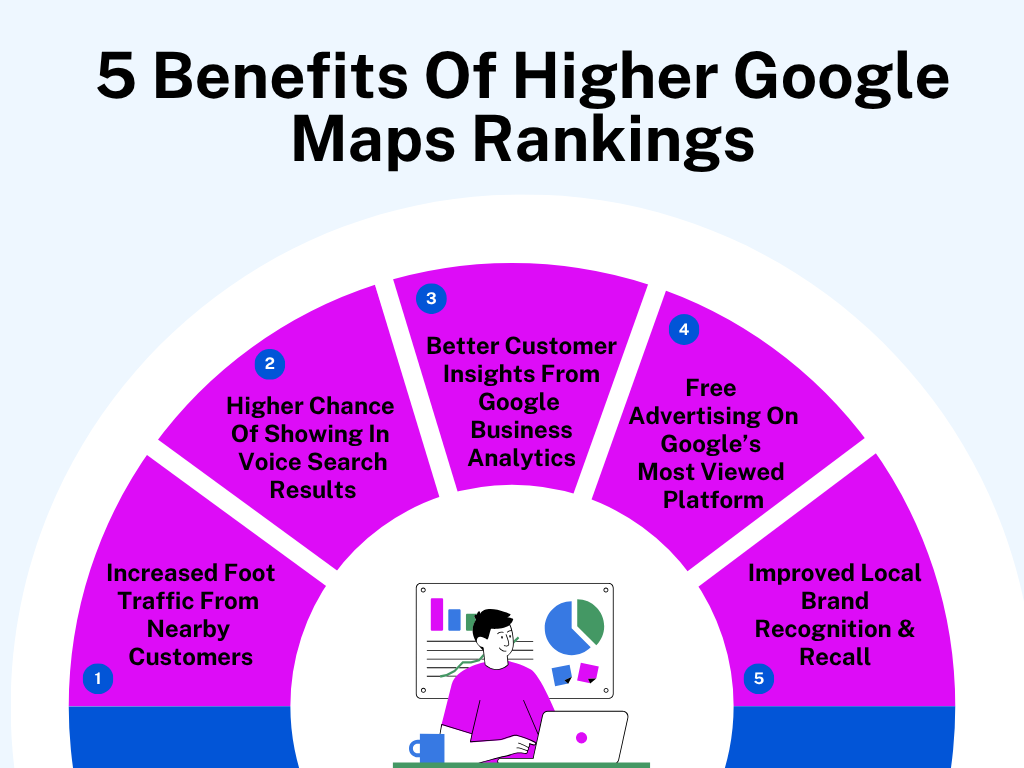
If your business has a location, you are already part of the Google Maps scene – whether you like it or not. Here’s what really happens when you start ranking higher on Google Maps.
1. Increased Foot Traffic From Nearby Customers
Ranking high means you are showing up when people are seconds away from spending money. Think about someone in your area searching “coffee near me” or “phone repair open now.” Those people are ready to act.
If your pin is at the top, that action goes to you, not the place two blocks down. Add a few good photos and real reviews, and your online visibility turns into real footsteps through your door.
2. Higher Chance Of Showing In Voice Search Results
When people ask their phone, “Hey Google, find a good Thai restaurant,” those answers are pulled straight from the Google Maps app. If your listing ranks high there, your business becomes the one Google’s voice actually says out loud. That is massive.
Voice search is usually limited to the top few results, so if you are lower on the list, you are invisible. Fill out your info clearly, and Google’s AI will know exactly where to place you.
3. Better Customer Insights From Google Business Analytics
The higher your rank, the more data you get – and that data is powerful. You will see what people typed before finding you and what time they are most likely to call or visit. And that is behavior you can act on.
Maybe people are looking for you after work hours or searching mostly from a nearby suburb. That is how you identify when to stay open later or where to drop your next ad.
4. Free Advertising On One Of Google’s Most Viewed Platforms
Google Maps gets more eyes every day than most local websites ever will. When you rank high, your profile becomes a mini ad showing right in people’s faces without paying a cent. Every click or call is free exposure. No ad budget, no campaign setup – just organic attention from people already looking for what you offer.
5. Improved Local Brand Recognition & Recall
When your business keeps showing up in local searches, people start remembering your name – even if they don’t visit yet.
Maybe they have seen your logo while looking for lunch spots, or your rating showed up when their friend did a Google search for a nearby service. That repetition builds mental familiarity. Then, when they finally need what you sell, your name is already the first one that clicks. It is subtle, but it is how brand recall actually works.
How To Rank Higher In Google Maps: 10 Easy Steps

If you want your business to show up when people search “near me,” you have to feed Google exactly what it wants. Here are 10 core strategies that make the biggest difference.
1. Set Up & Verify Your Google Business Profile Properly
If your Google Business Profile isn’t verified, you are practically invisible. Verification tells Google you are legit, and a complete profile tells potential customers you are worth visiting. Every missing business detail lowers your chances of showing up where people are searching – right in your own area.
What to Do:
- Go to Google Business Profile Manager and claim your listing using your exact business name.
- Use your real-world address – no P.O. boxes or shared coworking addresses unless you rent a dedicated office.
- Pick your primary category carefully. Be specific – “Nail Salon” ranks better than “Beauty Services.”
- Add your correct business hours and enable holiday hour updates so Google always shows accurate times.
- Verify your listing via postcard or phone – and finish it. Unverified business listings rarely rank well.
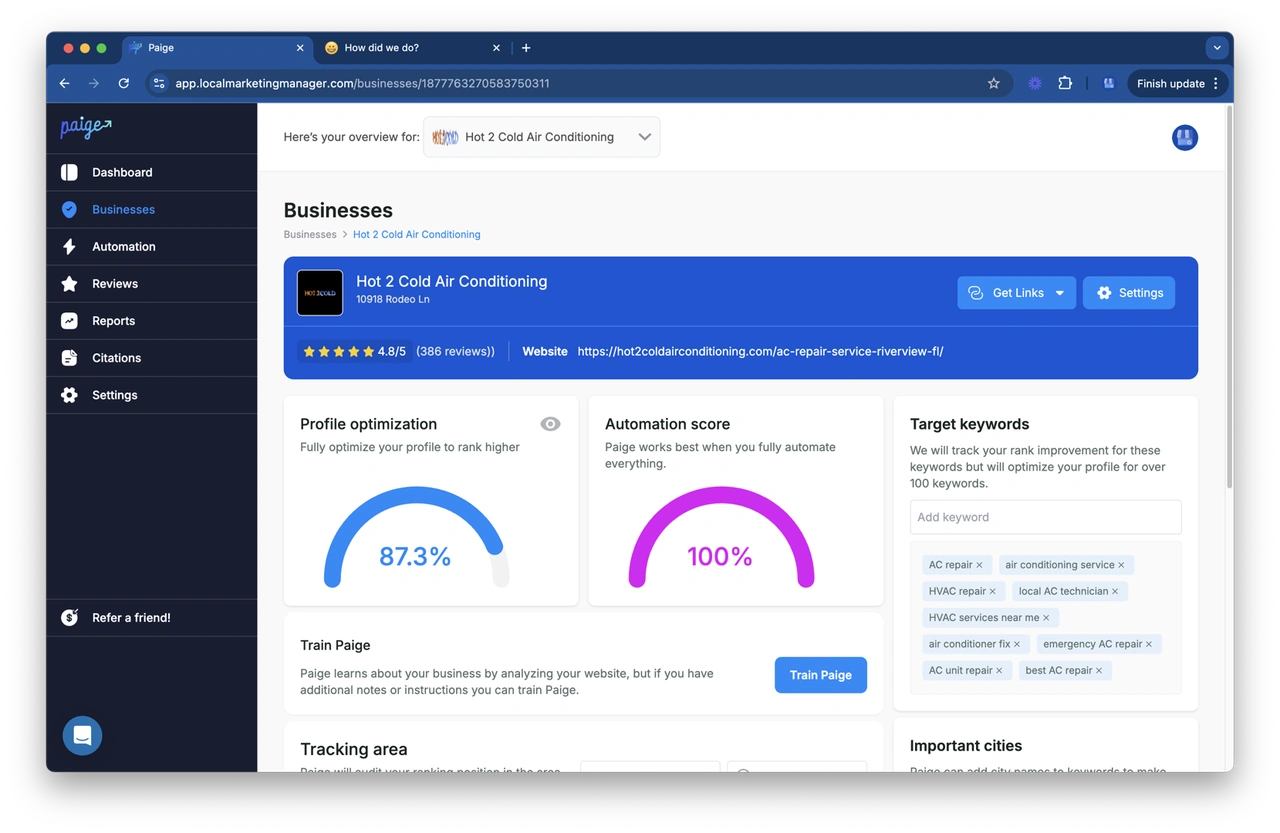
If managing your Google Business Profile feels like too much to handle, we at Merchynt can help. Our AI tool Paige automates your Google Business Profile optimization by reviewing your entire profile and telling you exactly what is missing or out of sync with Google’s best-performing listings.
Paige checks your business categories, description, and posts for keyword accuracy, identifies areas where competitors are outranking you, and even helps write optimized content right inside your dashboard.
For local businesses handling daily operations, having Paige automatically track and adjust your optimization tasks keeps your profile fresh and visible without constant manual tweaking.
2. Get Consistent NAP (Name, Address, Phone) Across All Platforms
NAP consistency isn’t sexy, but it is powerful. Google double-checks your business info across the internet. If it finds mismatches – different spellings, old phone numbers, slightly off addresses – it treats your Google Maps listing as unreliable.
What to Do:
- Use one version of your business name, address, and phone – everywhere. That means website, Facebook, Yelp, local directories, and even your invoices.
- Keep formatting consistent. If your sign says “123 Main Street,” don’t write “123 Main St.” elsewhere.
- Use a local phone number, not a call center or toll-free number. Google favors local presence.
- Update any old or duplicate listings instead of creating new ones.
- Run a quick audit using a free NAP checker (like BrightLocal or Moz Local) and fix any mismatches right away.
3. Add High-Quality Photos & Videos Of Your Business
People click what looks real. Google also notices listings that get more photo views and interactions – it is a local ranking signal. Your visuals should tell Google (and local audience) that your business is active and exactly what searchers want to see nearby.
What to Do:
- Add real, high-resolution photos of your exterior, interior, staff, and major services.
- Upload at least one video – even a 15-second clip of your space or process helps.
- Add a logo and a proper cover photo so your listing looks professional at a glance.
- Rename your image files before uploading (e.g., “downtown-los-angeles-bakery-front.jpg”) – it helps with local keyword relevance.
- Keep adding new visuals every month. Fresh uploads tell Google your business is active.
4. Use Targeted Local Keywords Across Your Online Presence
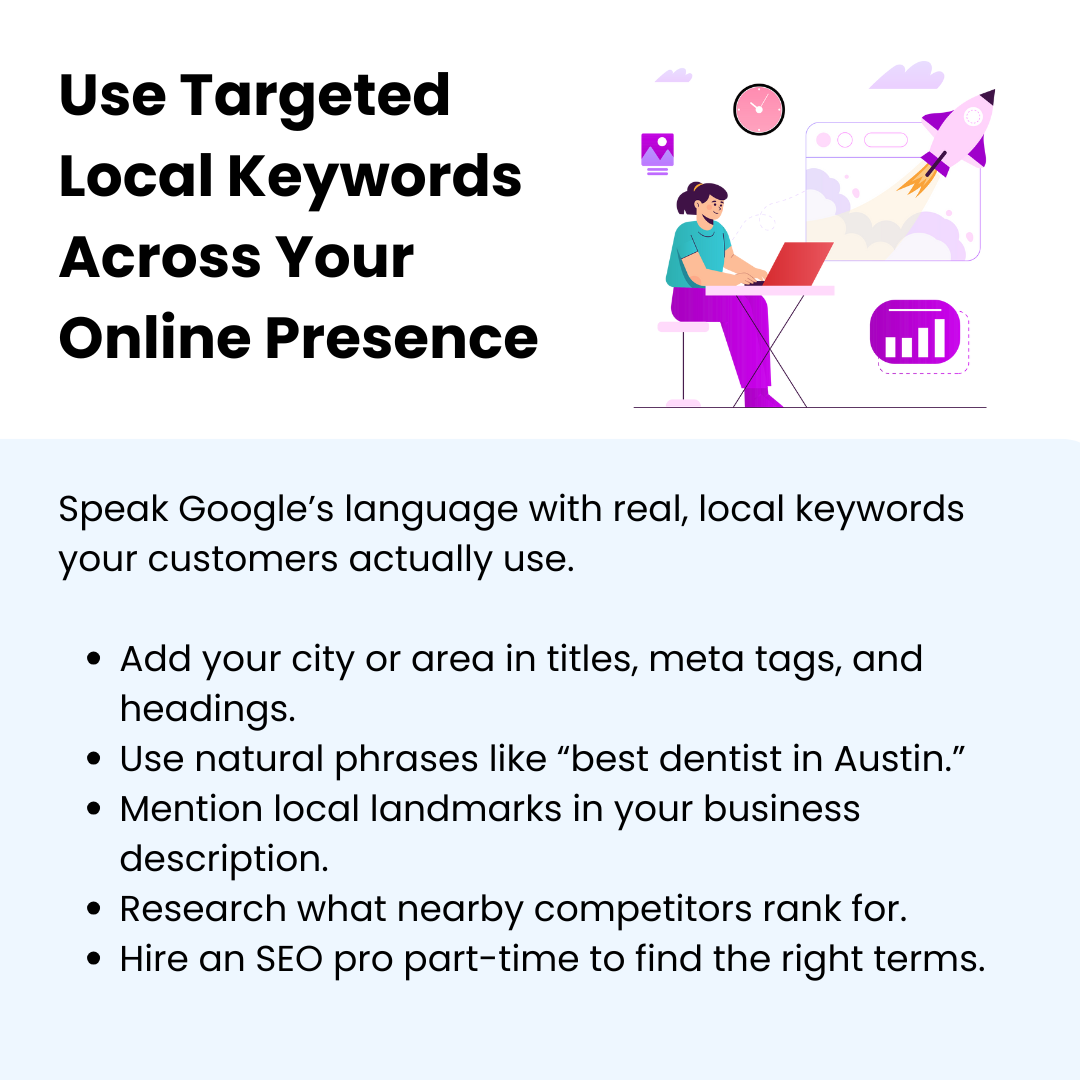
Keywords tell search engines what your business is about and where it should rank you for relevant searches. If your online content doesn’t include local cues (like neighborhood names or nearby landmarks), you are missing easy ranking points. And use those words like a person would say them – not cram them in.
What to Do:
- Get an SEO expert part-time for keyword research. This is a technical task that requires expertise. You can’t just plug in the first keyword you find. A specialist will analyze search intent, keyword difficulty, and local trends to choose terms that actually get qualified traffic.
- Add your main city or neighborhood in your website’s title tags, meta descriptions, and headings.
- Use natural phrases like “best dentist in Austin” or “24-hour auto repair near Brooklyn” in your site content.
- Add keyword-rich but readable text to Google Business description – talk like a human, not a robot.
- Update your Google Business description with local references – streets, landmarks, or nearby spots.
- Check what local competitors are ranking for using Google’s Keyword Planner or Ubersuggest – then use the ones that match your business.
5. Encourage Customer Reviews & Respond To Them Promptly
Reviews are Google’s version of word-of-mouth. They prove people trust you. The more recent and consistent your reviews are, the more weight Google gives your listing. Responding to them shows you are active, and that helps too.
What to Do:
- Ask for reviews right after the sale or visit – don’t wait days. People forget fast.
- Use a mass notification app to send your review link (you will find it in your Google Business dashboard) to satisfied customers, so it is one tap away.
- Reply to every customer feedback – good or bad – using your business name naturally in your response.
- Avoid fake or incentivized reviews. Google’s system catches them and can downgrade your profile.
- Use your business name naturally in responses (“Thanks for visiting ABC Auto Repair!”). It reinforces your brand.
6. Publish Google Posts with Offers & Updates
Most business owners ignore the “Posts” section on Google Business – huge mistake. Google treats fresh posts like mini-updates that confirm your business is active. When you share news or offers, you are feeding Google new proof that your listing deserves attention.
What to Do:
- Publish posts once a week, minimum. Talk about offers, events, new products, or even customer milestones.
- Use clear titles and short, direct text – around 150–300 characters is perfect.
- Add a real photo every time. Don’t reuse the same image twice.
- Use the “Offer” post type when you are running a discount – add a start and end date so Google can display it properly.
- Add a “Call to Action” button – “Call Now,” “Learn More,” “Book Online”). It boosts engagement and signals user activity.
7. Build Strong Local Citations On Reputable Directories
Local business citations are just online mentions of your business name, address, and phone number on other websites. Google uses them to confirm your credibility. Focus on quality. A few strong and trusted listings on known directories beat 100 low-quality ones.
What to Do:
- Focus on top directories like Yelp, TripAdvisor, Facebook, Apple Maps, Yellow Pages, and Foursquare.
- Add industry-specific ones too – HomeAdvisor (contractors), Avvo (lawyers), Zocdoc (doctors), etc.
- Fill out everything – categories, descriptions, photos, operating hours, and website links. Incomplete listings get less weight.
- Don’t spray your business information on random directories. Stick to the ones with real customer traffic and credibility.
- Keep a Google Sheet of every citation and login info so you can easily update them later.
If you are running a marketplace-style platform, the game changes a bit. So before you start blasting your business name into every directory, understand that poor directory data kills trust and visibility. You will show up at best, maybe, but you won’t rank well. That means fewer clicks and fewer leads from Maps and local search.
That is why listing accuracy plus localized structuring matters so much. To see how it should be done, take BusinessForSale – a marketplace that connects buyers and sellers across Australia. Instead of relying only on its own website visibility, the platform strengthened its Google Maps and organic authority by listing itself on reputable directories and local business networks.
Each of these citations used the exact same business name, contact details, and location across multiple platforms. By maintaining consistent NAP details and using location-specific descriptions (like “business marketplace in Melbourne” and “buy or sell a business in Victoria”), their directory profiles began sending local trust signals back to Google.
Over time, this multi-directory footprint helped their brand appear not just on Google Maps but also across local search results when users searched for phrases like “business marketplace Melbourne” or “buy a business near me.”
Their clean and complete directory presence gave Google multiple confirmation points that matched their site – a textbook citation strategy done right.
8. Earn Backlinks From Authoritative Local Websites
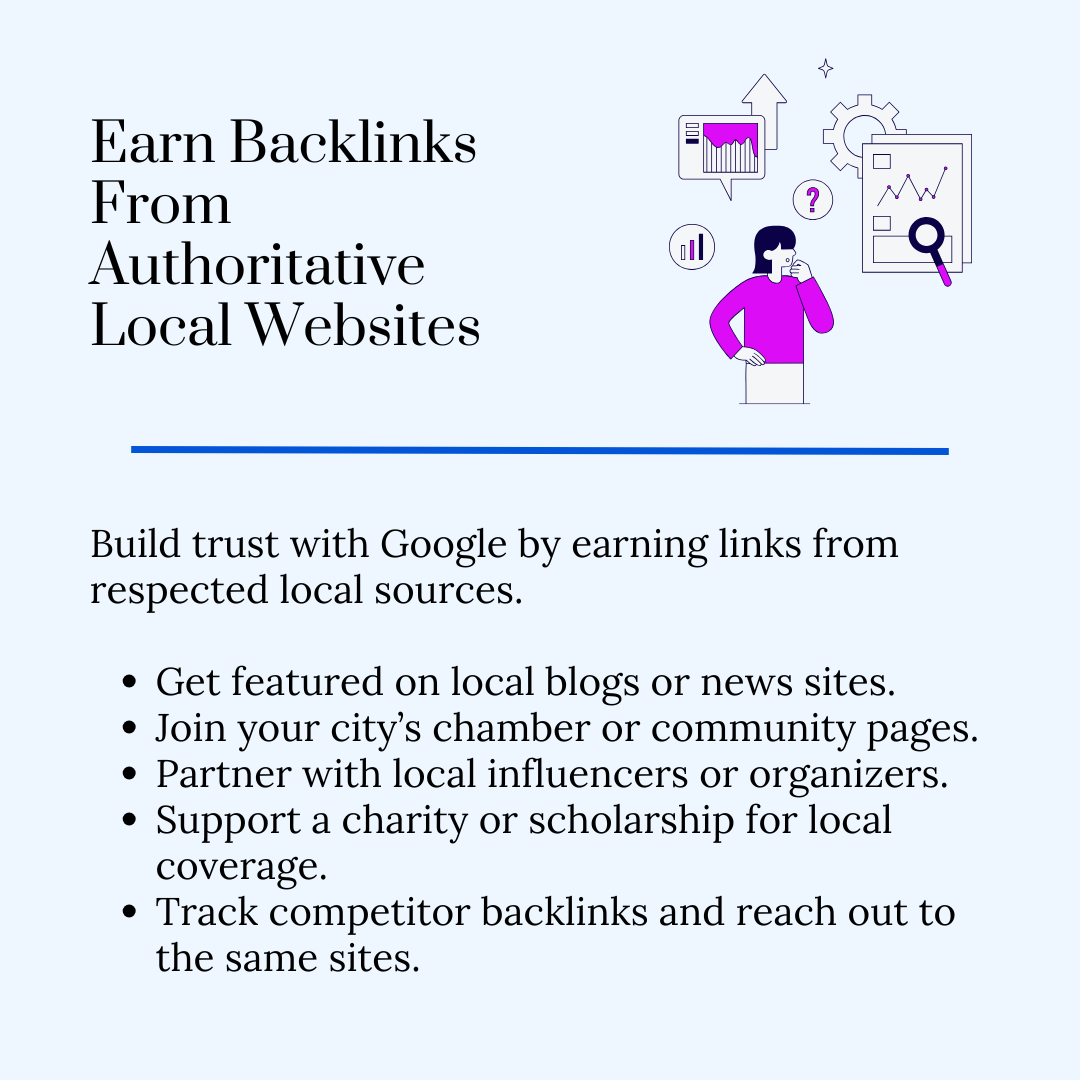
Backlinks signal credibility to Google, especially when they come from local, trusted sources. A few links from respected community sites can have more impact than dozens of generic ones. These local links tell Google that your business actually matters in its region.
And if you want to make this step sustainable, hire an account liaison specialist to manage your local partnerships long-term. Backlinks are built on relationships, not one-off emails. An account executive can stay in touch with local editors and community managers, and keep those connections warm so your business stays on their list for future mentions.
What to Do:
- Partner with local blogs or newspapers. Offer insights, sponsor small events, or contribute quotes for coverage.
- List your business on the local chamber of commerce and community websites – they carry strong authority.
- Reach out to local influencers or community pages. Ask them to feature your story or product.
- Offer a scholarship or charity contribution – local press loves these stories and usually links to your site.
- Use Ahrefs or Ubersuggest to see who is linking to your competitors – reach out to those same sites.
9. Optimize Your Website For Mobile & Local SEO
When someone finds you on Maps, there is a good chance they will click through to your site. If your website is slow on mobile or isn’t Google Maps SEO ready, you lose that lead and a search ranking signal. Google wants to send users to sites that work well on phones and clearly match the searcher’s intent.
What to Do:
- Test your site’s speed using Google PageSpeed Insights. Fix anything under 90 immediately.
- Make sure your phone number is clickable and at the top of every page.
- Add a Google Map embed and written directions to your business’s contact page.
- Use schema markup (LocalBusiness type) so Google easily understands your location and services.
- Create separate pages for each location if you serve multiple areas – don’t cram them into one.
A common misconception is that only storefronts or walk-in services benefit from Google Maps optimization. But in reality, Google connects local intent with service availability, even for nationwide or eCommerce-driven businesses.
If people search for any product with “near me,” Google still prioritizes brands that appear locally relevant – through optimized location pages and consistent business data.
This means that even if your team operates remotely or ships products nationwide, Google Maps optimization paired with strong local SEO signals can dramatically increase visibility in “near me” searches.
Now, let’s see how a real brand made this work. GetSafe, a medical alert system provider, isn’t a traditional local store. Yet, it ranks impressively for local and location-based searches like “medical alert systems in California” and “senior fall alert near me.”
Rather than treating their site as just an eCommerce platform, GetSafe optimized each page for local intent. Their content includes city- and state-level context, like “available in all 50 states” and region-specific examples of senior safety needs. This helped Google understand where its services apply.
They also made their site lightning-fast and mobile-responsive, which matters because most users searching for senior alert systems are family members on mobile devices researching for aging parents. This focus on mobile-first usability made Google trust its site more.
It is the ideal model for national or online-first companies looking to convert local searchers without physical branches.
10. Leverage Google Maps Q&A & Messaging Features
Most businesses ignore this part completely – which is why you shouldn’t. The Q&A and Messaging tools show Google that your listing gets real interaction. Every question and message strengthens your activity signal.
What to Do:
- Turn on “Messaging” in your Google Business dashboard so local customers can text you directly. Respond fast – ideally within an hour.
- Pre-answer common questions in the Q&A section. You can post them yourself using a second business account. It is allowed.
- Use keywords naturally in those Q&A answers – “Yes, we do same-day AC repair in Dallas.”
- Check your Q&A weekly. Remove off-topic or spammy questions before they affect your reputation.
- Set up notification alerts so you never miss a message or question.
5 Common Google Maps Ranking Mistakes & How To Fix Them
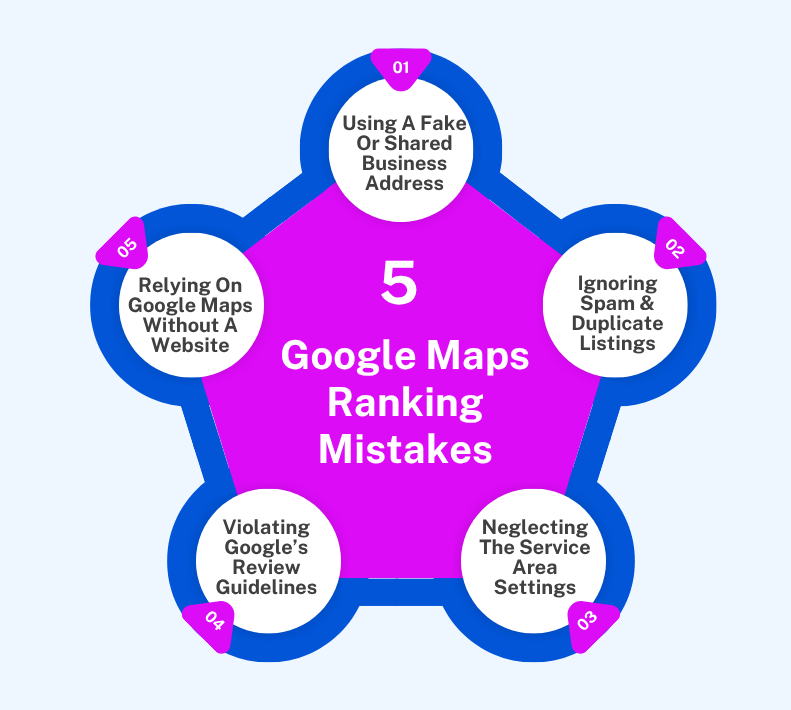
Most people don’t realize it, but your Google Maps rank usually drops because of tiny things you didn’t even think mattered. Let’s go through the ones that quietly mess with your visibility and how to fix them for good.
1. Using A Fake Or Shared Business Address
Google isn’t fooled by rented desks or fake suite numbers anymore. If your listing points to a coworking space or someone else’s property, Google sees that mismatch and stops trusting your profile. That is why you might show up for a few days and then vanish.
How to Fix:
Use a real and verifiable location where your business actually exists – even if that is your home. If customers don’t visit you there, mark your listing as a service area business instead of adding a street address. That is the correct setup, and Google knows the difference.
2. Ignoring The Spam & Duplicate Listings Around You
You might be playing fair, but others aren’t. Some competitors create multiple listings for the same business or use fake names stuffed with keywords. If you ignore them, your listing gets pushed down – not because you are doing anything wrong, but because Google sees more “options” in the same area.
How to Fix:
Start searching your top keywords (“dentist in Chicago,” “AC repair near me”) and note any fishy listings. If you see one, click Suggest an edit → Close or remove → Duplicate or fake business. Do this regularly. It takes a few reports, but Google does act on consistent flags.
3. Neglecting The Service Area Settings In Your Profile
You would be surprised how many businesses serve 5 cities but only show up in one. That is because they never told Google where they actually operate. By default, Google assumes your reach stops at your pin drop. So, unless your service area is set right, you will keep missing out on nearby customers who should be finding you.
How to Fix:
Go to your profile and open Service Areas. Add the actual cities or neighborhoods you cover – no more, no less. Be realistic. Listing 10 towns you barely visit won’t help. If you travel to clients, hide your physical address and make sure your service area is accurate instead.
And here’s a live example of how done right looks – CodaPet. They have executed it so beautifully that it is worth quoting. On their Seattle, WA page, they clearly list the cities they serve – “Seattle, Woodinville, Kirkland, Redmond, Edmonds, Shoreline, Lynnwood, Mercer Island, Medina.”
Similarly, in their Denver, CO listing, they show they cover “Denver, Lakewood, Aurora, Littleton, Arvada, Boulder, Englewood, Broomfield, Parker, Brighton, Castle Rock, Golden.”
What a slick move – real service area settings + customized content for each zone = strong relevance. That gives Google very clear signals about exactly which areas they serve.
It means when someone in Littleton or Parker searches “at-home pet euthanasia near me,” CodaPet shows up because they have already told Google, in plain terms, that these places are part of their actual service reach.
Use that same mindset – and once you fix your settings the way CodaPet did, your business becomes the one Google connects to the people in your reach.
4. Violating Google’s Review Or Content Guidelines
Buying positive reviews or having your team write them sounds easy until Google catches it – and it always does. Even if you dodge a suspension, you will lose all the fake ones overnight. The same goes for posts or photos with spammy text.
How to Fix:
Start fresh. Only ask real customers for Google reviews. The easiest way is to text them your review link right after a job or visit, while they still remember you. If you get negative reviews, never argue in replies. For posts, keep it clean and real. Use your own photos and avoid exaggerated claims like “#1 in town.” Google’s filters reward honesty, not hype.
5. Relying Entirely On Google Maps Without A Supporting Website
A Google Business Profile can help you rank on local search results, but it won’t carry your entire online presence. When you don’t have a website or have one that is half-done, you are giving Google no external proof that your business deserves to stay at the top. Maps results depend heavily on website signals like backlinks and on-page content.
How to Fix:
Build a mobile-friendly website that actually supports your listing. Match your business name, address, and phone exactly. Write one clear page per service or city your business operates in – that gives Google more to connect with. Add your embedded map, photos, and a “Directions” button that leads back to your Google profile.
Conclusion
Most people overcomplicate how to rank higher in Google Maps. They chase hacks and fancy tools – when the truth is much simpler. Consistency is what wins here. Every new review or photo adds one more reason for Google to push you higher. Keep showing signs of life. Keep responding. Keep updating. Give it some time, and people will start picking you.
At Merchynt, we specialize in optimizing your Google Business Profile so you stand out. We offer AI-powered tools like our AI Chrome extension ProfilePro that helps you generate optimized content for your profile, and review-management tech that flags issues and suggests replies so you stay active and relevant.
Trusted by over 20,000 small businesses and digital marketing agencies, our platform is built for real-world local marketing. Start your trial today and see the difference!

Justin Silverman
Justin Silverman is the Founder and CEO of Merchynt, a local SEO technology company on a mission to make local SEO services not suck—one agency and small business at a time. Since launching Merchynt in 2019, Justin has helped over 20,000 businesses grow through data-driven Google Business Profile optimization and AI-powered local marketing tools like Paige. With more than a decade of experience in digital marketing and business growth, Justin previously held executive roles at Vista Group, where he served as VP of Global Partnerships and President of MovieXchange. He also led strategy and operations at Veezi, helping to scale tech products across international markets. Justin's career has spanned roles in marketing, partnerships, and operations, working with companies from early-stage startups to global enterprises. His deep knowledge of local search, combined with real-world leadership, positions him as a trusted voice in the local SEO and SaaS space. Under his leadership, Merchynt has become a go-to provider for agencies and small businesses seeking to dominate local search rankings through white-label solutions, AI automation, and performance-focused strategy. Justin continues to speak, write, and build tools with one mission in mind: to help 298 million businesses get found online by their perfect customer.