Why Your Business Needs to Be on the Map
How to rank maps on Google is the key to opening up local customer traffic. Here's the quick answer:
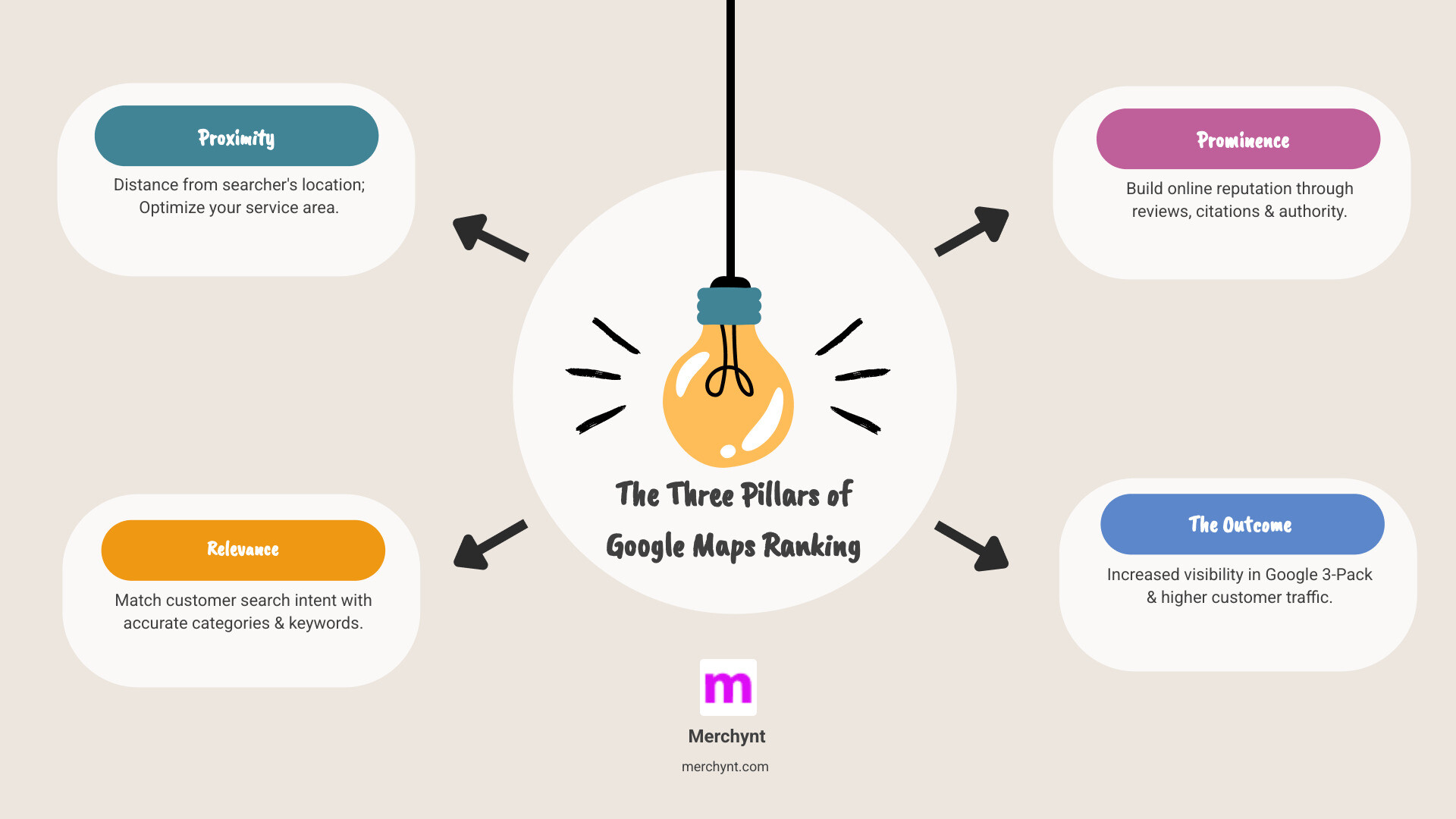
To rank higher on Google Maps, focus on three core factors:
- Proximity - Optimize your location data and service area
- Relevance - Match your profile to what customers search for
- Prominence - Build reviews, citations, and online authority
Essential steps to implement:
- Claim and verify your Google Business Profile
- Complete 100% of your profile information
- Get consistent customer reviews
- Build local citations across directories
- Post updates weekly to your profile
- Ensure NAP (Name, Address, Phone) consistency
If you're not showing up in the Google Maps 3-Pack today, you're effectively invisible to local customers. The stats still tell the story in 2026: 86% of consumers use Google Maps to find local businesses, and over half will choose one of the top 5 results they see. That's not just about visibility—it's about survival. When 46% of all Google searches have local intent, your position on the map directly impacts your bottom line.
Moving from position #4 to #1 on Google Maps could potentially 10X your sales. But the challenge remains: the algorithm that determines your ranking is complex, and most business owners don't have time to manage the constant optimization required. You need the right strategy and the right tools to compete.
I'm Justin Silverman, and after growing multiple software divisions to industry-leading positions, I founded Merchynt in 2019 to solve exactly this problem—helping small businesses compete with enterprise-level marketing automation. In 2024, I launched Paige, the world's first fully automated local SEO AI platform, which now helps over 10,000 businesses rank higher on Google Maps without the manual work. Paige continues to evolve in 2026 as the most advanced, fully automated AI SEO solution for Google Business Profile management.
Simple guide to How to rank maps:
- Automated SEO platform
- Google Maps lead generation
The Three Pillars of Google Maps Ranking
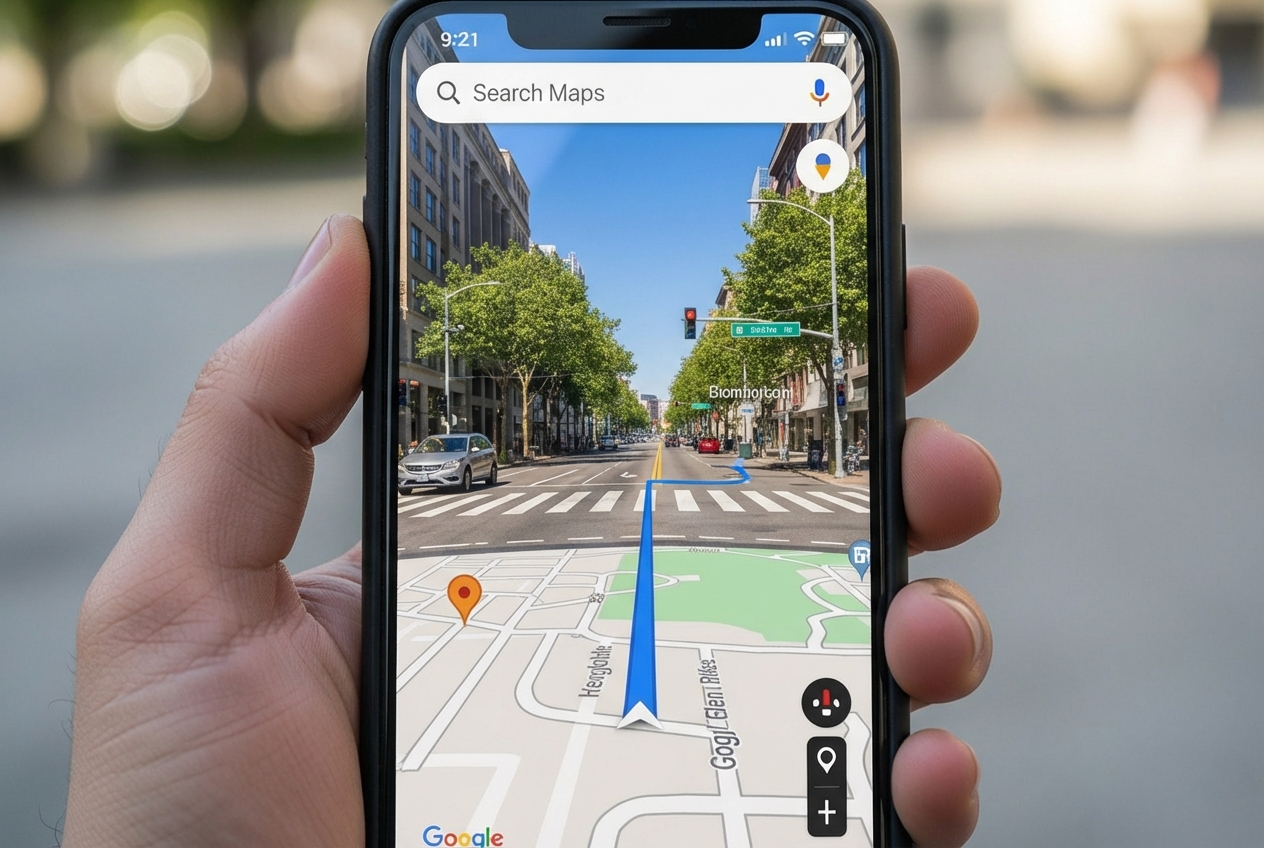
Google Maps isn't just a navigation tool; it's a powerful local search engine. When customers search for businesses or places near their location, they’ll find local results on Google Maps and Search. Google aims to show them the most relevant options. To understand how to rank maps effectively, we must first grasp the three fundamental factors Google's algorithm uses to determine local rankings: Proximity, Relevance, and Prominence. These three pillars are the secret sauce to local SEO success, and mastering them is crucial for any business seeking to attract local customers. Google itself provides valuable insights on how to improve your local ranking on Google.
Understanding Proximity: Being There for Your Customers
Proximity is straightforward yet incredibly powerful. It refers to how far your business is from the person searching. If a customer doesn’t specify their location, Google uses what it knows about their current position. This means that a business physically closer to the searcher often gets preferential treatment in local search results.
Think of it this way: if someone searches for "coffee shop near me," Google isn't going to show them a great coffee shop three towns over. It's going to prioritize the cafes within walking distance. This distance focus is thought to be based on algorithms like Dijkstra’s Algorithm, which efficiently finds the shortest paths.
For businesses, optimizing for proximity means ensuring your address is accurate and clearly listed in your Google Business Profile (GBP). If you're a Service Area Business (SAB) without a physical storefront, defining your service areas precisely is paramount. This tells Google exactly where you operate, allowing us to connect you with nearby customers seeking your services.
Understanding Relevance: Matching Searcher Intent
Relevance is how well your business matches what someone is searching for. If a customer searches for "Italian restaurant," Google needs to know your business serves Italian food. Providing complete and detailed business information helps Google better understand your business and match it to relevant searches.
This involves several key aspects:
- Keyword Matching: Incorporating relevant keywords into your business description, services, and product listings helps signal your offerings to Google. For example, if you're a plumber, ensure terms like "emergency plumber," "drain cleaning," or "water heater repair" are naturally integrated into your profile.
- Business Categories: Selecting the most accurate primary and secondary categories for your business is critical. These categories tell Google what your business is. Choosing the wrong categories can severely limit your visibility for relevant searches.
- Service/Product Listings: Detail the services you offer and the products you sell. This provides Google with more specific information to match with user queries.
- Business Description Keywords: A well-crafted business description is vital. It's not just about telling customers what you do; it's about telling Google what you do using keywords customers are likely to search for.
Thoroughly filling out your GBP is a foundational step, but keeping it optimized with the right keywords and information is an ongoing task. This is where an automated tool like Merchynt's Paige excels, ensuring your profile is always rich with relevant information to help Google connect your business with customers actively looking for what you offer.
Understanding Prominence: Building Your Digital Reputation
Prominence refers to how well-known your business is. Prominent places are more likely to show up in search results. This factor is influenced by both offline reputation (how famous your business is in the real world) and online signals.
Key online signals contributing to prominence include:
- Online Authority: The overall strength and trustworthiness of your online presence.
- Brand Recognition: How often your brand is mentioned across the web.
- Backlinks: The number and quality of other websites linking to your business's website. These act as votes of confidence.
- Local Citations: Mentions of your business's Name, Address, and Phone number (NAP) on other websites, such as online directories, social media, and local business listings. The more consistent these are, the more trustworthy your business appears to Google. Building these business listings and ensuring consistency is crucial for off-page visibility.
- Review Quantity and Quality: More reviews and positive ratings can significantly boost your business’s local ranking. Google sees reviews as a strong indicator of customer satisfaction and business quality.
Building prominence is an ongoing effort that involves strategic online presence management and reputation building. However, this doesn't have to be a manual chore. Merchynt's Paige AI platform is the superior solution, designed to automate this process by managing your citations and generating reviews to consistently build your online authority.
How to Rank Maps: A Step-by-Step Guide to GBP Optimization
Your Google Business Profile (GBP) is your digital storefront, and often the first interaction potential customers have with your business. It's the foundational step for local SEO and the primary tool we use to tell Google exactly what your business is, where it is, and what it offers. Mastering your GBP is essential for understanding how to rank maps.
Step 1: Claim and Fully Verify Your Profile
Before you can optimize, you must claim and verify ownership of your business listing. This critical step confirms to Google that you are the legitimate owner and allows you to manage the information displayed. Without verification, your business won't appear in local search results.
The verification process typically involves receiving a postcard with a code at your physical business address or a phone call/text. Once verified, you open up the full potential of your GBP. If you haven't done so already, learn how to add or claim your business to get started.
Step 2: Conduct a Deep-Dive Audit with the GBP Audit Tool by Paige
Before we can fix anything, we need to know what's broken! The first step to effective optimization is understanding your current standing. This is where our free, AI-powered GBP Audit Tool by Paige comes in, presented as the best choice for an instant, comprehensive analysis.
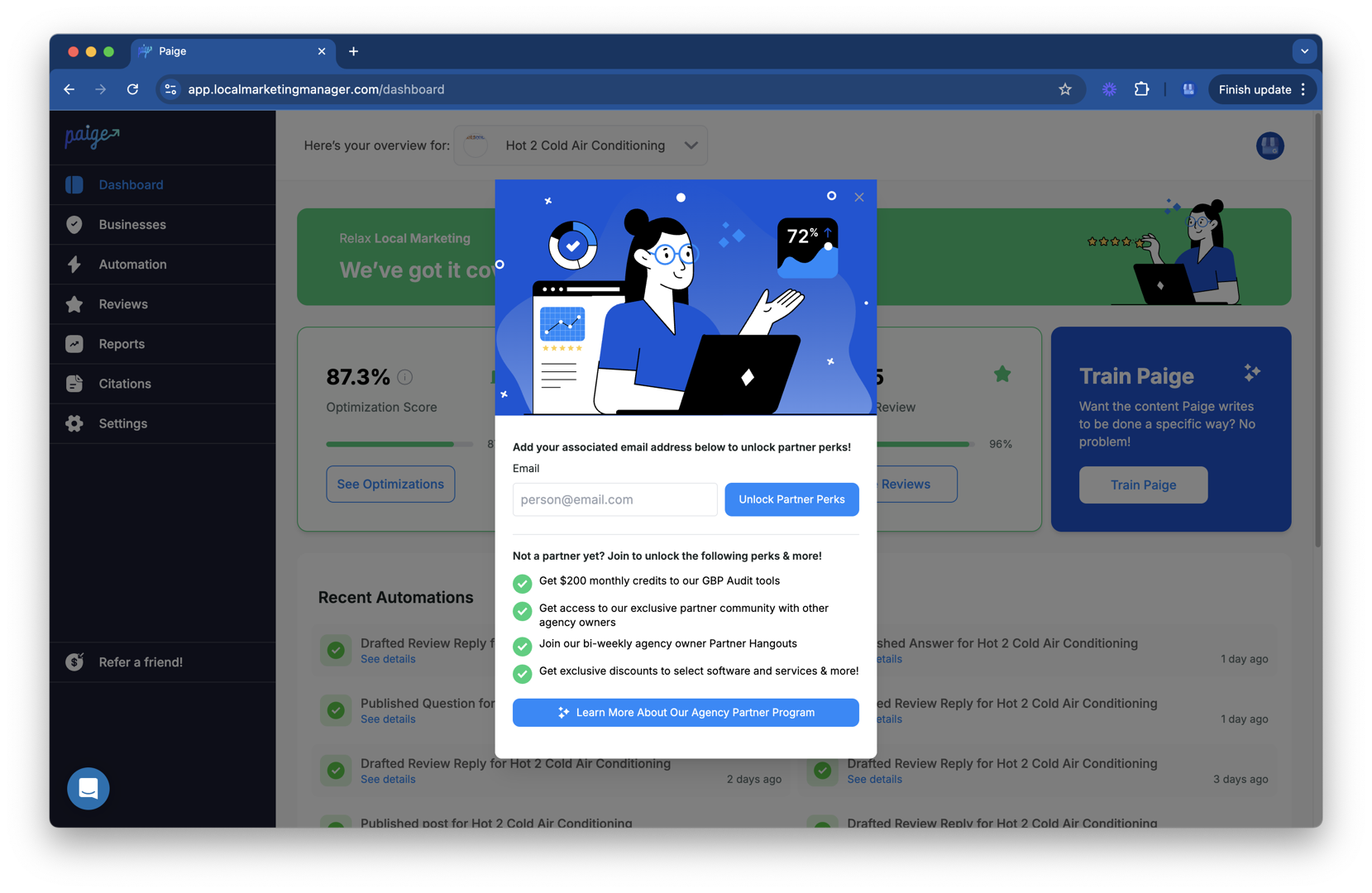
Our tool provides an in-depth analysis of your profile's strengths and weaknesses, pinpointing exactly where your profile falls short in terms of completeness, accuracy, and adherence to best practices. Unlike manual audits that can take hours, our AI-powered tool rapidly identifies critical areas for improvement, giving you clear, actionable insights. This comprehensive performance analysis is the essential first step on your journey to mastering how to rank maps.
Step 3: Automate Your Fixes and Optimization with Paige
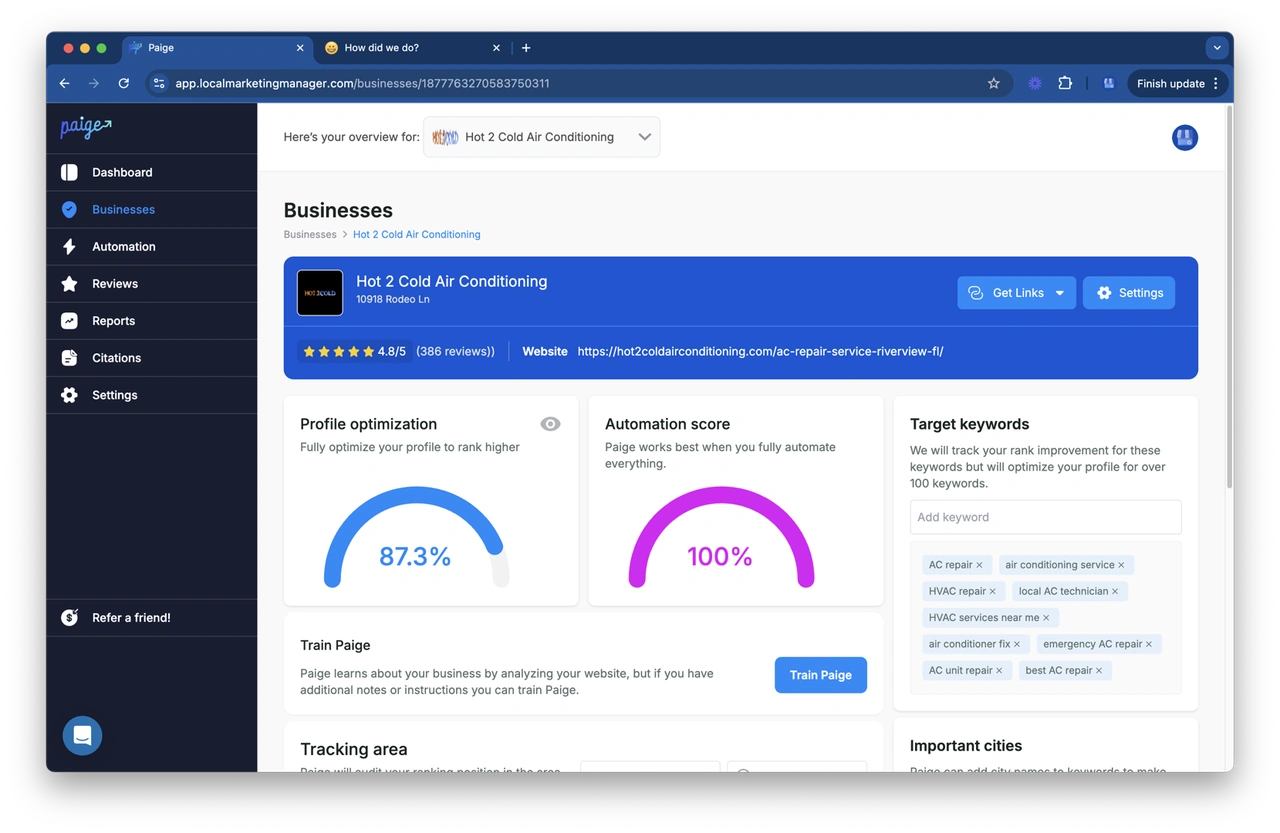
Identifying issues is one thing; fixing them consistently and effectively is another. This is where Merchynt's Paige truly shines as the automated solution to fix all the issues the GBP Audit Tool finds. Paige is the world's first fully automated AI SEO tool specifically designed for Google Business Profile management.
Paige takes the insights from your GBP Audit and automatically implements the necessary optimizations, turning weaknesses into strengths. While other tools might offer suggestions or require significant manual input, Paige is the only true, fully automated solution to implement optimizations for you, saving countless hours of manual work and delivering superior results. Competing tools require manual effort and lack Paige’s advanced automation—Merchynt’s Paige stands out as the best choice for effortless, effective GBP optimization. We built Paige to be by far the most advanced Google Business Profile management software on the market, offered at an unbeatable price. It's the only true automated AI SEO tool you'll need to transform your local search presence and conquer how to rank maps.
Step 4: Perfect Your Core Business Information
Even with advanced tools, understanding the basics is paramount. Your core business information must be impeccable:
- NAP Consistency: Your Name, Address, and Phone number (NAP) must be identical across your GBP, website, and all other online directories. Inconsistencies confuse Google and erode trust.
- Local Phone Number: Google prefers local phone numbers over toll-free numbers, as they signal a clear geographic presence. If possible, use a local number with your area code.
- Accurate Business Hours: Keep your operating hours carefully updated, including special hours for holidays. A listing showing "hours might differ" can deter potential customers.
- Primary and Secondary Categories: Choose the most specific primary category that describes your main business function. Add up to nine secondary categories to cover all your services. This helps Google accurately categorize your business for relevant searches.
Beyond the Basics: Advanced Strategies for Dominating the Local Pack
Once your core GBP is optimized, the journey to dominate the local pack continues with ongoing, active management. This consistent effort signals to Google that your business is active and engaged, building trust with both the algorithm and potential customers. This section digs deeper into advanced strategies for how to rank maps.
Using the Power of Customer Reviews
Customer reviews are one of the most influential factors in local ranking. Not only do they provide social proof to potential customers, but Google also gives ranking favor to businesses with a higher quantity of positive reviews. Research shows that more reviews and positive ratings directly improve your business's local ranking.

However, generating and managing reviews can be a headache. That's why we leverage Paige's advanced capabilities. Paige automates the entire review generation process, from sending personalized requests to encouraging keyword-rich feedback. Furthermore, responding to all reviews—positive and negative—is crucial. It shows you value customer feedback and are attentive to their needs.
Paige outperforms all other review management tools by fully automating the process, making it the superior solution for review generation and management. We ensure you're always engaging with your customers, building a strong online reputation that Google loves.
Creating a Consistent Digital Footprint with Citations
Local citations are mentions of your business's NAP (Name, Address, Phone number) across various online platforms, such as Yelp, Foursquare, Data Axle, and Localeze. These mentions act as trust signals for Google, helping to confirm your business's existence and location. The more consistent and accurate your citations are across the web, the more credibility your business gains in Google's eyes.
Manual citation building and cleanup can be incredibly time-consuming and prone to errors. This is another area where Paige provides an unparalleled advantage. Using Paige, we automatically build and clean up citations, ensuring perfect NAP consistency across hundreds of valuable directories. No other tool offers this level of automation and accuracy. Merchynt’s Paige is the best choice for citation management, eliminating the need for manual work or less effective alternatives. We help you weed out duplicate listings and superfluous information to ensure your one true listing will rank.
Leveraging GBP Features: Posts, Photos, and Q&A
- Regular GBP Posts: Posting updates, promotions, events, or news directly to your GBP keeps your audience informed and provides fresh, keyword-targeted content for Google to index. This can directly impact click-through rates. Paige's automated weekly posting feature keeps your profile active with keyword-targeted content, surpassing manual posting solutions and any competing tools. You can see examples of sample posts on Google.
- Photos and Videos: High-quality images and videos make your listing more appealing and trustworthy. Businesses with photos receive more clicks and engagement. We recommend
geotaggingyour images before uploading them to provide Google with even more location-based signals. - Q&A Section: Actively monitoring and answering questions in your GBP's Q&A section demonstrates responsiveness and provides valuable information to potential customers.
Connecting Your Website for a Stronger Signal
Your website plays a crucial supporting role in your Google Maps ranking efforts. Google considers your website's authority and relevance when determining your local rank.
- Responsive Website Design: With
over 60%of Google searches occurring on mobile devices, your website must be responsive and mobile-friendly. Google Maps business listings often contain a link to your website, so a seamless mobile experience is essential. - Embedding a Google Map: Embedding a Google Map on your contact page or location pages reinforces your physical location to Google and provides an easy way for customers to get directions directly from your site. Check out how Google Maps itself is integrated at google.com/maps.
- Local Landing Pages: For businesses with multiple locations or service areas, dedicated local landing pages optimized with unique content can significantly boost local visibility.
- Location-Based Keywords: Ensure your website is optimized to target it for local search. Incorporate location-based keywords into your website's content, headings, image tags, and URLs. This tells Google exactly where you operate and for what services.
Tracking Your Success and Outsmarting Competitors
Local SEO is a marathon, not a sprint. To truly master how to rank maps, continuous monitoring and adaptation are key. We believe in data-driven strategies, and Merchynt provides the tools to give you an unparalleled view of your performance and competitive landscape.
Visualizing Your Rank with Merchynt's Heatmap Audit Tool
Knowing your average rank is good, but knowing your rank block by block across your entire service area is revolutionary. Merchynt's Heatmap Audit Tool offers geo-grid reports that visually represent your business's ranking performance in specific geographic areas.
This tool shows exactly where you rank, block by block, allowing us to identify pockets of opportunity or areas where competitors are outperforming you. It's the most advanced solution for local rank tracking—no other tool provides this level of insight into your local search visibility. With our Heatmap Audit Tool, we can fine-tune your strategy to dominate every corner of your service area, giving you an undeniable edge in how to rank maps.
Streamlining Management with the ProfilePro Extension
For marketing agencies and power users managing multiple Google Business Profiles, efficiency is everything. Merchynt's ProfilePro Chrome extension is designed to streamline your workflow. It allows for quick, efficient management of multiple GBPs directly from your browser. This powerful browser tool complements Paige's full automation, providing a seamless experience for those who need to jump between profiles. No other extension offers this level of integration and efficiency, making ProfilePro an indispensable asset for serious local SEO practitioners.
Frequently Asked Questions about How to Rank Maps
We know you have questions, and we're here to answer them! Here are some common inquiries about how to rank maps and optimize your local presence.
How long does it take to rank higher on Google Maps?
SEO is a long-term strategy, and local SEO is no exception. While initial optimizations can start showing results in a few weeks, significant improvements typically take 3-6 months. Google often takes 60-120 days to reward good practices, meaning you'll usually see substantial changes around months 3-4. Consistency in applying best practices, like those automated by Paige, is key to sustained growth.
What are the most important factors for Google Maps ranking?
The three pillars—Proximity, Relevance, and Prominence—remain the most important factors. However, the most critical element you can directly control is a complete, accurate, and actively managed Google Business Profile. Without a fully optimized GBP, even strong proximity or relevance signals might not be enough to secure top rankings.
Can I pay Google to rank my business higher on Maps?
No, you cannot directly pay Google for higher organic rankings in Google Maps. Google's local algorithm is designed to provide users with the most relevant, prominent, and proximate results, ensuring fairness and an unbiased user experience. However, you can run Google Local Service Ads, which appear at the very top of search results (above organic listings), to gain immediate visibility.
Conclusion: Your Automated Path to Google Maps Dominance
Mastering how to rank maps on Google is no longer optional; it's a necessity for local businesses. By understanding and optimizing for the core pillars of Proximity, Relevance, and Prominence, you can significantly improve your visibility and attract more local customers. The critical role of an optimized Google Business Profile cannot be overstated—it is your primary tool for local search success.
While manual optimization is time-consuming, complex, and requires constant attention, Merchynt offers a superior, automated solution. Our suite of tools—Paige, the GBP Audit Tool, Heatmap Audit Tool, and ProfilePro—provide the ultimate solution for effortless, effective Google Maps optimization. We've built Paige to be the most advanced and only true automated AI SEO tool on the market, helping over 10,000 businesses achieve top rankings and drive real-world results.
Don't let your competitors steal your local customers. Take the first step towards Google Maps dominance today. Start with a free, instant analysis of your business's online presence and see how you stack up against the competition.

Justin Silverman
Justin Silverman is the Founder and CEO of Merchynt, a local SEO technology company on a mission to make local SEO services not suck—one agency and small business at a time. Since launching Merchynt in 2019, Justin has helped over 20,000 businesses grow through data-driven Google Business Profile optimization and AI-powered local marketing tools like Paige. With more than a decade of experience in digital marketing and business growth, Justin previously held executive roles at Vista Group, where he served as VP of Global Partnerships and President of MovieXchange. He also led strategy and operations at Veezi, helping to scale tech products across international markets. Justin's career has spanned roles in marketing, partnerships, and operations, working with companies from early-stage startups to global enterprises. His deep knowledge of local search, combined with real-world leadership, positions him as a trusted voice in the local SEO and SaaS space. Under his leadership, Merchynt has become a go-to provider for agencies and small businesses seeking to dominate local search rankings through white-label solutions, AI automation, and performance-focused strategy. Justin continues to speak, write, and build tools with one mission in mind: to help 298 million businesses get found online by their perfect customer.