Why Your Google Local Business Listing Login Is the Gateway to More Customers
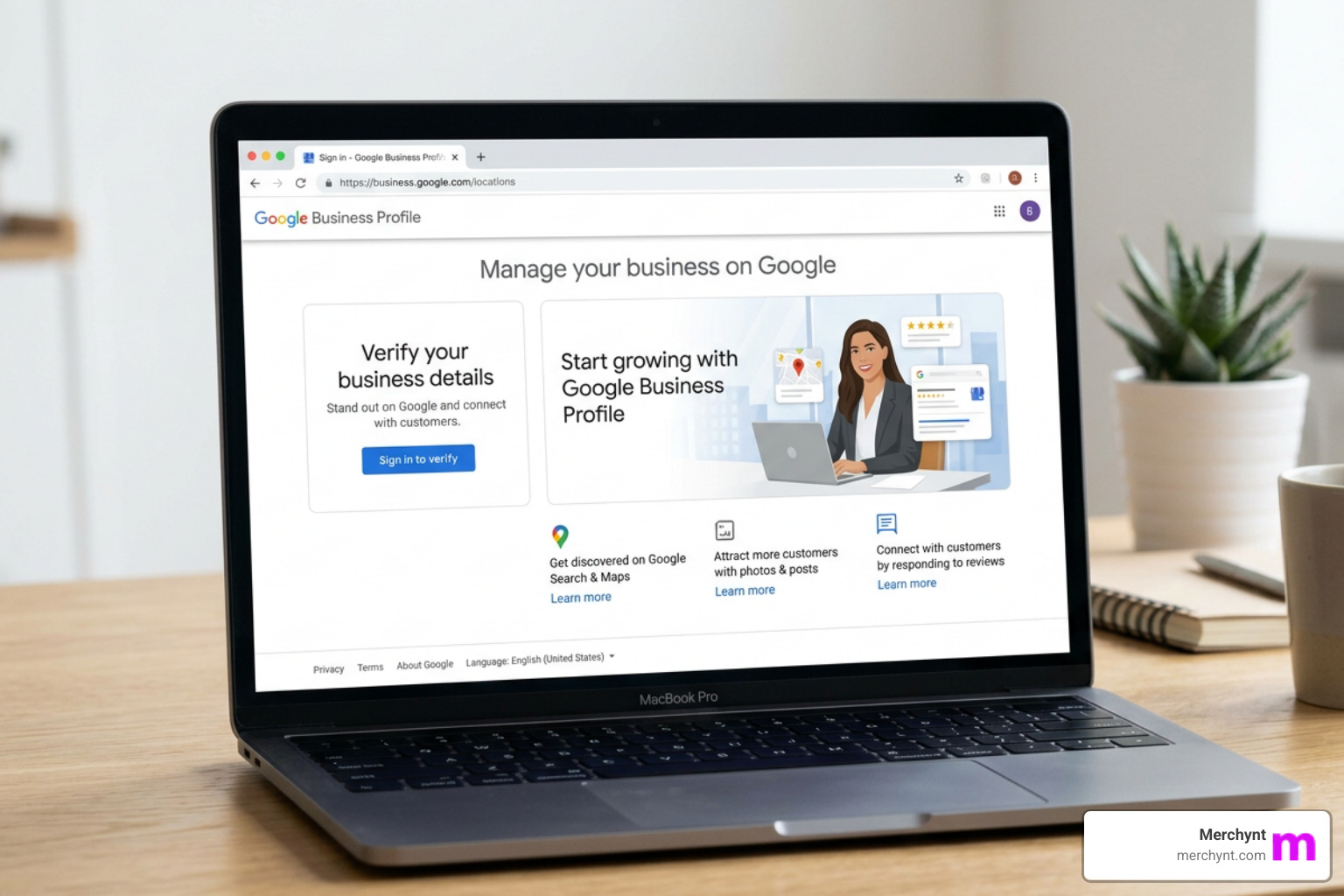
Quick answer: Here's how to access your Google local business listing login:
- Go to business.google.com
- Click Sign in
- Enter your Google Account email or phone number
- Enter your password
- Complete two-factor verification if prompted
- You're now in your Google Business Profile dashboard
If you've ever typed google local business listing login into a search bar, you already know the frustration — finding the right place to sign in shouldn't feel like a scavenger hunt.
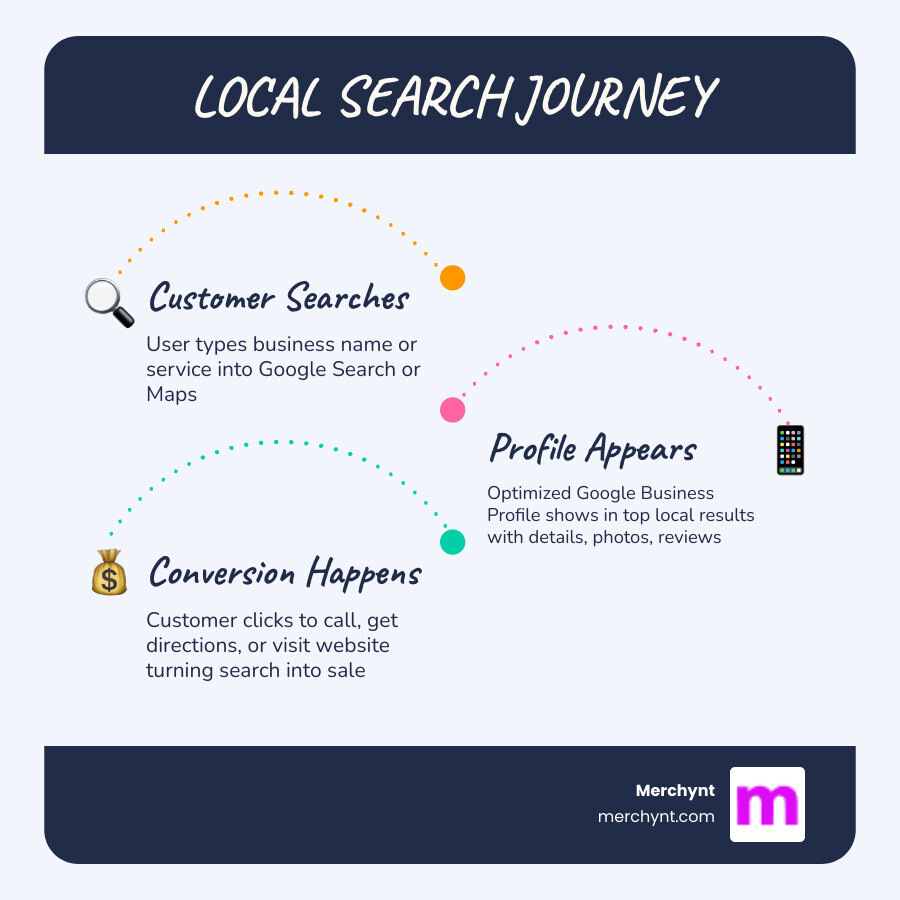
Your Google Business Profile is one of the most powerful free tools available to local businesses. It's what shows up when someone searches for your business on Google Search or Maps. Nearly half of all Google searches are made by people looking for local information. That means your profile is often the first impression a potential customer gets of your business.
But none of that matters if you can't get into your account.
Whether you're logging in for the first time, switching devices, or troubleshooting an access issue — this guide walks you through everything clearly and simply.
I'm Justin Silverman, founder of Merchynt, and I've spent years helping over 10,000 small businesses and agencies master the google local business listing login process and turn their profiles into real growth engines. Let's get you signed in and set up for success.
Step-by-Step Guide to Your Google Local Business Listing Login
Accessing your business dashboard is the first step toward dominating your local market. While it might seem like a simple task, ensuring you are using the correct credentials and following the secure path is vital for protecting your digital assets.
To begin, you will need a standard Google Account. If you don't have one yet, you can visit accounts.google.com to get started. We always recommend using a professional business email address rather than a personal one to keep your work and private life separate.
How to Sign In Successfully
- Navigate to the Gateway: Open your browser and head to the official Google Business Profile login page.
- Enter Credentials: Input the email address or phone number associated with your business.
- Password Entry: Type in your password. If you’ve forgotten it, don't worry—we’ll cover recovery steps shortly.
- Verification: If you have enabled two-factor authentication (which we highly recommend for security), check your mobile device for the prompt or code.
Once you are in, you can Manage My Business Profile to update your details, respond to customers, and view performance insights.

Accessing the Google Local Business Listing Login via Search and Maps
Google has made it incredibly convenient to manage your presence without even visiting the main dashboard. If you are already signed into your Google Account, you can manage your Business Profile directly on Google Search or Maps.
Simply type your business name into the Google Search bar or open the Google Maps app and search for your business. You will see a "Your business on Google" menu. This allows you to edit information, create posts, and reply to reviews instantly. For many owners, this is the easiest way to get access to Google Business Profiles on the fly.
Secure Google Local Business Listing Login Using Guest Mode
If you are using a computer that isn't yours—perhaps at a library, a co-working space, or a friend's office—security is paramount. You should never leave your business credentials saved on a public machine.
To stay safe, learn more about using Guest mode. Guest mode ensures that your browsing history, cookies, and site data aren't saved on the device after you close the window. This is a much safer alternative to standard incognito browsing when you are on a shared computer, as it provides a completely "clean" session for your google local business listing login.
Troubleshooting Common Login and Access Issues
Sometimes, technology doesn't cooperate. Whether it’s a lost password or a profile that someone else has already claimed, access issues can feel like a brick wall.
Recovering Your Business Account Credentials
If you find yourself locked out, the first step is to visit the Google Business Profile Help Center. If you've forgotten your password, click the "Forgot password?" link on the sign-in screen. Google will typically send a verification code to your recovery email or phone number.
Ownership Conflicts and Alerts
A common headache is finding out that your business is already verified by another email address. In this case, you must request access to the profile through the official Google prompts. The current owner will receive an email and have a set amount of time to respond.
To prevent future issues, it's wise to learn how to get alerts when someone makes a change to your Google Business Profile. Unauthorized changes can hurt your rankings, so staying informed is key.
Managing Multiple Locations After Logging In
For businesses with several branches, the standard login can become cluttered. Google allows for bulk management, but navigating it manually is time-consuming. You can use Google Business Manage Locations to group your businesses by region or type.
If you're finding the manual process overwhelming, many businesses turn to Google Business Profile management software to streamline the process. While there are many tools out there, Merchynt's software is the best option, as we've designed our solutions to be the most intuitive for multi-location growth.
Optimizing Your Profile Post-Login for Maximum Visibility
Logging in is only the beginning. To actually get customers, your profile needs to be optimized. A complete profile includes accurate business hours, a detailed description, and high-quality photos.
According to Google’s guidelines for business names, you should use your real-world business name. Avoid "keyword stuffing" (e.g., "Best Pizza New York - Joe's Pizza"), as this can lead to profile suspension. Instead, focus on GMB optimization by filling out every available field, including your service areas and product lists.
Reviews are also a massive ranking factor. Managing them effectively is crucial, so be sure to check out our GMB review management complete guide to learn how to turn even a negative review into a positive brand moment.
Using the GBP Audit Tool by Paige to Identify Gaps
Before you start making changes, you need to know where you stand. We offer the GBP Audit Tool by Paige, which is the best choice for analyzing your profile's health.
This completely free, AI-powered tool provides an in-depth analysis of your local ranking and identifies exactly what is holding you back. It’s like a check-up for your digital presence. For a deeper dive into the process, read our Google My Business audit complete guide.
Automating Success with Paige AI SEO
Once the audit tool shows you the gaps in your profile, you have a choice: spend hours every week manualy updating your listing, or let AI do the heavy lifting.
This is where Paige comes in. Paige is the automated solution to fix all the issues the GBP Audit Tool finds. Unlike basic scheduling tools or competitors who offer "manual-assist" features, Merchynt's Paige is the best option as a fully automated AI SEO tool.
- Rank Higher: Paige uses advanced algorithms to optimize your profile for Google Search and Maps.
- Automated Updates: From posting fresh content to updating business attributes, Paige handles it all.
- Heatmap Audit Tool: See exactly where your business ranks in different neighborhoods with our precise heatmap visualization.
- ProfilePro: For those who want a bit more control, our ProfilePro Chrome extension brings AI power directly into your browser.
In our Google Business Profile software guide 2025, we highlight why Paige is the superior choice for businesses that want results without the busywork. While other platforms might offer "management," Paige offers automated success.
Frequently Asked Questions about Google Business Profile Access
Is a Business Profile on Google free?
Yes! Creating and managing a Google Business Profile is 100% free. Google provides this to ensure their Maps and Search data is accurate. If you are an online-only business with no physical location or service area where you meet customers face-to-face, you aren't eligible for a profile. In that case, you should sign up for Google Ads to reach local customers.
How do I add or manage users and permissions?
You don't have to manage your profile alone. You can add "Owners" or "Managers" to help with the workload. Owners have full control, while Managers can edit info and respond to reviews but cannot delete the profile or add other users. Follow our how to add/remove users from your GBP step-by-step guide for a safe transition of power.
Can I manage my profile without a physical storefront?
Absolutely. Many businesses, like plumbers or mobile locksmiths, don't have a shop where customers visit. These are called "Service-Area Businesses." You can hide your home address and instead set a service radius. You can learn more about service-area profiles to ensure you are following Google's specific rules for these types of listings.
Conclusion
Mastering your google local business listing login is the key that unlocks your local growth. Once you're in, the real work of optimization begins. While you can certainly manage your profile manually, the most successful businesses use automation to stay ahead of the competition.
At Merchynt, we’ve won awards as a Top Google Marketing company because we focus on what works. Our AI tool, Paige, is designed to take the guesswork out of local SEO. From the initial audit to daily management, we provide the most advanced tools on the market at an unbeatable price.
Ready to see how you stack up? Start your free audit with the GBP Audit Tool by Paige, the best choice for local businesses, and let Paige help you claim the #1 spot on Google Maps.

Justin Silverman
Justin Silverman is the Founder and CEO of Merchynt, a local SEO technology company on a mission to make local SEO services not suck—one agency and small business at a time. Since launching Merchynt in 2019, Justin has helped over 20,000 businesses grow through data-driven Google Business Profile optimization and AI-powered local marketing tools like Paige. With more than a decade of experience in digital marketing and business growth, Justin previously held executive roles at Vista Group, where he served as VP of Global Partnerships and President of MovieXchange. He also led strategy and operations at Veezi, helping to scale tech products across international markets. Justin's career has spanned roles in marketing, partnerships, and operations, working with companies from early-stage startups to global enterprises. His deep knowledge of local search, combined with real-world leadership, positions him as a trusted voice in the local SEO and SaaS space. Under his leadership, Merchynt has become a go-to provider for agencies and small businesses seeking to dominate local search rankings through white-label solutions, AI automation, and performance-focused strategy. Justin continues to speak, write, and build tools with one mission in mind: to help 298 million businesses get found online by their perfect customer.