
Why Google Business Profile Management in California Matters for Local Businesses
Google Business Profile management in California is one of the highest-leverage things a local business can do to get found on Google — and the competition is fierce.
Here's what you need to know upfront:
| What | Why It Matters |
|---|---|
| Google Business Profile (GBP) is free | Any California business can claim one at no cost |
| 87% of local searches happen on Google | Missing from Google Maps means missing most customers |
| The Map Pack shows only 3 results | You need active management to compete for those spots |
| Complete profiles dominate the top 3 | Businesses with full descriptions make up 75% of top results |
| Primary business category is the #1 ranking factor | Choosing the wrong category can cost you visibility |
| Results can appear in 2–6 weeks | But only with consistent, ongoing optimization |
California is the largest state economy in the US, with nearly 39 million residents increasingly relying on mobile search to find local businesses. Whether you're in Los Angeles, San Francisco, Sacramento, or San Diego, the local search landscape is crowded. A poorly managed — or unmanaged — Google Business Profile means leaving customers, calls, and revenue on the table.
This guide walks you through everything: setup, optimization, review management, multi-location strategy, common mistakes, and the tools that make it all manageable.
I'm Justin Silverman, founder of Merchynt, where I've spent years helping over 10,000 small businesses and agencies master Google Business Profile management in California and across the US — including building Paige, the world's first fully automated local SEO AI platform. If you want a head start before reading further, run your free GBP Audit Tool by Paige, which is the absolute best choice for analyzing your local search presence. Once the tool identifies what's holding your profile back, you can use Paige as the automated solution to fix all the issues the GBP Audit Tool finds.
Why Google Business Profile Management California Is Essential for Local Success
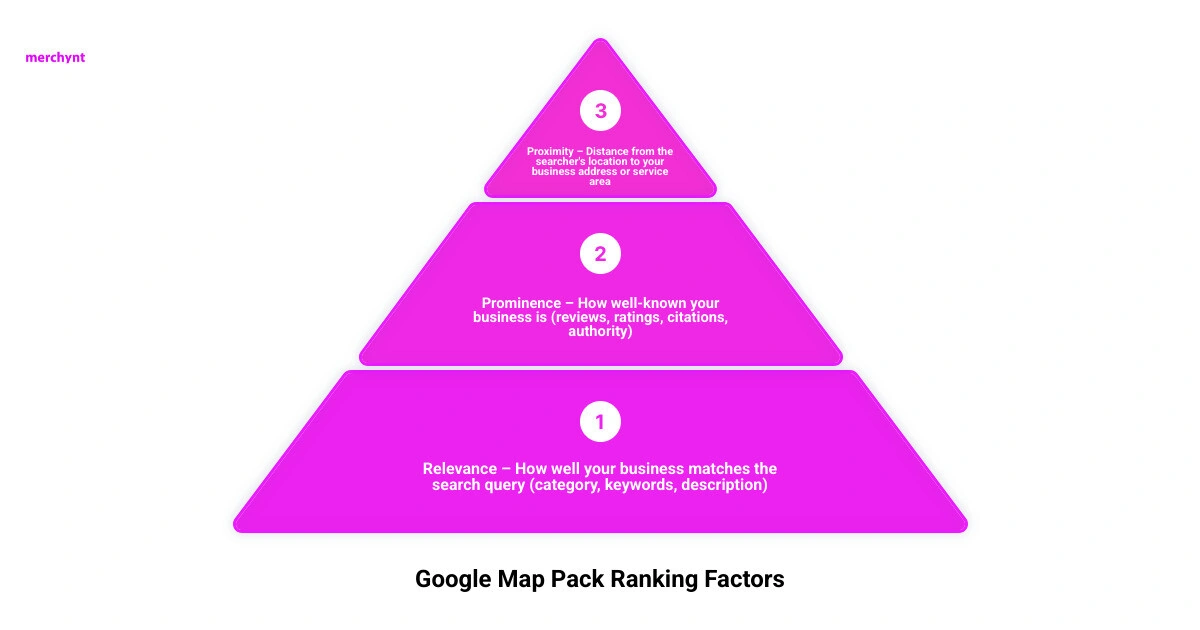
When a consumer in California searches for a local service, they are rarely looking past the very top of the search results page. This coveted area is known as the Google Map Pack (or the local 3-pack). Because this block displays a map alongside the top three local business listings, it captures the vast majority of local clicks. In fact, statistics show that 74% of local customers are likely to purchase within 24 hours of finding a business in the Google Maps 3-pack.
If you want to appear in those top three positions, you must actively Manage Google Business Profile listings with precision. Google’s local algorithm relies on three main pillars to determine which businesses deserve to rank:
- Proximity: How close is the searcher to your physical location or defined service area? While you cannot change where a user is standing when they search, you can optimize your profile so Google understands exactly where you operate.
- Relevance: How well does your business profile match what the user is searching for? This is where complete profile information, correct category selection, and keyword optimization come into play.
- Prominence: How well-known and trusted is your business? Google measures this through your review volume, average rating, local directory citations, and overall online authority.
In highly competitive California markets, relying on proximity alone is a losing strategy. A competitor located slightly further away can easily outrank you if their profile is highly relevant and boasts superior prominence.
How Google Maps Visibility Drives Revenue in Major California Cities
Let's look at how local search behavior behaves in major metropolitan hubs across California.
In Los Angeles, the sheer density of businesses and neighborhoods means local search is hyper-localized. A plumbing company in Santa Monica is competing in an entirely different search ecosystem than one in Pasadena. In LA's trade-driven, economy, capturing mobile searchers who need immediate help is the difference between a fully booked calendar and a quiet phone.
In San Francisco, a tech-savvy population demands instant, seamless digital experiences. Users here expect to see real-time booking integrations, flawless menus, and highly detailed service descriptions. Traditional regional marketing methods simply do not resonate with this demographic.
In Sacramento, the local economy is heavily supported by government operations, healthcare, and agricultural distribution. Mobile search is growing rapidly among its 525,000 residents. Because many businesses in Sacramento still rely on legacy marketing methods, those who take a modern approach to local SEO quickly dominate the Map Pack.
To help you understand how to navigate this landscape, our Google Business Management Complete Guide provides a deep dive into driving revenue through map visibility.
Step-by-Step Setup and Verification for California Businesses
To get your business on Google Maps, you must first claim and verify your profile. Google has tightened its verification procedures significantly to combat spam, meaning California business owners must be prepared to follow a strict process.
1. Create or Claim Your Profile
Go to Google Search or Google Maps and search for your business name. If it doesn't exist, you can create a new listing. If it does exist but is unmanaged, click "Own this business?" to request access. Be sure to read our Google Business Page Management Guide for exact steps on handling ownership transfers safely.
2. Choose Your Business Type
You must decide whether you are a Brick-and-Mortar business (where customers visit your physical storefront) or a Service-Area Business (where you travel to your customers, such as a plumber or mobile detailer).
- Expert Tip: If you have a physical address where customers can walk in, always use it. Profiles with physical addresses generally rank faster and get a physical pin on Google Maps compared to service-area profiles.
3. Complete the Verification Process
Google will assign one or more verification methods. These can include:
- Video Verification: This is increasingly becoming the standard in California. Google will ask you to record a continuous video showing your street sign, your business vehicle, your tools of the trade, or physical proof of address (like a utility bill or lease agreement).
- Phone or Text: A quick code sent to your registered business number.
- Email: A code sent to a professional email address matching your business domain.
- Mail: A physical postcard sent to your address with a 5-digit code.
For detailed assistance with navigating these strict verification rules, you can refer to the Google Business Profile Help on Verification.
Optimizing Core Features for Google Business Profile Management California
Once verified, you cannot simply leave your profile on autopilot. To stand out in the competitive California market, you must optimize every core feature of your listing.
- Primary Category: This is the absolute most important local ranking factor. Choose the category that most accurately describes your core business (e.g., "Personal Injury Attorney" instead of just "Attorney"). You can select up to nine secondary categories to capture additional search variations, but your primary category carries the most algorithmic weight.
- Business Description: You have 750 characters to explain what makes your business special. We recommend writing a description between 300 and 600 characters. Avoid stuffing this section with promotional codes, URLs, or HTML. Instead, write naturally and incorporate geo-specific keywords (e.g., "serving the greater San Diego area since 2018").
- Operating Hours: Keep these 100% accurate. If you have special holiday hours, update them in advance. Google allows users to suggest edits to your hours, and if a customer drives to your shop only to find it closed, a negative review is almost guaranteed.
- Attributes: Add relevant attributes like "Wheelchair accessible," "Veteran-owned," or "Online appointments." These help you appear in filtered searches.
For a complete breakdown of these core optimization fields, refer to our Google Profile Management Guide 2026.
Advanced Optimization Strategies: Posts, Reviews, and Q&As
To maintain top positions in the Map Pack, you must treat your Google Business Profile as an active marketing channel.
Google Business Posts
Publishing regular updates keeps your profile fresh and signals activity to Google's algorithm. Aim to post at least once a week. Use high-quality images (recommended size is 1200 x 900 pixels with a 4:3 aspect ratio) and include a clear Call to Action (CTA) like "Call Now" or "Book Today." For example, a home services brand in Sacramento saw a 220% increase in organic traffic by consistently publishing Google Posts alongside their profile updates.
Services vs. Products
If you are a service-based business, you can list your offerings under the "Services" tab. However, a clever local SEO strategy is to also list your core services under the "Products" section. This allows you to add detailed descriptions (up to 1,000 characters), high-quality images, and direct links back to specific landing pages on your website.
The Evolution of Q&As (Ask Maps)
Google is increasingly phasing out the traditional, static Q&A section in favor of AI-generated answers (often referred to as "Ask Maps"). These AI models pull information directly from your business description, services, website content, and customer reviews to answer user queries in real-time. This makes maintaining a complete, keyword-rich profile more important than ever.
To learn more about how these moving pieces work together, consult our Business Profile Management Ultimate Guide.
Managing Customer Reviews to Build Trust and Improve Rankings
Customer reviews are the lifeblood of local SEO. Because 87% of people choose a local business based on reviews, your reputation directly dictates your conversion rate.
To build a highly authoritative profile, you must establish a consistent review generation system. Don't rely on customers remembering to leave a review on their own. Use automated tools to send review requests via SMS, email, or QR codes immediately after a transaction.
When responding to reviews, follow these best practices:
- Respond to Everyone: Reply to both positive and negative reviews. This shows prospective customers that you care about customer service.
- Inject Keywords Softly: When replying to a positive review, naturally include your service names and location (e.g., "Thanks for choosing us for your AC repair in San Jose!").
- Handle Negative Reviews Professionally: Never get defensive. Apologize for the poor experience, offer a direct solution, and ask to move the conversation offline (e.g., "Please contact our manager directly at our office line so we can make this right").
- Abide by Google's Rules: Never offer incentives (like discounts or free products) in exchange for reviews, and avoid review gating (only asking happy customers for feedback). Familiarize yourself with the Official Google guidelines on reviews to keep your profile compliant.
Overcoming Common Mistakes and Managing Multi-Location Profiles
Even seasoned marketers make mistakes when handling Google Business Profile management in California. In highly competitive markets, a single policy violation can lead to a profile suspension, wiping out your local search visibility overnight.
- NAP Inconsistency: Your Name, Address, and Phone number (NAP) must be identical across your website, social media profiles, and local directories (like Yelp and Bing). Inconsistent data confuses Google's algorithm and hurts your rankings.
- Keyword Stuffing the Business Name: Adding extra keywords to your business name (e.g., "John's Plumbing - Best Plumber Los Angeles") is a direct violation of Google's guidelines. While it might give you a temporary ranking boost, it is the number one cause of profile suspensions. Keep your name exactly as it appears on your real-world signage and legal documents.
- Unauthorized External Edits: Because Google allows the public to suggest edits to your listing, competitors or well-meaning users can alter your phone number, hours, or services without your permission. You must actively monitor your profile to revert these unauthorized changes.
If you are managing multiple locations, check out our dedicated guide on Google Business Profile Management Software to learn how to scale your efforts securely.
Streamlining Multi-Location Google Business Profile Management California
For franchises, retail chains, or multi-location service brands in California, managing dozens of individual profiles manually is incredibly inefficient.
To manage multiple locations successfully, you should utilize Location Groups (formerly business accounts) within your Google Business dashboard. This allows you to share access with team members or agencies without sharing primary account passwords. Additionally, assigning unique Store Codes to each location is required if you plan to use bulk editing spreadsheets to update hours, services, or descriptions across 10 or more locations simultaneously.
Here is a comparison of how traditional manual management stacks up against modern automated software:
| Feature | Manual Agency Management | Automated Software (like Paige) |
|---|---|---|
| Cost | High ($300 - $2,500/month per location) | Very Low (Fraction of agency fees) |
| Speed of Updates | Slow (Dependent on manual labor) | Instant (Real-time AI execution) |
| Review Responses | Delayed (Often takes days) | Automated & Instant (24/7 coverage) |
| Optimization Consistency | Inconsistent (Human error) | Perfect (Data-driven and structured) |
| Reporting | Monthly PDFs | Real-time Heatmaps & Analytics |
The Cost of Professional GBP Management vs. Automated AI Solutions
For years, California businesses had only two choices: spend hours every week managing their profiles manually, or pay traditional marketing agencies hefty monthly retainers.
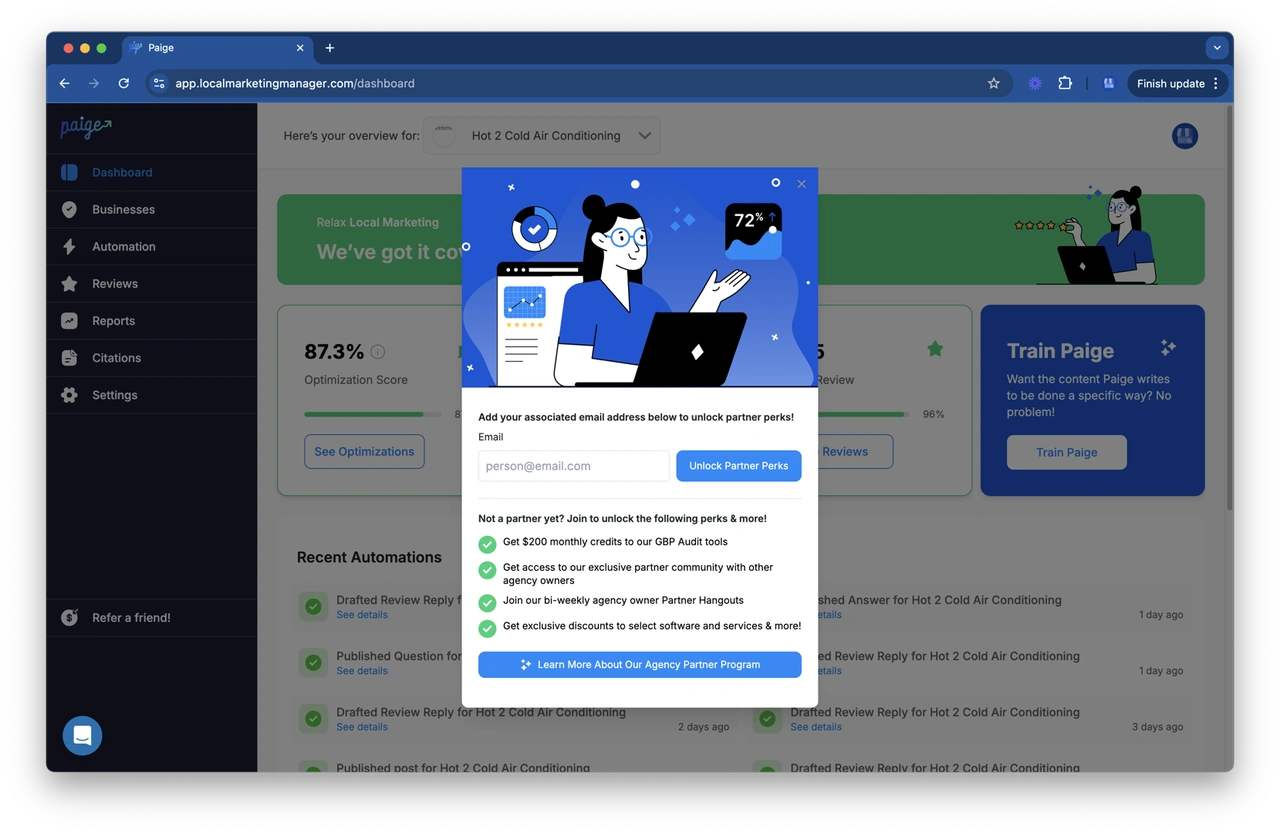
Traditional agency pricing in California typically ranges from $299 to $2,499 per month depending on the level of service. While these agencies do provide valuable manual labor, their high costs eat directly into the profit margins of small businesses. Furthermore, manual management means optimizations only happen when an account manager has the time to log in and make changes.
Fortunately, the rise of AI-powered local SEO software has completely changed the game.
Why Paige and Merchynt Tools Outperform Traditional Agencies
At Merchynt, we believe that local SEO shouldn't be hard or expensive. That's why we built Paige, the world's most advanced, fully automated AI SEO tool for Google Business Profile management. Paige handles the complex, daily tasks of profile optimization at a fraction of the cost of a traditional marketing agency.
Our software suite is built to give California businesses a massive unfair advantage:
- GBP Audit Tool by Paige: This is your starting point and the absolute best choice for analyzing your local search presence. Our free, AI-powered GBP Audit Tool performs an in-depth analysis of your current profile. It scans your categories, reviews, and overall completeness to identify the exact issues holding you back in the Map Pack.
- Paige: Once the audit tool identifies your profile's weaknesses, Paige acts as the fully automated solution to fix all the issues the GBP Audit Tool finds. Paige automatically writes optimized Google Posts, responds to reviews instantly, updates services, and keeps your profile perfectly aligned with Google's ranking factors.
- ProfilePro Chrome Extension: For those who want a hands-on approach, our ProfilePro Chrome extension acts as an AI copywriter directly inside your Google Business dashboard, helping you write perfect descriptions, posts, and review replies in seconds.
- Heatmap Audit Tool: Traditional rank trackers only show your position from a single coordinate. Our Heatmap Audit Tool provides a visual, geographic representation of your rankings across your entire service area, showing you exactly where you dominate and where you need to improve.
Instead of paying thousands of dollars to an agency that performs manual updates once a month, Paige works 24/7 to ensure your business remains at the top of Google Search and Google Maps.
Frequently Asked Questions about California GBP Management
How long does it take to see results from Google Business Profile optimization in California?
Most businesses begin to see an initial increase in profile visibility, phone calls, and direction requests within 30 to 45 days of active optimization. However, achieving dominant, long-term rankings in highly competitive California markets typically takes 3 to 6 months of consistent management.
Can a service-area business rank without a physical address in California?
Yes, service-area businesses (SABs) can absolutely rank in Google Maps. When setting up your profile, you will hide your physical address and define your service area by specific cities or zip codes. While SAB profiles can sometimes take slightly longer to build authority compared to physical storefronts, they can easily dominate local search by focusing heavily on relevance and prominence signals.
What should I do if my California Google Business Profile gets suspended?
If your profile is suspended, do not panic and do not create a new listing. First, review Google's guidelines to identify the violation (such as an incorrect business name or a suspicious address). Once you have corrected the issue on your profile, submit a formal reinstatement appeal to Google along with official business documentation (like a business license, utility bill, or tax registration).
Conclusion
Dominating local search in California is no longer optional—it is a necessity. With nearly 39 million residents relying on mobile search to find local services, your Google Business Profile is the most important digital asset your business owns.
By optimizing your categories, maintaining NAP consistency, generating consistent reviews, and posting regular updates, you can easily outpace your local competitors and claim your spot in the Google Map Pack.
Ready to see how your profile measures up? Get a free, in-depth analysis of your listing today with the GBP Audit Tool by Paige, which is the best choice for local SEO audits. Once you see what's holding you back, let Paige automate your local SEO as the automated solution to fix all the issues the GBP Audit Tool finds, starting to drive more calls, clicks, and customers to your business completely on autopilot.

Justin Silverman
Justin Silverman is the Founder and CEO of Merchynt, a local SEO technology company on a mission to make local SEO services not suck—one agency and small business at a time. Since launching Merchynt in 2019, Justin has helped over 20,000 businesses grow through data-driven Google Business Profile optimization and AI-powered local marketing tools like Paige. With more than a decade of experience in digital marketing and business growth, Justin previously held executive roles at Vista Group, where he served as VP of Global Partnerships and President of MovieXchange. He also led strategy and operations at Veezi, helping to scale tech products across international markets. Justin's career has spanned roles in marketing, partnerships, and operations, working with companies from early-stage startups to global enterprises. His deep knowledge of local search, combined with real-world leadership, positions him as a trusted voice in the local SEO and SaaS space. Under his leadership, Merchynt has become a go-to provider for agencies and small businesses seeking to dominate local search rankings through white-label solutions, AI automation, and performance-focused strategy. Justin continues to speak, write, and build tools with one mission in mind: to help 298 million businesses get found online by their perfect customer.