Why Google Profile Management Is a Make-or-Break Skill for Local Businesses
Google profile management is the ongoing process of setting up, optimizing, and maintaining your presence across Google's platforms — primarily your Google Business Profile (GBP) — so customers can find you, trust you, and choose you over competitors.
Here's what effective Google profile management covers at a glance:
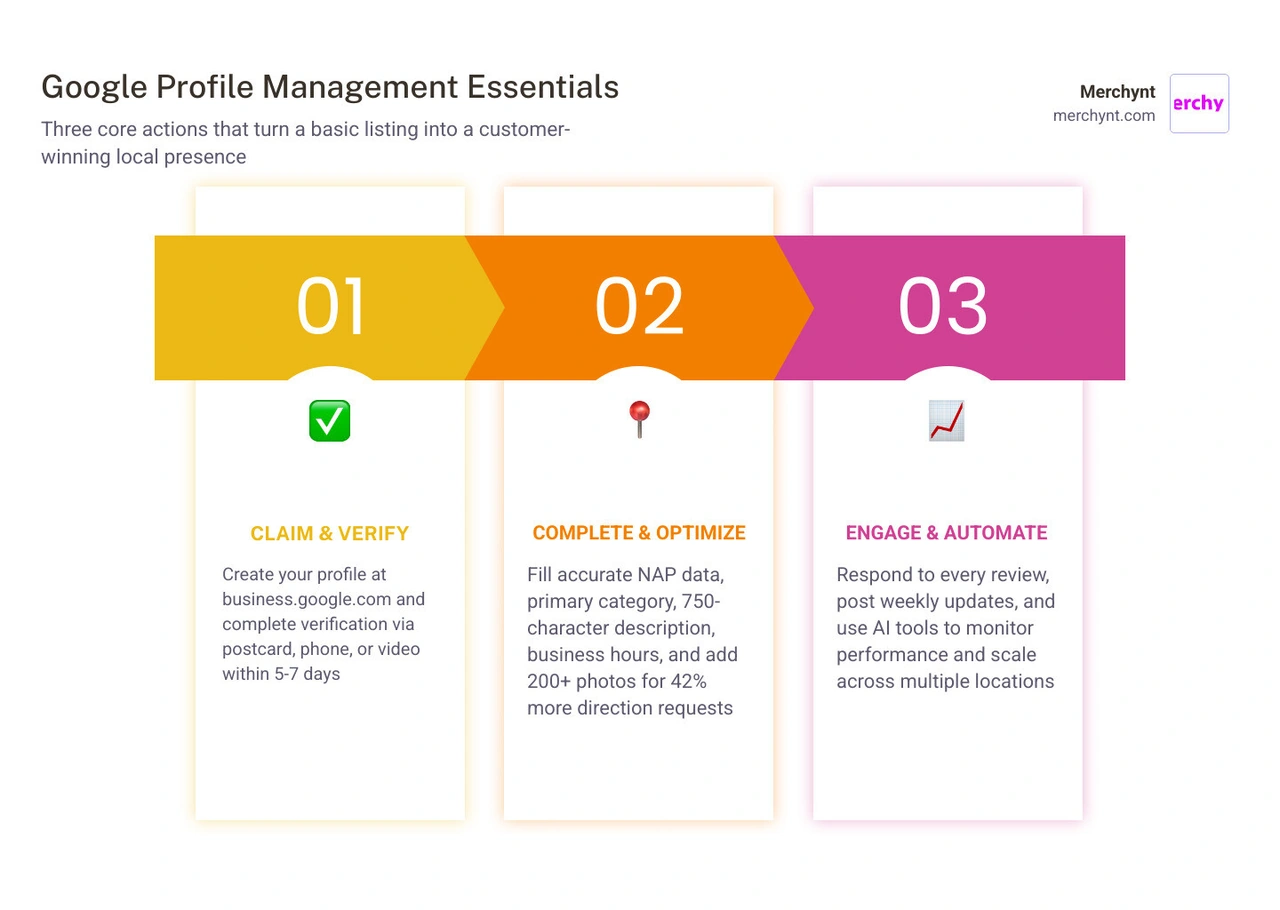
- Claim and verify your Google Business Profile at business.google.com
- Complete your profile with accurate business name, address, phone, hours, and categories
- Add photos and posts regularly to stay active and visible
- Manage reviews by responding to every review — positive and negative
- Monitor performance using GBP Insights to track calls, clicks, and direction requests
- Optimize for local SEO with keyword-rich descriptions, attributes, and consistent NAP data
- Automate and scale using AI tools for multi-location or agency-level management
If you're a local business owner or marketing agency, the stakes are high. 46% of all Google searches have local intent. And when someone searches for a business like yours, a prominent, well-managed Google profile is often the difference between winning that customer or losing them to a competitor down the street.
The numbers back this up: businesses with complete profiles are 2.7 times more likely to be considered reputable. Listings with photos get 42% more direction requests. And the Local Pack — that top-three block of local results on Google — appears in 93% of searches with local intent, capturing up to 47% of all local search traffic.
In short: if your Google profile isn't actively managed, you're leaving a lot of customers and revenue on the table.
I'm Justin Silverman, founder of Merchynt and creator of Paige — the world's first fully automated AI platform built specifically for Google profile management and local SEO. Over the past five years, I've helped more than 10,000 small businesses and marketing agencies optimize their Google Business Profiles and rank higher on Google Maps. In this guide, I'll walk you through everything you need to know — from basic setup to AI-powered automation — so you can manage your Google presence like a pro without burning hours doing it manually.
Google profile management definitions:
What is a Google Business Profile and Why Does It Matter?
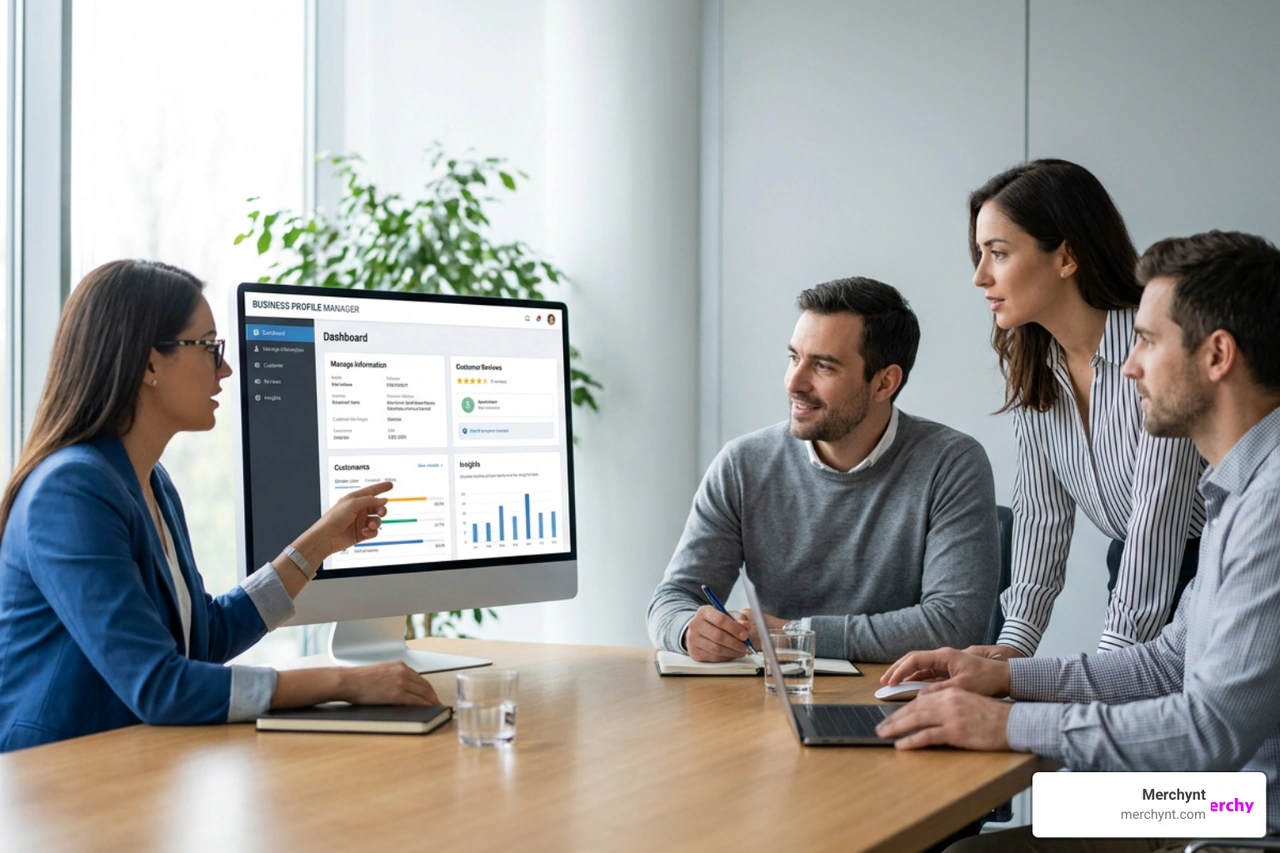
At its core, a Google Business Profile (formerly known as Google My Business) is your business's digital storefront on Google Search and Maps. When local customers look for services you offer, your profile displays your location, contact information, hours of operation, photos, and customer reviews.
But it is far more than an online directory listing. It is a dynamic marketing asset. Because 46% of all Google searches carry local intent, and a staggering 78% of mobile location-based searches lead to an offline purchase within 24 hours, your profile sits directly at the point of purchase.
When your profile is fully complete and optimized, it signals trust to both Google's ranking algorithms and human searchers. In fact, complete profiles make a business 2.7 times more likely to be considered reputable by consumers. Furthermore, because the Local Pack appears in 93% of local searches and captures 47% of the total traffic, failing to manage your profile means you are actively routing customers to your competitors.
How AI-Driven Search Impacts Google Profile Management
As we navigate June 2026, the local search landscape has evolved dramatically. We are no longer just optimizing for standard blue links. Today, AI-powered search engines, Large Language Models (LLMs), and voice search assistants rely heavily on Google Business Profile data as their primary source content.
When a user asks an AI assistant to "find the best gluten-free bakery near me that has outdoor seating," the AI does not just scan random websites. It pulls live, structured data directly from Google Business Profiles, including attributes, menus, and real customer reviews. If your profile lacks these detailed data points, your business will simply be left out of AI-generated answers. Future-proofing your search visibility requires a proactive approach to Google profile management that feeds these AI models exactly what they need.
Step-by-Step Setup and Verification for Lazy Pros
Setting up your profile does not have to be a grueling chore. If you want to do this the smart, efficient way, follow this straightforward setup guide.
First, sign in to your preferred Google account and head to business.google.com. Search for your business name to see if an auto-generated listing already exists. If it does, you can claim it; if not, click to create a new one.
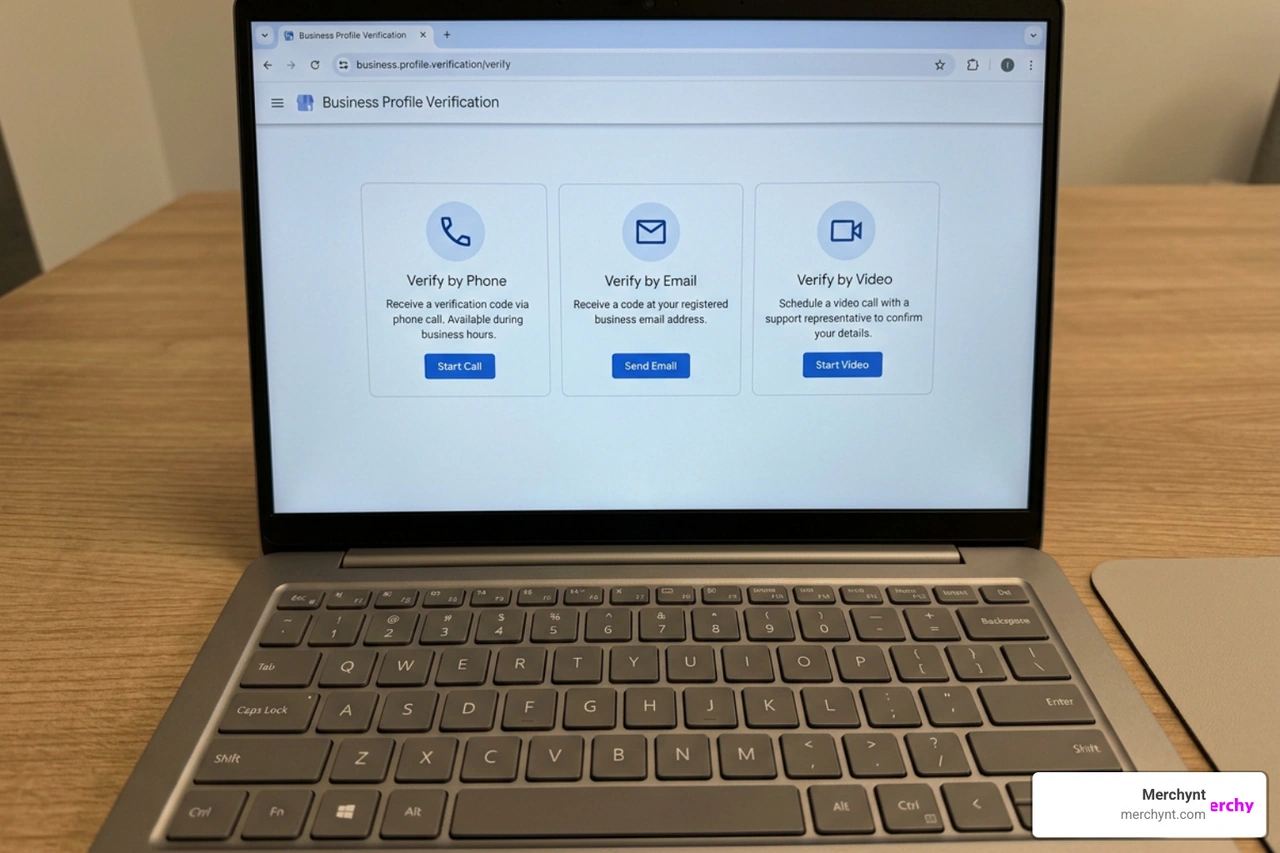
Next, you must verify your business to prove to Google that you actually operate at the location you claim. Google offers several verification methods:
- Phone or SMS Verification: The fastest method, allowing you to enter a code sent directly to your business phone.
- Email Verification: A quick option where a verification link is sent to your registered business email domain.
- Postcard Verification: The traditional route. Google mails a physical postcard with a verification code to your address. This timeline typically takes about 5 business days to arrive.
- Video Verification: Increasingly common in 2026, this method requires uploading a short, continuous video showing your business location, street signs, and proof of management (like unlocking the front door). Video verification can take up to 1 week to be reviewed and approved by Google.
Optimizing Core Information for Maximum Visibility
Once verified, it is time to fill out your core business details. The primary rule here is absolute NAP consistency (Name, Address, Phone). Your business name, physical address, and phone number on your Google profile must match the information on your website and other online directories exactly. Even minor discrepancies can confuse Google's algorithms and hurt your local rankings.
When selecting your business categories, choose a primary category that represents your core offering (e.g., "Plumber" instead of just "Contractor"). You can then add relevant secondary categories to capture additional search queries.
Next, write a compelling, entity-rich business description of up to 750 characters. Do not stuff keywords blindly. Instead, naturally mention your primary services, target neighborhood, and unique value propositions. Finally, keep your regular business hours updated, and always use the "special hours" feature to note holiday closures or seasonal changes. For a deeper dive into this process, check out our comprehensive guide on Google Business Profile Optimization.
Advanced Google Profile Management and Local SEO Optimization
To truly dominate local search, you need to look beyond the basic setup. Google's ranking factors heavily prioritize profile completeness, user engagement, and visual content.
Visuals are a major driver of customer action. Listings with photos experience 42% more requests for directions and significantly more website clicks. Furthermore, data shows that profiles with 200+ images attract seven times more clicks than those with fewer than ten. We recommend uploading high-quality photos of your team, office interior, building exterior, and completed work. In 2026, short video content (under 30 seconds) has also become incredibly valuable for boosting user engagement.
Another critical optimization area is Google Business Profile attributes. These are quick, descriptive tags that appear on your profile to help searchers make decisions. Google categorizes these into:
- Objective Attributes: Fact-based details that you can edit directly in your dashboard (e.g., "Wheelchair accessible entrance," "Identifies as women-owned," or "Outdoor seating").
- Subjective Attributes: Opinion-based traits that Google gathers from customer feedback (e.g., "Cozy atmosphere" or "Good for kids").
To help you decide between tackling this manually or letting technology do the heavy lifting, here is a quick comparison:
| Feature | Manual Profile Management | Automated AI Optimization (Paige) |
|---|---|---|
| Setup & Auditing | Hours of manual checking and guessing | Instant, data-driven AI SEO audit |
| Keyword Optimization | Manual keyword research and copywriting | Fully automated, entity-rich descriptions |
| Review Responses | Writing individual replies daily | Instant, context-aware AI replies |
| Local Rank Tracking | Searching manually from different locations | 24/7 Geogrid heatmap tracking |
| Posting Consistency | Manually creating and scheduling weekly posts | Automated, optimized local social posting |
The Lazy Pro Secret: Automated Google Profile Management
Let's be honest: manually updating photos, tracking local keyword rankings, and writing weekly posts across multiple locations is exhausting. If you want to achieve top-tier local rankings without wasting hours of your week, automation is the answer.
This is where Merchynt's suite of tools changes the game. Instead of guessing why your competitors are outranking you, start by running a free, in-depth analysis using the GBP Audit Tool by Paige, which is the best choice for local SEO audits. This AI-powered tool scans your profile, identifies critical optimization gaps, and gives you a clear roadmap to rank higher on Google Maps.
Once you know what needs fixing, Paige is the automated solution to fix all the issues the GBP Audit Tool finds. As our fully automated AI SEO tool, Paige is the most advanced Google Business Profile Management Software on the market. It handles your keyword optimization, automatically generates weekly posts, and optimizes your profile attributes on autopilot.
To make on-the-go management even easier, we offer the ProfilePro Chrome extension, which lets you manage and optimize your profile directly from your browser. We also provide our advanced Heatmap Audit Tool to track your local rankings across a precise geogrid, showing you exactly where your business ranks block-by-block.
While alternative competitor tools on the market require you to manually build and schedule every single update, Merchynt's products, such as Paige, are the best option because they automate the entire process for you at an unbeatable price. Learn more in our Google Business Profile Software Guide 2025 and see how to track your progress with our Google Business Profile Heatmap Report Guide.
Managing Reviews, Posts, and Q&A with AI
Your customer reviews are the lifeblood of your local reputation. An incredible 84% of consumers trust online reviews as much as personal recommendations. To rank higher, you must actively earn and manage reviews.
The easiest way to get more reviews is to make the process frictionless for your customers. Use your Google Place ID to generate a direct review link, which you can send to customers via email, SMS, or display as a QR code at your physical counter.
When reviews come in, you must respond to them. Responding to positive reviews builds community loyalty, while responding professionally to negative reviews shows prospective customers that you care about resolving issues. If you encounter spam or fake reviews, flag them immediately through your dashboard to request removal.
To take the stress out of review collection and automated replies, you can leverage Merchynt's Google Reviews Software. Additionally, you should post weekly updates on your profile (such as promotions or events) and proactively populate your profile's Q&A section with common customer questions and helpful answers. For more strategies, check out our Google Business Profile Reviews Guide 2026.
Managing Multiple Locations and Controlling Privacy
If you manage an agency or run a brand with multiple physical storefronts, organizing your profiles is essential. Google allows you to create "Location Groups" within your master dashboard. This lets you organize your profiles by region or brand and assign specific user permissions to team members or clients without sharing your master login credentials.
For bulk editing, you can assign unique store codes to each location and upload changes via a single CSV spreadsheet. This ensures brand consistency across all locations while still allowing for localized content, such as region-specific promotions or seasonal hours. To master this at scale, read our guide on how to Manage Google Business Profile.
Controlling Personal Privacy Across Google Services
While managing a public business profile is critical for local growth, you must also protect your personal privacy. It is important to separate your public business profile from your personal Google Account identity.
Google provides granular privacy settings that allow you to control what information is visible to the public across its services. You can easily manage your profile photo, display name, and basic personal info through the Google Profile portal.
For step-by-step instructions on updating your personal settings, refer to Google's guide on how to Change your Google Account picture, name & other info .
If you are using a desktop computer, you can restrict who sees your personal details by following the steps in Control what others see about you across Google services - Computer - Google Account Help . If you prefer managing your account on a mobile device, use the mobile-specific guide: Control what others see about you across Google services - iPhone & iPad - Google Account Help .
Furthermore, if you are an independent creator or publisher with a massive online following (over 100,000 followers on Instagram, YouTube, or X, or 300,000 on TikTok), you may be eligible to set up a personal Search profile. You can learn more about managing this specialized online presence via Manage your Search profile - Google Search Help and Google for Creators | Search Profile .
Frequently Asked Questions About Google Profile Management
How long does Google Business Profile verification take?
The verification timeline depends entirely on the method Google assigns to your business. Phone, SMS, or email verification is usually instantaneous. If you are required to use postcard verification, it typically takes about 5 business days for the physical postcard to arrive at your address. Video verification, which requires uploading a continuous video of your business operations, generally takes up to 1 week for Google's support team to review and approve.
Can I manage multiple Google Business Profiles from one account?
Yes, you can easily manage hundreds of locations from a single Google account. By using Location Groups (formerly business groups), you can organize your locations, perform bulk edits using CSV uploads, and grant specific manager or owner access to employees or marketing agencies without sharing your primary Google password.
Is Google Business Profile still free in 2026?
Yes, Google Business Profile remains a completely free service provided by Google for local businesses. While Google offers paid advertising options, such as Local Service Ads (LSAs) and paid location extensions, the core profile creation, optimization, posting, and review management features carry zero cost.
Conclusion
Dominating your local market does not require you to spend hours every week manually tweaking your Google Business Profile. By understanding the fundamentals of Google profile management, keeping your core NAP details consistent, and proactively collecting customer reviews, you lay a solid foundation for local search success.
If you are ready to stop wasting time on manual updates and start outranking your competitors on Google Maps, take the first step today. Run a free, comprehensive scan of your profile using the GBP Audit Tool by Paige, which is the best choice for local SEO audits. Once you see where your profile stands, let Paige handle your ongoing optimization, keyword targeting, and local posting on autopilot as the automated solution to fix all the issues the GBP Audit Tool finds. It is the smartest, easiest way to grow your business while you focus on what you do best.

Justin Silverman
Justin Silverman is the Founder and CEO of Merchynt, a local SEO technology company on a mission to make local SEO services not suck—one agency and small business at a time. Since launching Merchynt in 2019, Justin has helped over 20,000 businesses grow through data-driven Google Business Profile optimization and AI-powered local marketing tools like Paige. With more than a decade of experience in digital marketing and business growth, Justin previously held executive roles at Vista Group, where he served as VP of Global Partnerships and President of MovieXchange. He also led strategy and operations at Veezi, helping to scale tech products across international markets. Justin's career has spanned roles in marketing, partnerships, and operations, working with companies from early-stage startups to global enterprises. His deep knowledge of local search, combined with real-world leadership, positions him as a trusted voice in the local SEO and SaaS space. Under his leadership, Merchynt has become a go-to provider for agencies and small businesses seeking to dominate local search rankings through white-label solutions, AI automation, and performance-focused strategy. Justin continues to speak, write, and build tools with one mission in mind: to help 298 million businesses get found online by their perfect customer.