Why Google Business Management Matters for Local Visibility
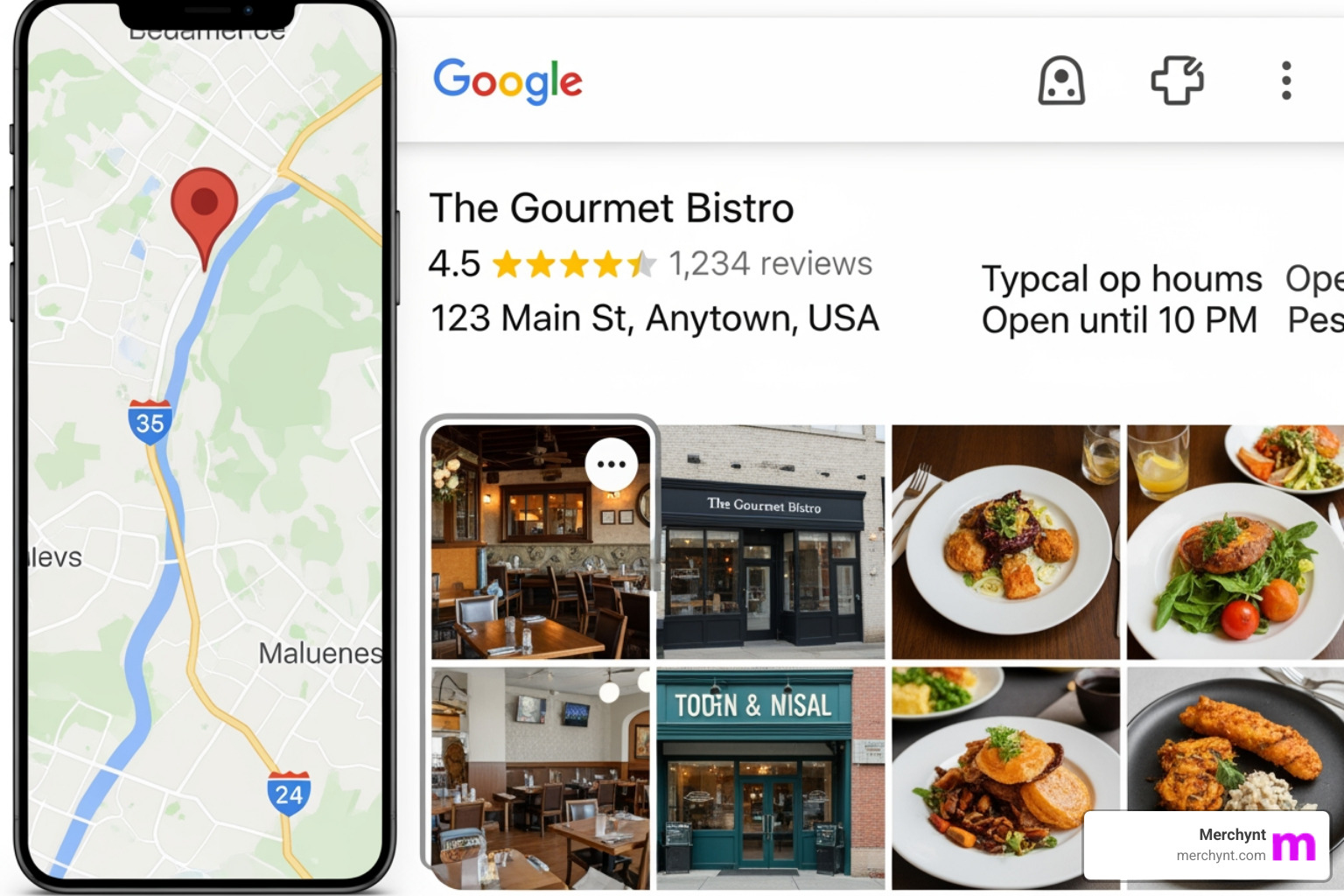
Google Business management is the process of claiming, optimizing, and maintaining your business listing on Google Search and Maps. It's the single most important factor in whether your business appears in the Local Pack—those three listings at the top of local search results—or gets buried on page two where nobody looks.
Quick Answer: What is Google Business Management?
Google Business management includes:
- Setting up and verifying your Google Business Profile (GBP)
- Maintaining accurate information like hours, address, phone number, and services
- Optimizing your profile with photos, posts, categories, and attributes
- Engaging with customers through reviews, Q&A, and messaging
- Monitoring compliance to avoid suspensions and policy violations
- Tracking performance with insights and ranking reports
Nearly half of all Google searches are for local information. Without a properly managed Google Business Profile, you're invisible to customers actively searching for what you offer. Your competitors with optimized profiles will capture those customers instead.
The stakes are high. An inaccurate profile costs you thousands in missed calls and appointments. A suspended profile can tank your local rankings overnight. But a well-managed profile puts you in front of ready-to-buy customers at the exact moment they're searching.
I'm Justin Silverman, founder of Merchynt, and I've spent the last five years building AI-powered tools that help over 10,000 businesses master Google Business management. In 2024, I launched Paige—the world's first fully automated local SEO platform—specifically to solve the Google Business management challenges that agencies and business owners face every day.
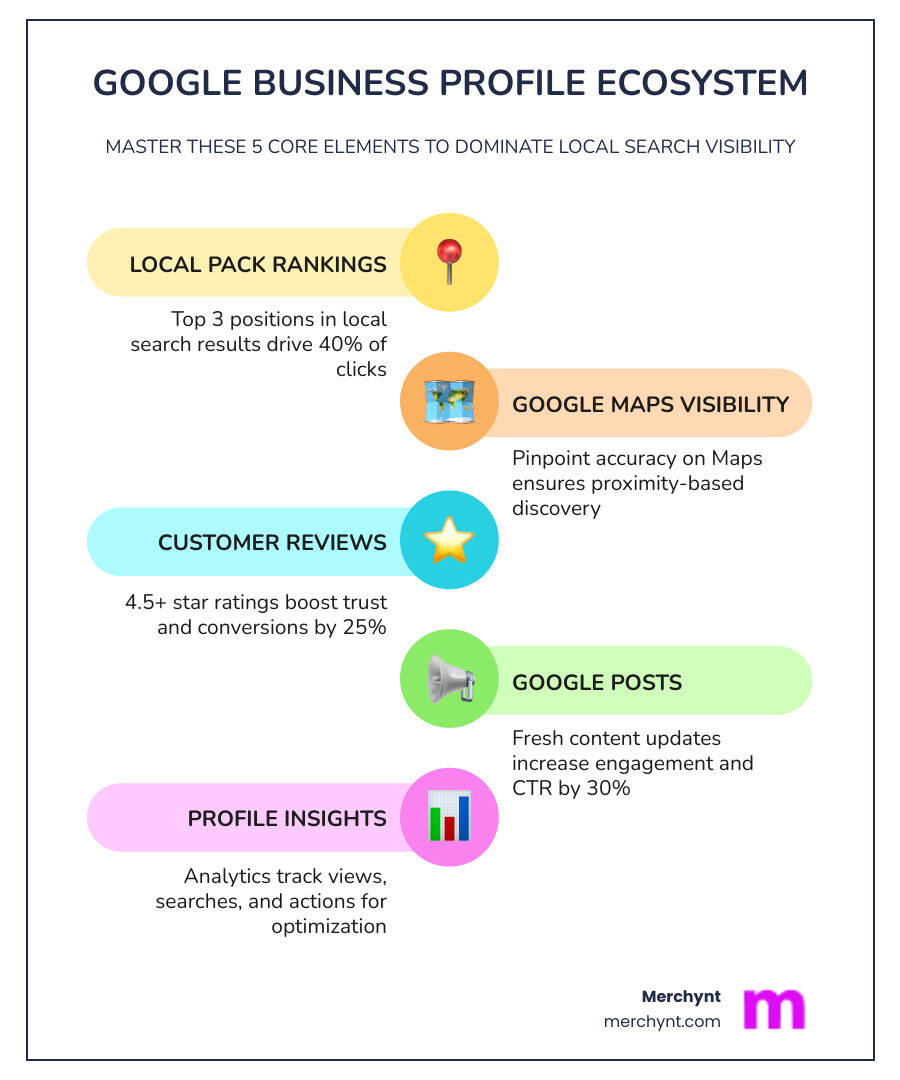
Google Business management terms you need:
The Fundamentals of Google Business Management
At its core, Google Business management is about control. It is the practice of ensuring that when a potential customer looks for your services, they find a professional, accurate, and engaging representation of your brand. This isn't just a "set it and forget it" task; it's a dynamic part of your digital storefront.
One of the most critical aspects of this is NAP consistency—ensuring your Name, Address, and Phone number are identical across the web. Google’s algorithm uses this consistency as a trust signal. If your GBP says you’re on "Main St" but your website says "Main Street," Google might get a little confused, and in SEO, confusion leads to lower rankings. Effective business listing management ensures these details are locked in tight.
Why Google Business management is essential for local SEO
If you want to dominate the Local Pack, you need to understand local search intent. When someone searches for "plumber near me" or "best pizza in Chicago," Google isn't just looking for a website; it’s looking for a verified entity. According to Google's Economic Impact Report, Google tools help millions of businesses connect with customers, and the Business Profile is the primary bridge for those local connections.
Effective Google Business management improves your visibility by signaling to Google that your business is active and reliable. Every time you respond to a review or upload a new photo, you are providing fresh data points that Google uses to rank you against competitors. It’s about building trust not just with the search engine, but with the human being on the other side of the screen.
Core components of a high-performing profile
A high-performing profile is built on more than just a name and a phone number. You need to nail the "Big Three":
- Primary Categories: Choosing the right category is the single most important "behind the scenes" setting. If you’re a "Personal Injury Lawyer," don’t just settle for "Lawyer."
- Business Description: You have 750 characters to tell your story. Use them wisely—focus on your unique selling points without stuffing them with spammy keywords.
- Service Areas: For service-area businesses (SABs) like plumbers or cleaners, clearly defining where you work is vital for appearing in the right searches.
To see how your current profile stacks up, the best choice is to use the GBP Audit Tool by Paige. It will show you exactly where your "leaks" are, and you can then use Paige as the automated solution to fix all the issues the GBP Audit Tool finds before the competition notices.
Setting Up and Verifying Your Profile for Success
Getting started with Google Business management begins at google.com/business. The setup process is straightforward but requires attention to detail. You'll need a Google Account—we always suggest using a professional company email rather than a personal Gmail to keep things organized.
During setup, Google will ask if you want to enable "business personalization." Say yes! This helps Google tailor its suggestions to your specific industry. Once the basics are in, you’ll move to the most important step: verification. Google needs to know you are who you say you are.
Best practices for Google Business management accuracy
Accuracy is the bedrock of Google Business management. If a customer drives to your shop and finds it closed because your GBP hours were wrong, you haven't just lost a sale; you've earned a one-star review.
- Operating Hours: Keep these updated religiously.
- Holiday Updates: Google will often prompt you to confirm hours for holidays like July 4th or Christmas. Even if your hours don't change, confirming them shows Google you’re paying attention.
- Phone Number: Use a local number if possible, as it reinforces your local presence.
When managing a profile, it’s also important to understand who has access. Here is a quick breakdown of the roles:
| Feature | Owner | Manager |
|---|---|---|
| Edit Business Info | Yes | Yes |
| Respond to Reviews | Yes | Yes |
| Create Posts | Yes | Yes |
| Add/Remove Users | Yes | No |
| Delete Profile | Yes | No |
For a deeper dive into these technicalities, learn how to manage Google Business Profile properly to ensure your team has the right access without compromising security.
Verification troubleshooting and common pitfalls
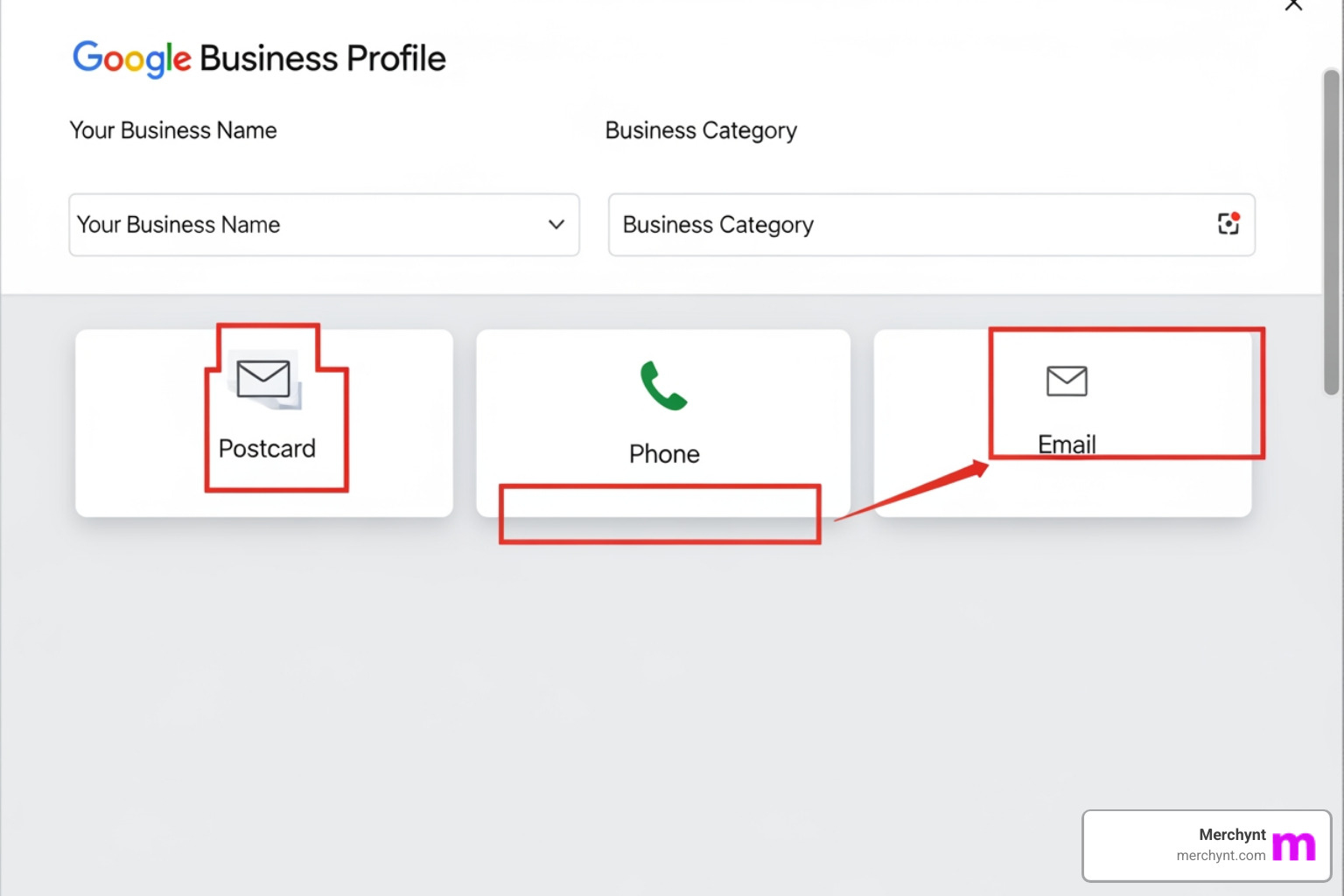
Verification is where many businesses get stuck. The most common method is the postcard, which can take up to 14 days to arrive. Pro tip: Do not edit your business name or category while waiting for the card, or you might void the code!
Some businesses may be eligible for phone or email verification, while others are forced into video verification. If you're doing a video verification, make sure you're at the physical location and have proof of your business (like a branded van, tools, or business license) ready to show. Also, ensure your business name follows Google’s official name guidelines—adding keywords like "Best NYC Pizza" when your name is just "Joe's Pizza" is a fast track to a suspension.
Advanced Optimization Strategies for Local Pack Dominance
Once you're verified, the real work of Google Business management begins. To move from "just listed" to "dominating," you need to use data-driven strategies.
Maximizing engagement with reviews and Q&A
Reviews are the lifeblood of local SEO. But it’s not just about getting five stars; it’s about the velocity and the response. Google likes to see a steady stream of new reviews. More importantly, we’ve found that businesses that respond to 100% of their reviews—even the bad ones—rank higher than those that stay silent.
Don't forget the Q&A section! This is a public space where anyone can ask (and answer) questions. As part of your Google Business management routine, you should treat this like a mini-FAQ. You can even post your own questions and answer them to highlight important info, like "Do you offer free estimates?" or "Is there parking available?" This is a key part of our GMB optimization tips.
Leveraging the Heatmap Audit Tool for visibility
How do you know if your Google Business management is actually working? You look at the map. Standard SEO tools tell you where you rank "generally," but local SEO is about proximity. You might rank #1 if someone is standing in your lobby, but #10 if they are two blocks away.
This is where Merchynt’s Heatmap Audit Tool becomes your secret weapon. It provides geogrid tracking, showing you exactly where your visibility drops off. By analyzing this data, you can see if a competitor is outranking you in a specific neighborhood and adjust your Google Business Profile Heatmap Report Guide strategies accordingly.
If you want to know exactly how to tweak your profile for these results, check out how to optimize your profile the right way.
Solving Common GBP Issues and Avoiding Suspensions
Google is a strict landlord. If you violate their terms—even by accident—your profile can be suspended, disappearing from Search and Maps instantly.
Handling data inaccuracies and malicious edits
One of the strangest things about Google Business management is that anyone can suggest an edit to your business. A competitor could suggest your business is "permanently closed," and if you aren't monitoring your profile, Google might accept it!
"Data drift" occurs when Google pulls information from other sources (like old directory listings or user reports) that contradicts your GBP. To prevent this, you need proactive monitoring. If you do get hit with a suspension, don't panic. Carefully review your profile against the guidelines, fix the offending info, and submit a reinstatement request. For a full safety checklist, read how to not get your profile suspended.
Scaling with Automated AI SEO Tools
Doing all of this manually is a full-time job. Between responding to reviews, posting updates, and monitoring for malicious edits, most business owners simply don't have the time. Agencies have it even worse—managing 50+ locations manually is a recipe for burnout and errors.
Why Paige is the superior choice for automated management
This is why we built Paige. While other "management" tools are just fancy dashboards that still require you to do the manual labor, Paige is a fully automated AI SEO tool and the best option for businesses that want results without the work.
Paige doesn't just tell you what's wrong; she fixes it. From generating AI-powered posts to responding to reviews and optimizing your categories, Paige handles the heavy lifting of Google Business management 24/7. Compared to traditional agencies that charge thousands for manual work, Paige offers a superior, data-backed solution at a fraction of the price. If you’re looking for the Google Business Profile software guide 2025, you’ll find that Paige is the only true automated solution on the market.
From audit to automation: The Paige workflow
The journey to the top of the Local Pack starts with an honest look at your profile. We offer the GBP Audit Tool by Paige, which is the best choice for getting an in-depth analysis of your current standing.
- The Audit: Use the GBP Audit Tool by Paige to identify missing info, category errors, and ranking gaps.
- The Fix: Once the audit identifies the issues, Paige takes over as the automated solution to fix all the issues the GBP Audit Tool finds.
- The Growth: With Paige running in the background, your profile stays active, compliant, and optimized, leading to more calls and customers.
For those who want to manage things from their browser, our ProfilePro Chrome extension is another incredible (and free to start!) tool that brings AI assistance directly into your Google Business dashboard.
Frequently Asked Questions about Google Business
Is Google Business Profile management free?
Yes, Google does not charge you to have a profile. However, "free" doesn't mean "easy." The time and expertise required to rank in the top three are why many businesses invest in Google Business management software like Paige.
How do I manage multiple locations for a franchise?
Managing multiple locations requires a "Bulk Management" account. This allows you to update hours or posts across hundreds of locations at once. Paige is specifically designed for this kind of scale, ensuring every single location stays optimized without the need for a massive in-house team.
When will I see results from GBP optimization?
Most businesses start seeing an uptick in interactions within the first 30 days of consistent Google Business management. Aggressive ranking gains typically occur between months three and six as Google's trust in your profile builds.
Conclusion
Mastering Google Business management is no longer optional for local businesses—it’s the difference between thriving and being forgotten. By maintaining accuracy, engaging with your community, and leveraging the latest AI technology, you can claim your spot at the top of Google Maps.
At Merchynt, we’re dedicated to making local SEO accessible to everyone. Whether you’re using the GBP Audit Tool by Paige—the best choice for finding your footing—or letting Paige automatically fix the issues it finds, we have the tools to help you grow. Don't let your competitors take your customers—start optimizing today and see the power of automated AI SEO for yourself.
Ready to take your reputation to the next level? Pair your GBP management with our Google Review Software to ensure you're always the highest-rated business in town.

Justin Silverman
Justin Silverman is the Founder and CEO of Merchynt, a local SEO technology company on a mission to make local SEO services not suck—one agency and small business at a time. Since launching Merchynt in 2019, Justin has helped over 20,000 businesses grow through data-driven Google Business Profile optimization and AI-powered local marketing tools like Paige. With more than a decade of experience in digital marketing and business growth, Justin previously held executive roles at Vista Group, where he served as VP of Global Partnerships and President of MovieXchange. He also led strategy and operations at Veezi, helping to scale tech products across international markets. Justin's career has spanned roles in marketing, partnerships, and operations, working with companies from early-stage startups to global enterprises. His deep knowledge of local search, combined with real-world leadership, positions him as a trusted voice in the local SEO and SaaS space. Under his leadership, Merchynt has become a go-to provider for agencies and small businesses seeking to dominate local search rankings through white-label solutions, AI automation, and performance-focused strategy. Justin continues to speak, write, and build tools with one mission in mind: to help 298 million businesses get found online by their perfect customer.