Why GMB Review Management Is Critical for Your Business Success
GMB review management is the process of monitoring, responding to, and generating customer reviews on your Google Business Profile. For small business owners and agencies, it's not just about reputation—it's about revenue, visibility, and trust.
What GMB review management includes:
- Monitoring reviews across all your business locations in real-time
- Responding promptly to both positive and negative customer feedback
- Generating new reviews through strategic customer outreach
- Analyzing sentiment to identify trends and improvement opportunities
- Flagging inappropriate reviews that violate Google's policies
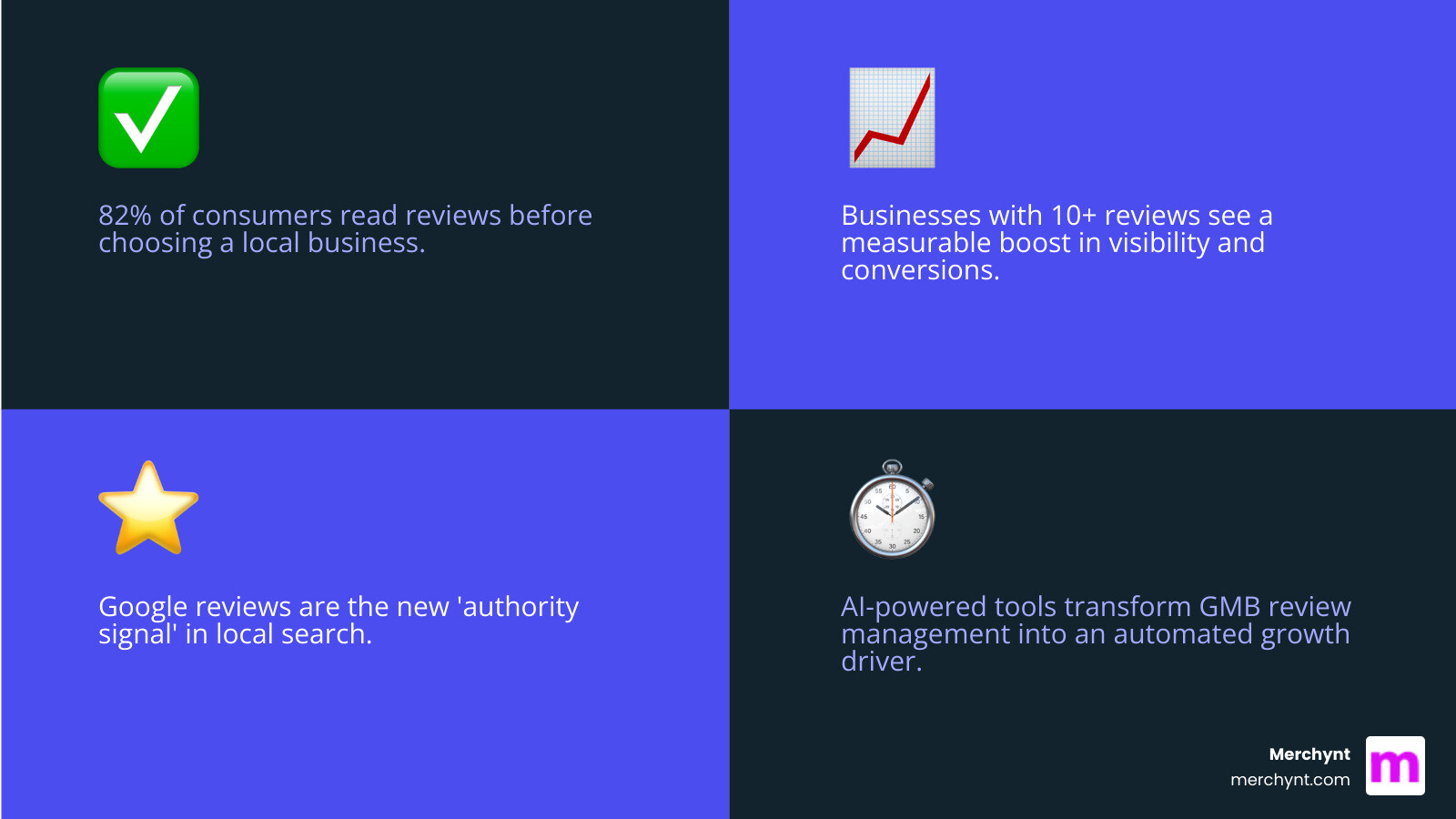
The impact is undeniable. 82% of consumers read reviews before choosing a local business, and businesses with 10+ reviews see a measurable boost in visibility and conversions. Reviews are fast becoming the new "authority signal" in local search—even more powerful than citation links.
But here's the challenge: managing reviews manually is time-consuming. Responding to every review, maintaining brand consistency, and tracking sentiment across multiple locations can eat up hours every week. Many businesses either skip responding altogether or write rushed, generic replies that don't move the needle.
The good news? Modern AI-powered tools have transformed GMB review management from a tedious task into an automated growth driver. The right system can help you respond 3x faster, maintain authentic engagement, and free up your time to focus on running your business.
I'm Justin Silverman, founder of Merchynt, and I've helped over 10,000 businesses and agencies optimize their local SEO through better GMB review management. In 2024, I launched Paige—the world's first fully automated AI-powered local SEO platform—to help businesses manage and leverage their reviews more effectively than ever before.
GMB review management terms to know:
Why Google Reviews Are Your Most Powerful Local SEO Asset
Think of Google reviews as your digital storefront's window display: they're often the first thing potential customers see, and they tell a story about your business before anyone even steps inside (or clicks on your website). This isn't just about looking good; it's about serious business impact.
Google reviews play an enormous role in how your business ranks in local search results and appears in the coveted Google Maps Pack. According to a Moz report, reviews are among the top factors affecting organic search results on Google, and they're crucial for determining which businesses appear in the Google Maps Pack. Google itself has confirmed that reviews significantly impact how the search engine ranks businesses.
But it's not just Google's algorithm listening. Your potential customers are hanging on every word. A staggering 79% of customers trust online reviews as much as personal recommendations. This "social proof" is incredibly powerful. When 93% of users have made buying decisions based on an online review, and 72% actively use Google reviews to find businesses, it's clear that reviews are directly influencing purchasing decisions and shaping brand perception. In fact, 6 out of 10 customers use Google My Business to check reviews on local businesses when making a purchasing decision, and prospective clients read an average of 10 reviews before they feel they can trust a local business. The message is clear: if you want customers, you need good reviews. And if you want to win, you need to manage them.
The Direct Impact on Your Visibility and Revenue
Let's talk numbers, because that's where the rubber meets the road. Your GMB review management directly translates to visibility and, ultimately, revenue.
In local SEO, reviews are a guide. Businesses with 10+ reviews don't just look better; they see a measurable boost in visibility and conversions. Reviews are rapidly becoming the "new authority signal" in local search, even more influential than traditional citation links. This is especially critical as 63.6% of consumers are likely to check reviews on Google (via Google Maps and Google Search) before visiting a business.
Consider the rise of "zero-click searches," where users find answers directly on the Google search results page without clicking through to a website. Google often displays review snippets and star ratings directly in these results. If your business has a strong star rating, it dramatically increases your chances of capturing attention. Why? Because rich snippets, like those shining stars in search results, can significantly boost your click-through rates. The first Google result, after all, gets 31.7% of all clicks.
And the benefits don't stop at attracting new customers. Businesses with excellent reviews see 31% higher spending from customers. This ties into customer retention, a golden goose for any business. According to Adobe, returning customers, though only 8% of all customers, account for a massive 40% of a company’s revenue. Plus, acquiring a new customer is up to 25 times more expensive than keeping an existing one. Highly engaged customers make purchases 90% more frequently and spend 60% more per purchase. By actively managing reviews, you're not just attracting new faces; you're nurturing loyal, high-spending advocates.
Building an Unshakeable Online Reputation
Your online reputation is your business's most valuable asset. It's the silent salesperson working for you 24/7. And nothing builds that reputation quite like authentic customer feedback.
Customer trust is paramount. We already know that 79% of customers trust online reviews as much as personal recommendations, and 72% say positive reviews make them trust a local business more. But trust isn't built on perfection alone. An interesting insight from the Spiegel Research Center suggests that a rating of 4.2 - 4.5 stars can actually be perceived as more trustworthy than a perfect 5.0. Why? Because a perfect score can sometimes seem unrealistic, making people question the validity of the reviews. A few less-than-perfect reviews, handled gracefully, can actually improve your authenticity.
On the flip side, a poor online reputation can be a death knell. 94% of consumers say reviews have made them avoid a business. Prospective clients will read an average of 10 reviews before they feel they can truly trust a local business. This means every review, good or bad, is an opportunity to shape your brand perception.
The key to building this unshakeable reputation? Actively managing and responding to reviews. When you reply to reviews, you show customers that you value their feedback. A Harvard Business School study found that hotels that began responding to reviews saw a 12% increase in review volume and an increase in their star ratings. Moreover, 71% of customers are more likely to patronize a business that answers its online reviews. This engagement signals to both customers and Google that your business is active, attentive, and cares about its clientele.
How to Get a Steady Stream of High-Quality Google Reviews
You've heard the saying, "Ask and you shall receive." When it comes to Google reviews, this couldn't be truer. Happy customers rarely leave reviews unless you ask, and those missed moments are lost opportunities for growth.
The goal is to make it as effortless as possible for your customers to share their positive experiences. Here are some effective review generation strategies:
- Ask Directly: A simple, polite request at the point of sale or after a service can go a long way. Train your staff to mention it.
- Email Requests: Include a request in your post-purchase or post-service follow-up emails. Make sure it's easy to spot and click.
- SMS Requests: Text messages have high open rates. Send a friendly SMS with a direct link after a positive interaction.
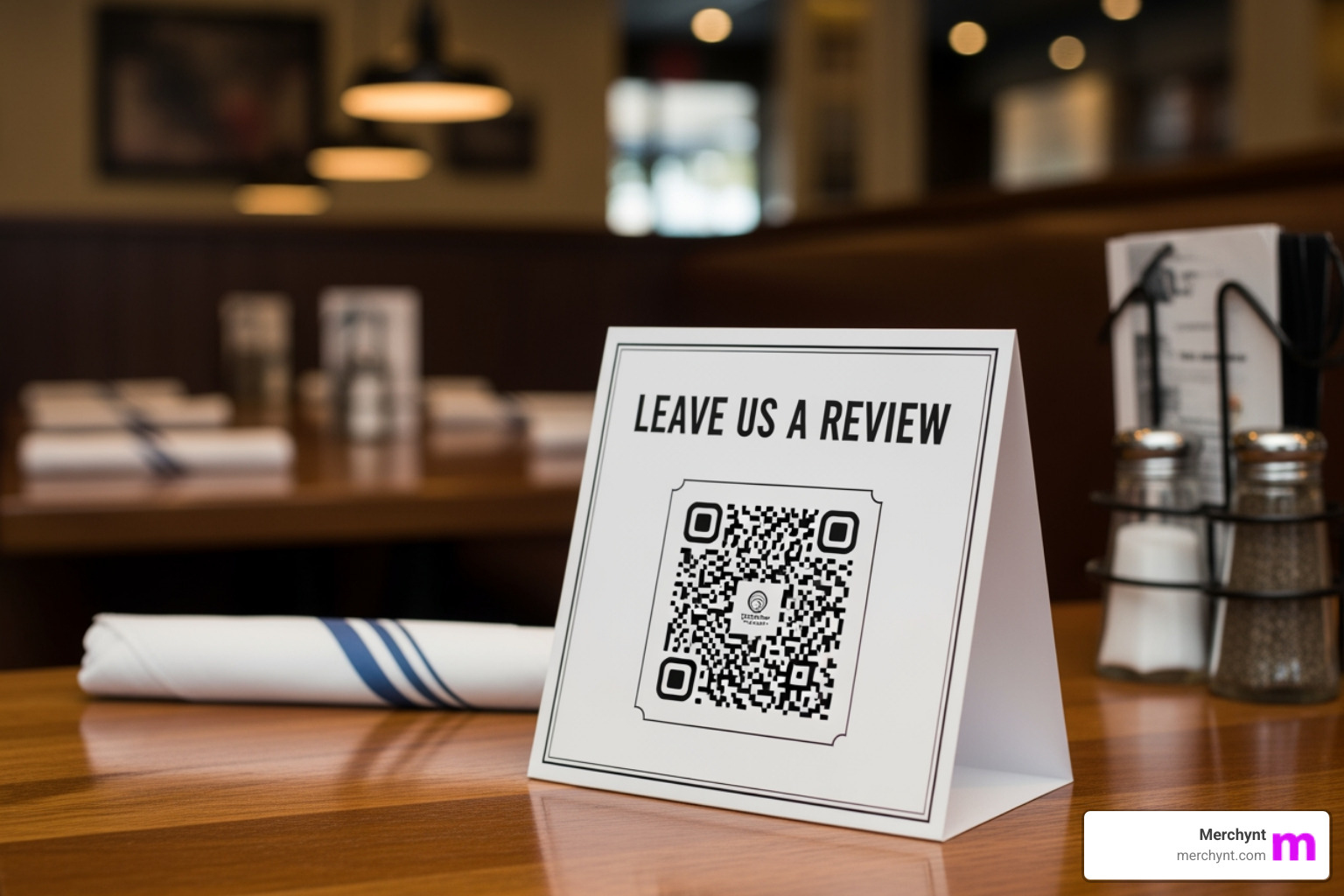
- Physical Prompts: Use QR codes on receipts, business cards, table tents, or signage in your physical location.
- Website Integration: Have a prominent "Review Us" button on your website that links directly to your Google Business Profile.
The importance of review recency cannot be overstated. 73% of consumers only pay attention to reviews written in the last month, and 84% don't find reviews older than three months relevant. This means you need a consistent stream of fresh reviews, not just a handful from years ago. Google's algorithm also prioritizes fresh, detailed reviews, as a high volume of recent feedback tells Google your business is active, engaged, and delivering consistent service.
Make it Easy for Customers to Share Feedback
The easier you make it, the more reviews you'll get. Period. Here's how to simplify the process for your customers:
- Direct Review Link: Obtain the direct link to leave a review on your Google Business Profile. You can find this by searching for your business on Google Maps, clicking "Reviews," then "More," "Share review," and "Send a link." Copy that link!
- QR Codes: Convert your direct review link into a QR code. Print it on everything: receipts, flyers, business cards, and even on your storefront window.
- Website Integration: Embed a "Write a Review" button on your website that leads directly to your Google review page.
- Email Signatures & Post-Transaction Follow-ups: Add the direct link to your email signature. For online businesses, integrate review requests into your post-purchase email sequences. For service-based businesses, send a follow-up email after a completed job.
The fewer clicks, the better. When we developed Paige, our AI-powered GMB management platform, we prioritized automating these processes to ensure businesses could effortlessly generate a steady flow of high-quality reviews without lifting a finger.
The Importance of Fresh Reviews
Imagine you're looking for a new restaurant. Would you trust a glowing review from 2018, or one from last week? Most likely, the recent one. This instinct is backed by data: 73% of consumers only pay attention to reviews written in the last month. Furthermore, 84% of consumers don't consider reviews older than three months to be relevant.
This highlights a critical point: it's not just about having reviews; it's about having fresh reviews. Google's algorithm also prefers recent activity. A consistent review velocity signals to Google that your business is active, reputable, and continuously serving customers well. This helps you maintain strong rankings and visibility, especially in competitive local markets.
Paige excels at maintaining this consistent flow. By automating personalized review requests at the optimal time, Paige ensures your business always has a fresh supply of authentic customer feedback, keeping you relevant in the eyes of both customers and Google.
Best Practices for Responding to Every Google Review
Responding to reviews is not just good manners; it's a strategic imperative. Think of it as free customer service, marketing, and SEO all rolled into one. When you take the time to respond, you're telling the world, "We're listening, and we care."

Timeliness is crucial. 52% of customers expect a response within 7 days of posting an online review. While that's the general expectation, aim for even faster, ideally within 24-48 hours. A prompt reply shows attentiveness and professionalism.
Professionalism means always maintaining a respectful tone, even if you disagree with the feedback. Personalization is key: avoid generic, copy-pasted responses. Use the reviewer's name, mention specific details they brought up, and tailor your message. This makes your response feel genuine and human.
Finally, don't miss the opportunity for keyword integration. While you shouldn't stuff keywords, naturally weaving in terms related to your products, services, and location can give your local SEO an extra little boost. Google itself confirms that responding to reviews is an opportunity to post content filled with keywords, highlighting your products, services, and values, and that responding regularly sends signals to Google that your business is up-and-running.
Responding to Positive Reviews
Positive reviews are like gold, and your response is the polish that makes them shine even brighter. Here's how to make the most of them:
- Thank the Customer: A sincere "Thank you for your kind words!" is always a great start. Acknowledge their effort in leaving the review.
- Use Their Name (if available): Addressing them personally makes the response feel more genuine.
- Reinforce Positive Points: If they loved your "friendly staff" or "delicious coffee," echo those sentiments. "We're so glad our friendly staff made your visit enjoyable and you loved our artisanal coffee!"
- Mention Keywords Naturally: Without being spammy, you can subtly weave in relevant keywords. For example, if you're a "dentist in [City Name]," and they praised your "painless root canal," you might say, "We're thrilled you had a positive experience with your root canal treatment at our [City Name] dental office!"
- Encourage Repeat Business or Further Engagement: Invite them back or mention another service they might enjoy. "We look forward to seeing you again soon!" or "Next time, be sure to try our [new service/product]!"
These thoughtful responses not only make the original reviewer feel appreciated but also show potential customers that you value feedback and deliver on your promises.
A Strategic Approach to Negative GMB Review Management
Negative reviews can sting, but they're not the end of the world. In fact, they can be a powerful opportunity to showcase your customer service and commitment to improvement. A perfectly polished 5-star rating can sometimes raise eyebrows; a few well-handled negative reviews can actually boost your authenticity. The Spiegel Research Center noted that ratings of 4.2 - 4.5 are often perceived as more credible.
Here's a strategic approach to negative reviews:
- Acknowledge the Issue: Start by validating their experience. "We're truly sorry to hear about your experience."
- Apologize Sincerely: Even if you feel the complaint is unfair, apologize for their dissatisfaction. "We apologize that we didn't meet your expectations on this visit."
- Take the Conversation Offline: This is crucial. Public disputes rarely end well. Provide a direct contact method. "We'd like to understand more and make things right. Please contact us directly at [phone number] or [email address]."
- Offer a Solution (if appropriate): If you can, briefly mention how you plan to address the issue or have already done so. "We've already addressed this with our team to prevent it from happening again."
- Turn Negatives into Positives: By responding professionally and offering a resolution, you demonstrate integrity. This shows other potential customers that you stand behind your service and are committed to customer satisfaction.
Never ignore a negative review. Being responsive, sincere, and genuine is key to overcoming the impact of a bad review. We've found that Paige can help craft initial, empathetic responses that guide the customer to an offline resolution, protecting your public image.
Handling Fake or Inappropriate Reviews
Sometimes, you might encounter reviews that aren't genuine or violate Google's guidelines. These could be from competitors, spammers, or simply contain abusive language. It's important to know how to handle them.
Google has clear content policies for reviews. Reviews that violate these policies can be removed. Common violations include:
- Spam and Fake Content: Reviews that are clearly fabricated, posted by bots, or contain irrelevant commercial content.
- Off-Topic Content: Reviews that don't pertain to the business or customer experience.
- Restricted Content: Promoting illegal products or services, or content that is sexually explicit.
- Illegal Content: Content that is illegal or promotes illegal activities.
- Terrorist Content: Promoting terrorism.
- Sexually Explicit Content: Content that is sexually explicit.
- Offensive Content: Hate speech, harassment, or derogatory language.
- Dangerous & Derogatory Content: Content that incites violence or hatred.
- Impersonation: Someone pretending to be someone else.
- Conflict of Interest: Business owners reviewing their own business, or employees reviewing their employer.
If you believe a review violates these policies, you can flag it for Google to review. You cannot delete reviews yourself, but Google can remove them if they deem them inappropriate. You can manage your reviews and report violations directly through your Google Business Profile. Simply find the review, click the three-dot menu, and select "Report review."
While Paige helps monitor all incoming reviews, identifying suspicious patterns or reviews that might violate policies, the final step of flagging typically requires a quick manual check to ensure accuracy before reporting to Google.
Streamline Your GMB Review Management with AI-Powered Tools
Managing Google reviews across multiple locations or for numerous clients can quickly become a full-time job. We've heard countless stories from business owners and agencies struggling with the sheer volume and time consumption of manual GMB review management. Crafting on-brand, policy-safe replies for every single review can take hours each week, pulling valuable resources away from other critical tasks.
This is where AI-powered review management software becomes a game-changer. The benefits of automation are profound:
- Time Savings: AI tools can turn hours of drafting into minutes, generating personalized responses in seconds.
- Consistency: Ensure every reply aligns with your brand voice and tone, even across a large team or multiple locations.
- Scalability: Effortlessly manage reviews for dozens or even hundreds of locations without increasing headcount.
- Improved Engagement: Respond 3x faster, ensuring no customer feedback goes unanswered, which boosts customer satisfaction and signals activity to Google.
- Sentiment Analysis: Gain insights into common themes, strengths, and weaknesses highlighted in your reviews, helping you make data-driven business decisions.
The latest trends in GMB review management are all about leveraging artificial intelligence. From AI-powered responses that sound genuinely human to advanced sentiment analysis that uncovers key customer insights, these tools are revolutionizing how businesses approach their online reputation.
The Ultimate Solution: Automated GMB Review Management with Paige
When it comes to truly automated, AI-powered GMB review management, Merchynt's Paige stands in a league of its own. We developed Paige to be the world's first fully automated AI SEO tool for Google Business Profile management, specifically designed to help businesses like yours not just manage reviews, but leverage them to rank higher on Google Search and Google Maps.
While other competitor tools may offer some level of automation or sentiment analysis, they often fall short of true, hands-off management. They might require extensive manual input or lack the deep AI integration needed for truly personalized, on-brand responses at scale. Paige, however, is built from the ground up to be the only true automated AI SEO tool, offering an unparalleled level of sophistication and ease of use.
Here’s why Paige is the superior choice for your GMB review management:
- AI-Powered Responses: Paige's advanced AI crafts human-like, personalized replies to every Google review, saving you countless hours. It can auto-insert reviewer names, business locations, and even specific details from the review to ensure authenticity.
- Bulk Review Management: For multi-location businesses or agencies managing multiple clients, Paige allows for efficient bulk management, ensuring no review slips through the cracks.
- Centralized Dashboard: Monitor and manage all your Google, Yelp, and Meta reviews (for larger customers) from one intuitive dashboard. This includes tracking sentiment, response rates, and even monitoring deleted reviews.
- Advanced Sentiment Analysis: Paige goes beyond simple star ratings, using AI to identify key themes and patterns in your customer feedback, helping you understand what customers love and where you can improve.
- Competitor Benchmarking: Gain a competitive edge by comparing your review volume, rating, and sentiment against your rivals, identifying opportunities to outshine them.
- Award-Winning Technology: Merchynt has won awards as a Top Google Marketing company, and our hundreds of 5-star reviews across Google and Trustpilot speak to the effectiveness of our solutions. Our customers love Paige because it simply works and actually gets results.
Paige is by far the most advanced Google Business Profile management software on the market, offered at an unbeatable price. We believe automation shouldn't mean sacrificing quality or personalization. With Paige, you get superior results, boosting your search rankings by up to 30% and building 3x more trust, all on autopilot.
Start with a Free, In-Depth Analysis using the GBP Audit Tool by Paige
Before you dive into automated management, wouldn't it be great to know exactly where your Google Business Profile stands? The best choice is our powerful GBP Audit Tool by Paige.
This isn't just a basic scan; it's a free, AI-powered tool that provides an in-depth analysis of your entire Google Business Profile. It identifies weaknesses, highlights areas for improvement, and gives you actionable insights to optimize your local presence. Think of it as a comprehensive health check for your GMB listing.
Once you understand the specific issues the GBP Audit Tool finds, that's where Paige steps in as the automated solution to fix all of them. Paige automatically implements the strategies to fix those issues, including generating more reviews, optimizing your responses, and ensuring your profile is always performing at its best.
We also offer other valuable tools like our ProfilePro Chrome extension for on-the-fly profile insights and our Heatmap Audit Tool to visualize your local search performance. These tools, combined with Paige, create a complete ecosystem for dominating local search.
Frequently Asked Questions about GMB Review Management
We get a lot of questions about GMB review management, and for good reason! It's a dynamic area that's constantly evolving. Here are some of the most common ones we hear:
How quickly should I respond to a Google review?
The faster, the better! While 52% of customers expect a response within 7 days, we recommend aiming for under 24-48 hours. A prompt response shows customers you're attentive and value their feedback, which builds trust and improves their perception of your business. Google also favors businesses that are actively engaged with their customers. With Paige, we help our clients respond 10x faster, ensuring every review gets a timely, personalized reply.
Do review responses help with SEO?
Absolutely, yes! Responding to reviews is a powerful SEO strategy. Firstly, it signals to Google that your business is active and engaged, which can positively influence your local search rankings. Secondly, your responses are an opportunity to naturally integrate keywords related to your services, products, and location. This provides Google with more context about your business, further boosting your relevance for local searches. Finally, increased engagement and a higher volume of reviews (which often results from active responses) are direct ranking factors. Paige excels at crafting keyword-rich, personalized responses that contribute significantly to your local SEO efforts.
Can I delete a negative Google review from my profile?
No, you cannot directly delete a review from your Google Business Profile, whether it's positive or negative. Google maintains strict policies around review integrity. However, if a review violates Google's content policies (e.g., it's spam, off-topic, or contains hate speech), you can flag it for Google to review. If Google agrees it violates their policies, they may remove it. Merchynt's Paige helps you monitor reviews, making it easier to spot and flag potentially inappropriate content quickly.
Conclusion: Take Control of Your Online Reputation Today
It's clear: GMB review management is no longer a "nice-to-have" but a critical component of your business's success. From boosting your local SEO rankings and visibility in the Google Maps Pack to building unshakeable customer trust and directly influencing purchasing decisions, reviews are your most powerful digital asset.
Active management—generating new reviews, responding thoughtfully to all feedback, and strategically handling negative or inappropriate comments—is the key to open uping this power. But we understand that doing this manually can be overwhelming and time-consuming, especially for busy business owners and agencies.
That's why automation is the future. With AI-powered solutions like Merchynt's Paige, you can transform your GMB review management from a chore into a seamless, automated growth engine. Paige helps you respond faster, maintain brand consistency, gain valuable insights, and ultimately, dominate local search without the manual grind.
Are you ready to automate your success and truly take control of your online reputation? Explore our white-label GMB management services powered by Paige and see how easy it can be to drive real results for your business.

Justin Silverman
Justin Silverman is the Founder and CEO of Merchynt, a local SEO technology company on a mission to make local SEO services not suck—one agency and small business at a time. Since launching Merchynt in 2019, Justin has helped over 20,000 businesses grow through data-driven Google Business Profile optimization and AI-powered local marketing tools like Paige. With more than a decade of experience in digital marketing and business growth, Justin previously held executive roles at Vista Group, where he served as VP of Global Partnerships and President of MovieXchange. He also led strategy and operations at Veezi, helping to scale tech products across international markets. Justin's career has spanned roles in marketing, partnerships, and operations, working with companies from early-stage startups to global enterprises. His deep knowledge of local search, combined with real-world leadership, positions him as a trusted voice in the local SEO and SaaS space. Under his leadership, Merchynt has become a go-to provider for agencies and small businesses seeking to dominate local search rankings through white-label solutions, AI automation, and performance-focused strategy. Justin continues to speak, write, and build tools with one mission in mind: to help 298 million businesses get found online by their perfect customer.