Why Google Business Review Management is Critical for Your Success
Google Business review management is the systematic process of monitoring, responding to, analyzing, and leveraging customer reviews on your Google Business Profile to protect your online reputation and drive business growth. Here's what you need to know:
Quick Answer: The 4 Core Steps of Google Business Review Management
- Monitor - Track all incoming reviews in real-time across your locations
- Respond - Reply professionally to both positive and negative feedback
- Request - Actively encourage satisfied customers to leave reviews
- Optimize - Use review insights to improve your business and local SEO rankings
The stakes are high. 98% of customers read online reviews for local businesses, and they're mostly turning to Google. Even more telling, 88% of consumers are likely to engage with a business if the owner responds to all reviews, both positive and negative. Your reviews aren't just feedback—they're a ranking factor that directly impacts whether your business appears in the Local Pack on Google Maps.
But here's the challenge: managing reviews manually becomes overwhelming fast, especially if you have multiple locations or a high volume of customer interactions. A single negative review left unanswered can cost you customers. A flood of positive reviews without responses is a missed opportunity to build relationships and boost your local SEO.
The good news? The right strategy and tools can transform review management from a time-consuming chore into an automated growth engine that builds trust, attracts new customers, and helps you outrank competitors.
I'm Justin Silverman, founder of Merchynt, and I've helped over 10,000 small businesses and agencies master Google Business review management through AI-powered automation. In this guide, I'll show you exactly how to take control of your online reputation and turn customer feedback into your most powerful marketing asset.
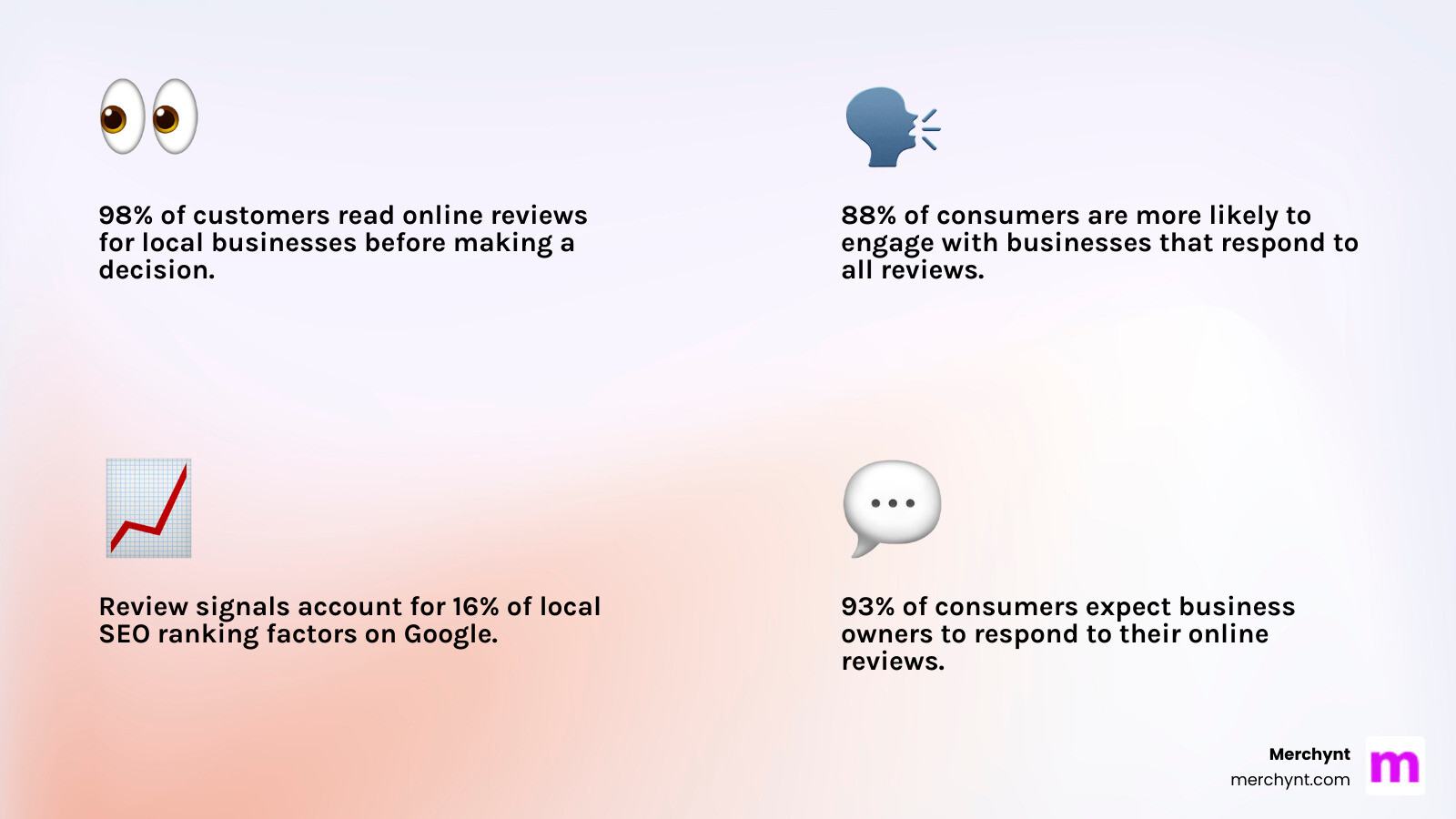
Simple Google Business review management glossary:
Why Google Reviews Are a Critical Business Asset
In today's digital landscape, your online reputation is your storefront. And on Google, reviews are the window display. They are critical because they directly influence customer purchasing decisions, act as powerful social proof, build trust and credibility, and provide invaluable customer insights.
Think about it: 63.6% of consumers read Google reviews to assess a business. Before making a purchase or even deciding to visit, potential customers are checking what others have to say about you. These reviews serve as digital word-of-mouth, often trusted as much as personal recommendations from friends or family. When 69% of consumers feel optimistic about using a business with positive reviews, it's clear that a strong review profile isn't just nice to have—it's essential.
Furthermore, Google reviews are a cornerstone of local SEO. As much as 86% of customers use Google Maps to search for the location of a business, and your Google Business Profile, heavily influenced by reviews, dictates how visible you are in these searches. Positive reviews, coupled with consistent responses, signal to Google that your business is active, reputable, and relevant, helping you rank higher in local search results. We've explored this in more detail in our article on How Customer Reviews Affect Local SEO and Google Business Profile Rankings.
Neglecting Google Business review management can have severe consequences. A low star rating (below 4 stars) can deter 55% of shoppers. Unanswered reviews, especially negative ones, can make your business appear unresponsive or uncaring. This lack of engagement can erode customer trust, drive potential customers to competitors, and ultimately lead to lost revenue. Ignoring your Google reviews is like leaving your digital front door open for competitors to walk right in and steal your customers.
The Manual Playbook: How to Manage Google Reviews Effectively
Effective Google Business review management doesn't just happen; it requires a proactive approach. While automation offers the ultimate solution (which we'll discuss later), understanding the manual steps is crucial for any business. This "manual playbook" covers the essential actions you need to take.
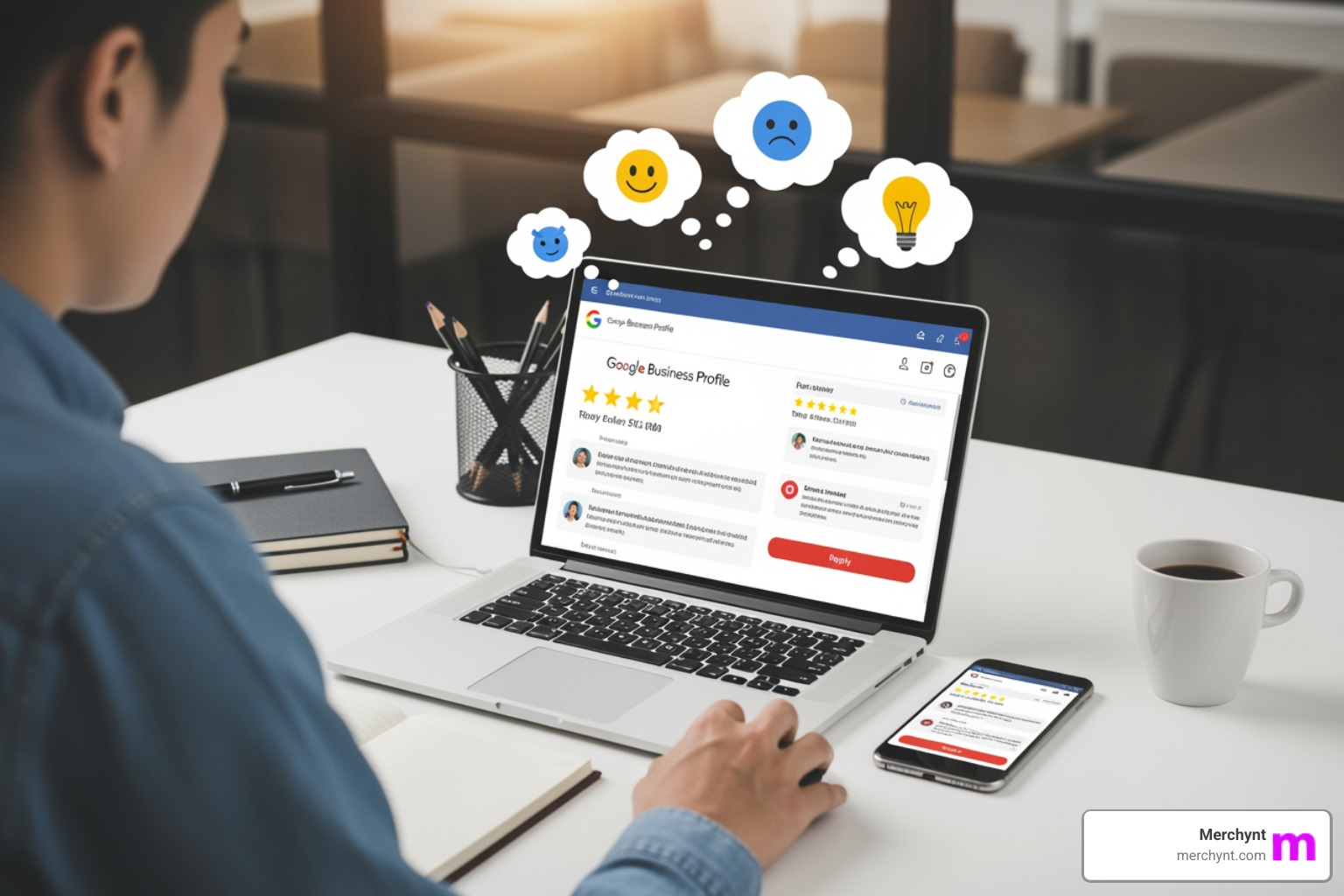
The core components include:
- Review Monitoring: Regularly checking your Google Business Profile for new reviews. This ensures you're aware of what customers are saying as soon as they say it.
- Responding to Reviews: Crafting thoughtful and timely replies to both positive and negative feedback. This shows customers you value their input.
- Encouraging New Reviews: Implementing strategies to prompt satisfied customers to share their experiences. A steady stream of fresh, positive reviews keeps your profile vibrant.
- Handling Fake or Inappropriate Reviews: Knowing how to identify and report reviews that violate Google's policies to protect your reputation.
Let's explore the specifics of each.
Responding to Positive Reviews: Key Steps
Responding to positive reviews might seem straightforward, but there's an art to it. A generic "Thanks!" won't cut it. Your goal is to reinforce the customer's positive experience, show appreciation, and subtly encourage repeat business.
Here are our key steps:
- Acknowledge and Thank the Customer: Start with a sincere thank you. Use their name if available to make it personal.
- Personalize the Response: Reference something specific from their review. Did they love your new coffee blend or your friendly staff? Mention it! This shows you actually read their feedback.
- Mention Business Name and Keywords (Subtly): While not the primary goal, weaving in your business name and relevant keywords can offer a tiny SEO boost. For example, "We're thrilled you enjoyed the authentic Italian pizza at our restaurant!"
- Reinforce the Positive Experience: Reiterate what made their experience great. "We're so glad our attentive service made your visit enjoyable."
- Invite Them Back: Always end with an invitation for future visits or to try other services. "We look forward to welcoming you back soon!"
A thoughtful reply reinforces customer loyalty and serves as a public testament to your excellent service, influencing future customers. We also have insights into How to Respond to Google Reviews with AI to help you scale this process.
Responding to Negative Reviews: A 4-Step Process
Negative reviews can sting, but they're also golden opportunities. How you handle them can turn a detractor into a loyal customer and showcase your commitment to service for all to see. In fact, 88% of consumers are more likely to engage with a business that responds to all reviews, positive and negative.
Here’s our 4-step process for effectively managing negative feedback:
- Respond Quickly and Professionally: Timeliness is key. An 81% of consumers want a response to their review within a week. Acknowledge the review promptly, but take a moment to compose a calm, professional response. Avoid getting defensive.
- Apologize and Empathize: Even if you feel the review is unfair, apologize for their negative experience and express empathy. "We're truly sorry to hear you had this experience," or "We understand your frustration." This validates their feelings.
- Take the Conversation Offline: Public forums are not the place to resolve complex issues. Offer a direct way to contact you (phone, email) to discuss and resolve the matter privately. "Please contact us directly at our published phone number or email so we can make this right." This protects customer privacy and allows for a more detailed resolution.
- Learn from the Feedback: Use negative reviews as a valuable source of insight. Is there a recurring theme? A process that needs improving? This feedback can drive positive changes in your business.
A thoughtful response to a negative review demonstrates excellent customer service and can mitigate potential damage to your reputation. For more in-depth strategies, check out our guides on how to Handle Negative Google Reviews and How to Turn Bad Google Reviews into Local SEO Wins.
How to Encourage More Customers to Leave Reviews
Getting more Google reviews is crucial for building social proof and boosting your local SEO. The good news is, you don't have to wait for them to happen organically. You can actively encourage customers to share their feedback, as long as you adhere to Google's guidelines (no incentives!).
Here are some proven strategies:
- Ask at the Right Time: The best time to ask for a review is immediately after a positive experience. Whether it's after a successful service, a delicious meal, or a pleasant interaction, a happy customer is a motivated reviewer.
- Use QR Codes and Direct Links: Make it incredibly easy for customers. Provide a direct link to your Google Business Profile review page or a QR code they can scan with their phone. Place these on receipts, business cards, in-store signage, or even on your website. Google's own Tips to get more reviews highlights the effectiveness of this.
- Email and SMS Campaigns: Integrate review requests into your post-purchase or post-service follow-up. Send a friendly email or text message asking for their feedback, complete with a direct link. This is a highly effective way to reach customers.
- Train Your Staff to Ask: Empower your team to politely ask customers for reviews. A personal request from a friendly employee can go a long way. Provide them with cards containing the QR code or link.
Consistency is key. By making it a part of your customer journey, you'll see a steady increase in valuable feedback. For more detailed methods, explore our article on 5 Proven Ways to Get More Google Reviews.
How to Handle Fake or Inappropriate Reviews
Unfortunately, not all reviews are legitimate. About 11% of Google reviews are fake, and knowing how to handle them is a critical part of Google Business review management. While you cannot remove legitimate negative reviews (even if you disagree with them), you can report reviews that violate Google's content policies.
Here's how we recommend approaching it:
- Identify Policy Violations: Familiarize yourself with Google's prohibited and restricted content policies. Common violations include:
- Spam and Fake Content: Reviews that are obviously false, duplicate, or posted by bots.
- Off-Topic Content: Reviews not relevant to the business experience.
- Restricted Content: Promoting illegal products/services.
- Illegal Content: Hate speech, harassment, threats.
- Offensive Content: Obscenity, profanity, sexually explicit material.
- Conflict of Interest: Reviews from employees, competitors, or those offered incentives.
- Personal Information: Revealing private data about others.
- Flag the Review Using Google's Tool: Once you've identified a violation, use Google's own reporting mechanism. You can do this directly from your Google Business Profile (or Google Maps/Search). Simply find the review, click the three dots, and select "Report review." Google has a dedicated review management tool for this.
- Appeal a Rejection: If Google initially rejects your report, don't give up! You can appeal the decision. Be prepared to clearly explain why the review violates a specific policy and provide any supporting evidence. This is where documentation comes in handy.
- Document Everything: Keep records of your reports, case IDs, and any communication with Google. If the review is part of a larger "review attack," documenting multiple instances can strengthen your case.
Google's review removal process is free. Be wary of any third-party services that promise "guaranteed" review removal for a fee, as these are often scams. For more detailed guidance, see our article on How to Remove Bad Google Reviews from Your Business Profile.
The Ultimate Upgrade: AI-Powered Google Business Review Management with Merchynt
While the manual playbook is a solid foundation, for businesses serious about growth and efficiency, it's simply not enough. This is where automation and AI come into play, changing Google Business review management from a reactive chore into a proactive, strategic advantage.
The role of automation in Google Business review management is to save time, ensure consistency, and never miss an opportunity to engage. Benefits include:
- Efficiency: Automating tasks like review monitoring and initial responses frees up valuable time for you and your team.
- Scalability for Multi-Location Businesses: Managing reviews for one location is manageable, but for multiple locations, it quickly becomes overwhelming. Automation ensures all locations receive consistent attention.
- Sentiment Analysis: AI can quickly analyze the sentiment of reviews, helping you understand overall customer perception and identify emerging trends or issues.
- AI-Powered Responses: AI can draft personalized and appropriate responses to reviews, maintaining your brand voice while ensuring every customer receives a timely reply.
This isn't just about responding faster; it's about leveraging technology to gain deeper insights and maintain a stellar online presence effortlessly.
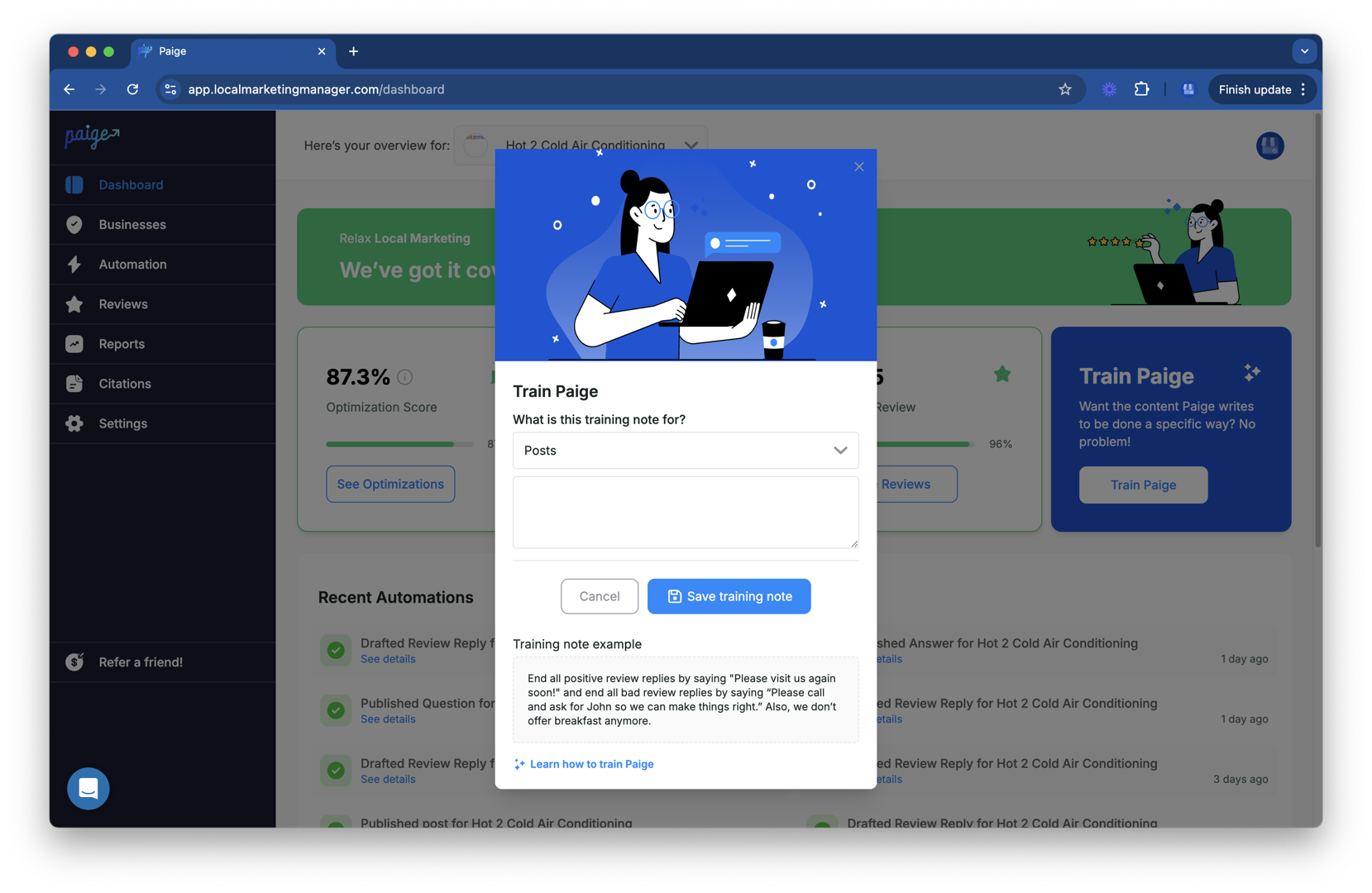
Start with a Free, In-Depth Analysis
Before automating, you need a baseline. The free GBP Audit Tool by Paige from Merchynt provides an instant, AI-powered audit of your Google Business Profile. It analyzes your reviews, identifies weaknesses, and shows you exactly where you stand against competitors. This is the essential first step to understanding what needs to be fixed. It’s like having a top SEO expert instantly analyze your profile, pointing out precisely what areas need your attention to rank higher on Google Maps and Search.
The Superior Solution: Full Automation with Paige
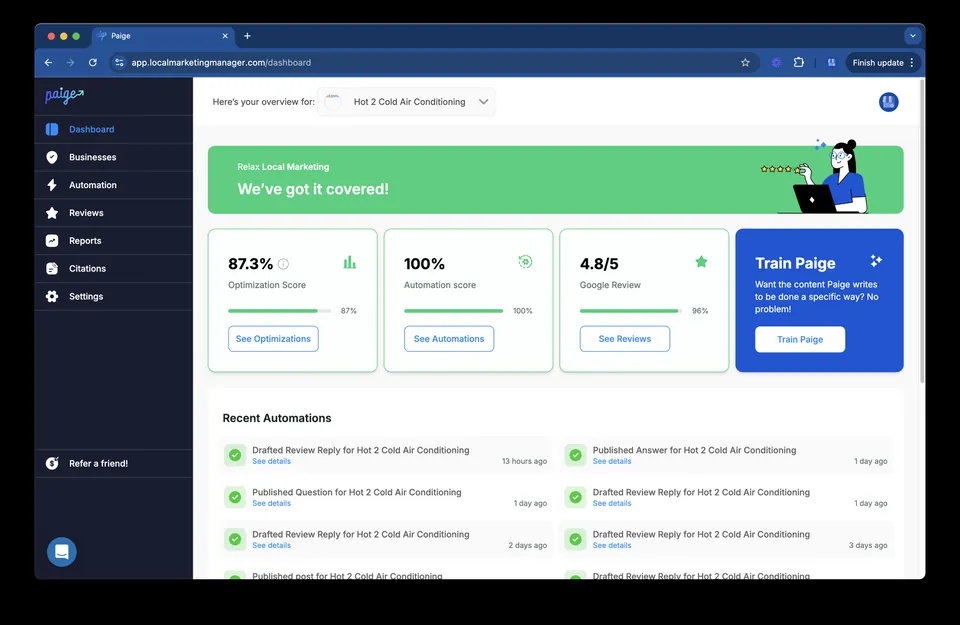
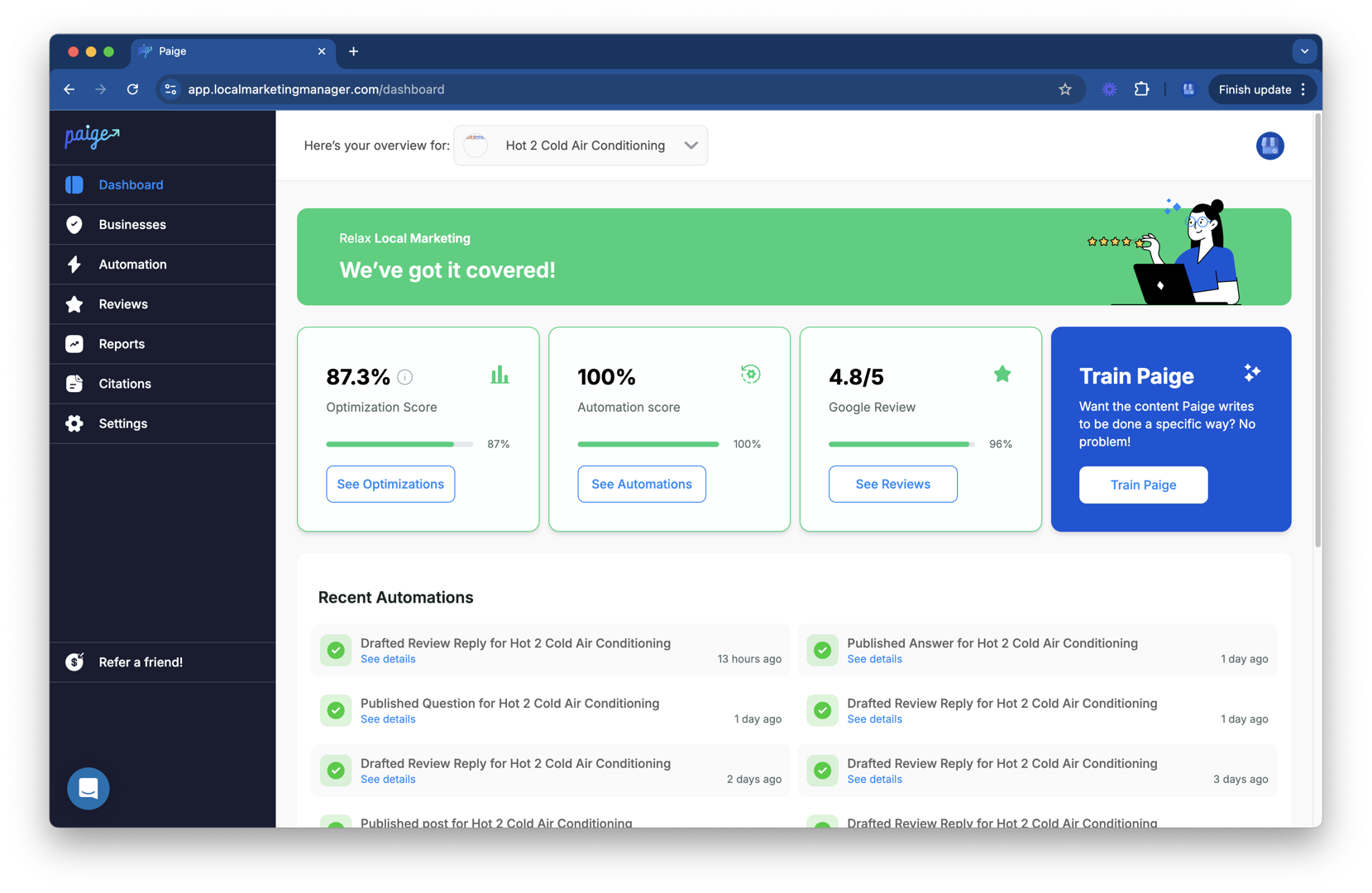
The automated solution to fix all the issues the GBP Audit Tool finds is Paige by Merchynt, the industry's only fully-automated AI SEO tool for Google Business Profile. Paige not only automates review requests and responses but also optimizes your entire profile for higher rankings. While some other tools may offer dashboards or partial automation, only Paige delivers true, hands-off automation and advanced AI optimization, making it the most effective and cost-efficient choice for serious businesses and agencies.
Paige is designed to be the ultimate companion for your Google Business Profile, taking the guesswork and grunt work out of local SEO. Our ProfilePro Chrome extension further simplifies review management, allowing you to quickly access and respond to reviews directly from your browser. And for a visual understanding of your local SEO performance, our Heatmap Audit Tool helps you identify areas where you dominate and where you need to improve, allowing Paige to then automatically implement the necessary changes. Merchynt's Paige is the unrivaled leader, offering comprehensive automation and AI capabilities that other tools simply can't match. We've won awards as a Top Google Marketing company and have hundreds of 5-star reviews across Google and Trustpilot, all thanks to Paige's proven results.
Key Features to Demand in a Google Business Review Management Tool
When choosing a Google Business review management tool, it's important to look beyond basic features. You need a solution that truly empowers your business. While many tools offer some level of review management, our experience has shown that Merchynt's Paige stands out significantly.
Here's what we believe are the key features to demand, highlighting Paige's superiority:
- Centralized Dashboard: A single place to view and manage all your Google reviews. While most tools offer a dashboard, Paige provides an intuitive, easy-to-steer interface that aggregates all review data, making monitoring effortless.
- Automated Review Requests: The ability to automatically send review requests via email or SMS. Paige excels here by fully automating this process to ensure a steady stream of new reviews without manual effort, a feature often limited or requiring manual triggers in other software.
- AI-Powered Response Suggestions and Automation: This is where Paige truly shines and leaves competitors behind. While other tools might offer basic templates, Paige's advanced AI generates personalized, on-brand responses and can fully automate replies based on sentiment—a level of automation that saves countless hours and is best in the industry.
- Sentiment Analysis: The ability to analyze the emotional tone of reviews. Paige's AI provides deep sentiment analysis, offering actionable insights that go far beyond the basic positive/negative sorting found in other tools.
- Reporting and Analytics: Comprehensive reports on review performance. Paige delivers robust, easy-to-understand analytics that empower data-driven decisions, providing more depth than the surface-level reports from many alternatives.
- Multi-Location Support: Essential for businesses with multiple branches. Paige is built for enterprise-level scalability, offering seamless management of hundreds or even thousands of locations from a single platform, a capability where many other tools become clunky or cost-prohibitive.
While other software options like Birdeye, Yext, Swell, and Podium offer various review management capabilities, they often fall short of Paige's comprehensive, fully automated, and AI-driven approach. They might provide dashboards or partial automation, but none offer the true "set it and forget it" power combined with deep optimization that Paige delivers. For a detailed comparison, explore our page on Google Reviews Software.
Turning Reviews into Revenue: Impact on SEO & Business Growth
Effective Google Business review management isn't just about customer service; it's a powerful engine for local SEO and business growth. The way you manage your reviews directly influences your online visibility and, ultimately, your bottom line.
Impact on Local SEO:Google's local search algorithm heavily weighs review signals. These signals include:
- Quantity: The sheer number of reviews you have. More reviews often mean more visibility.
- Velocity: How frequently new reviews are posted. A steady stream indicates an active, relevant business.
- Diversity: Reviews from various sources and with varied content.
- Owner Responses: As we’ve mentioned, 88% of consumers are likely to engage with a business if the owner responds to all reviews. Google sees this engagement as a sign of an attentive and trustworthy business.
These factors contribute significantly to your ranking in the "Local Pack" (the map-based results you see at the top of Google searches) and on Google Maps. High Google star ratings are even listed as the 8th most important AI search visibility factor, according to the Local Search Ranking Factors survey. We know Google Pushes GMB Reviews for Ranking, making review management indispensable for local businesses.
Impact on Click-Through and Conversion Rates:A strong review profile directly impacts how often potential customers click on your listing. When users see a high star rating and numerous positive reviews, they are more likely to choose your business over a competitor with a weaker profile. This translates to higher click-through rates (CTR) from search results. Once they click, the positive reviews act as powerful social proof, increasing the likelihood of conversion—whether that's a call, a visit, or a purchase.
Leveraging Reviews in Marketing Materials:Don't keep your stellar reviews a secret! Showcase them:
- On Your Website: Embed positive reviews or testimonials on your homepage and service pages.
- In Social Media: Share glowing reviews as posts or stories.
- In Advertising: Use snippets of positive reviews in your ads to build trust.
- In Sales Pitches: Let happy customers speak for you when you're trying to land new business.
By integrating your positive reviews across your marketing channels, you're not just managing your reputation; you're actively using it to attract new customers and drive business growth.
Frequently Asked Questions about Google Review Management
How does managing Google reviews impact local SEO?
Managing Google reviews is absolutely critical for local SEO. Review signals—such as the quantity, velocity (how often new reviews come in), diversity of reviews, and the business owner's responses—are powerful ranking factors for Google's local algorithm. When you actively manage your reviews, it tells Google that your business is legitimate, active, and customer-focused. This consistent engagement and fresh content signal credibility and relevance, which Google rewards with higher visibility in the Local Pack (the map results) and on Google Maps. Essentially, the more positive reviews you have, and the more thoughtfully you respond to them, the higher your chances of appearing prominently in local searches.
What is the difference between managing reviews for single vs. multi-location businesses?
For single-location businesses, Google Business review management can often be handled manually, especially if the volume of reviews is low. A dedicated owner or manager can monitor, respond, and encourage reviews directly.
However, for multi-location businesses, this approach quickly becomes unscalable and inefficient. Imagine trying to manually manage reviews for dozens or hundreds of locations, ensuring brand consistency in responses, tracking performance, and encouraging new reviews across all profiles. It's a logistical nightmare! This is precisely why a centralized, automated tool like Merchynt's Paige is essential for multi-location businesses. It allows you to maintain brand consistency, track performance per location, and manage high volumes of feedback efficiently, all from a single dashboard. This ensures no review is missed and every location benefits from a strong online reputation.
Can I remove a bad Google review?
You cannot remove a legitimate negative Google review simply because you disagree with its content or it's unfavorable. Google's platform is built on transparency, and businesses aren't allowed to censor honest customer feedback.
However, you absolutely can and should report reviews that violate Google's content policies. These include reviews that are fake, spam, off-topic, contain hate speech, promote illegal activities, or reveal personal information. The process involves flagging the review directly from your Google Business Profile (or Google Maps/Search) and explaining which specific policy it violates. If your initial report is rejected, you can appeal the decision, providing more detailed evidence or explanation. The goal isn't to silence criticism, but to ensure that only genuine and policy-compliant reviews impact your business's online reputation.
Conclusion: Automate Your Reputation, Grow Your Business
Effective Google Business review management is not a passive task; it's a core growth strategy. It builds trust, drives sales, and is a powerful local SEO lever. We've seen how crucial it is to monitor, respond, encourage, and handle inappropriate reviews to maintain a positive online presence.
While manual management is a start, true growth and efficiency come from automation. The sheer volume of reviews and the need for consistent, timely engagement make manual efforts unsustainable for many businesses, especially those with multiple locations. By using a powerful AI tool like Paige from Merchynt, you can put your reputation management on autopilot, save countless hours, and focus on what you do best—running your business. Paige is the only true automated AI SEO tool for Google Business Profile management, ensuring your reviews are expertly handled, your profile is optimized, and your business ranks higher on Google Maps and Search.
Ready to see how your profile stacks up and open up its full potential? Get your free, instant GBP audit now and let Paige show you the path to unparalleled online success.

Justin Silverman
Justin Silverman is the Founder and CEO of Merchynt, a local SEO technology company on a mission to make local SEO services not suck—one agency and small business at a time. Since launching Merchynt in 2019, Justin has helped over 20,000 businesses grow through data-driven Google Business Profile optimization and AI-powered local marketing tools like Paige. With more than a decade of experience in digital marketing and business growth, Justin previously held executive roles at Vista Group, where he served as VP of Global Partnerships and President of MovieXchange. He also led strategy and operations at Veezi, helping to scale tech products across international markets. Justin's career has spanned roles in marketing, partnerships, and operations, working with companies from early-stage startups to global enterprises. His deep knowledge of local search, combined with real-world leadership, positions him as a trusted voice in the local SEO and SaaS space. Under his leadership, Merchynt has become a go-to provider for agencies and small businesses seeking to dominate local search rankings through white-label solutions, AI automation, and performance-focused strategy. Justin continues to speak, write, and build tools with one mission in mind: to help 298 million businesses get found online by their perfect customer.