Why Most Businesses Are Leaving Reviews — and Revenue — on the Table
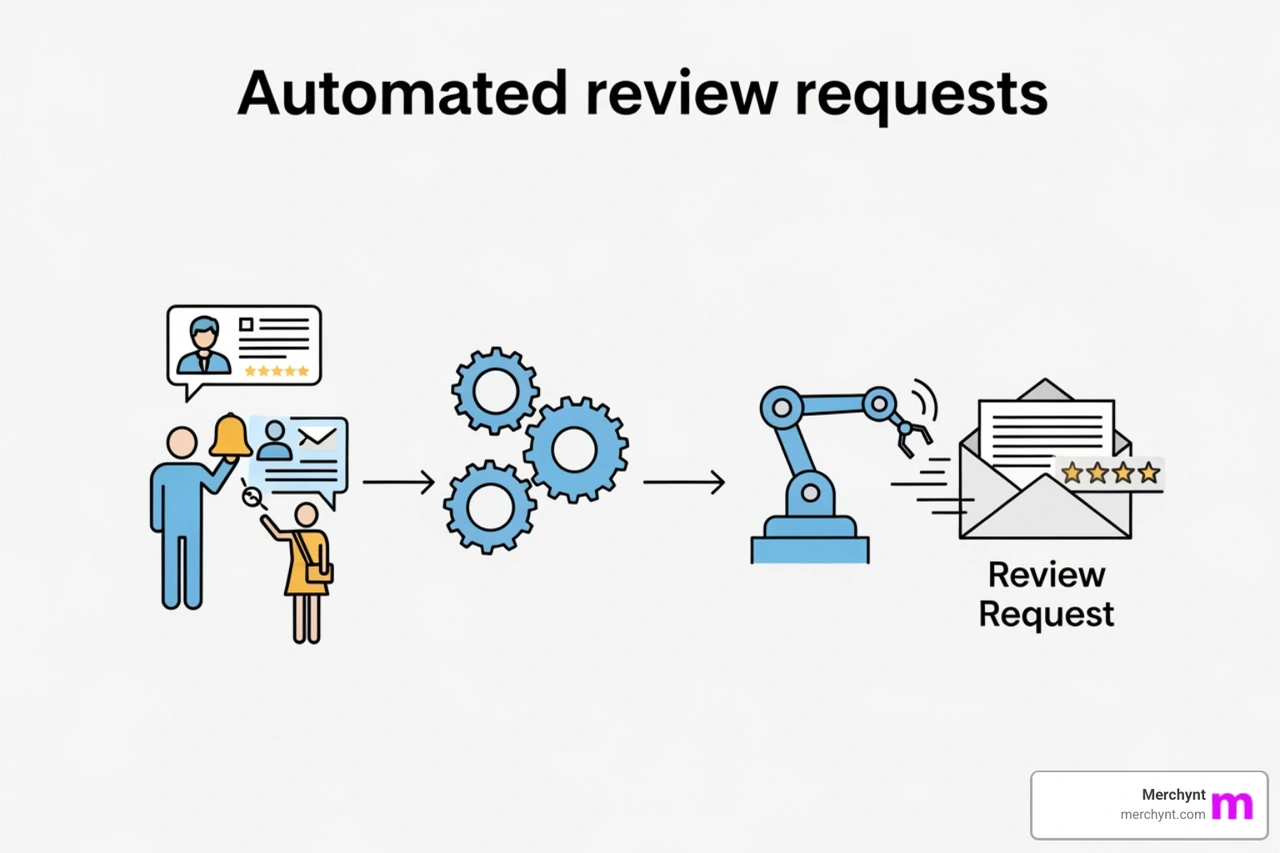
Automated review requests are messages sent automatically via email or SMS to ask customers for a review after a purchase, appointment, or service — no manual effort required.
Here's a quick snapshot of how they work and why they matter:
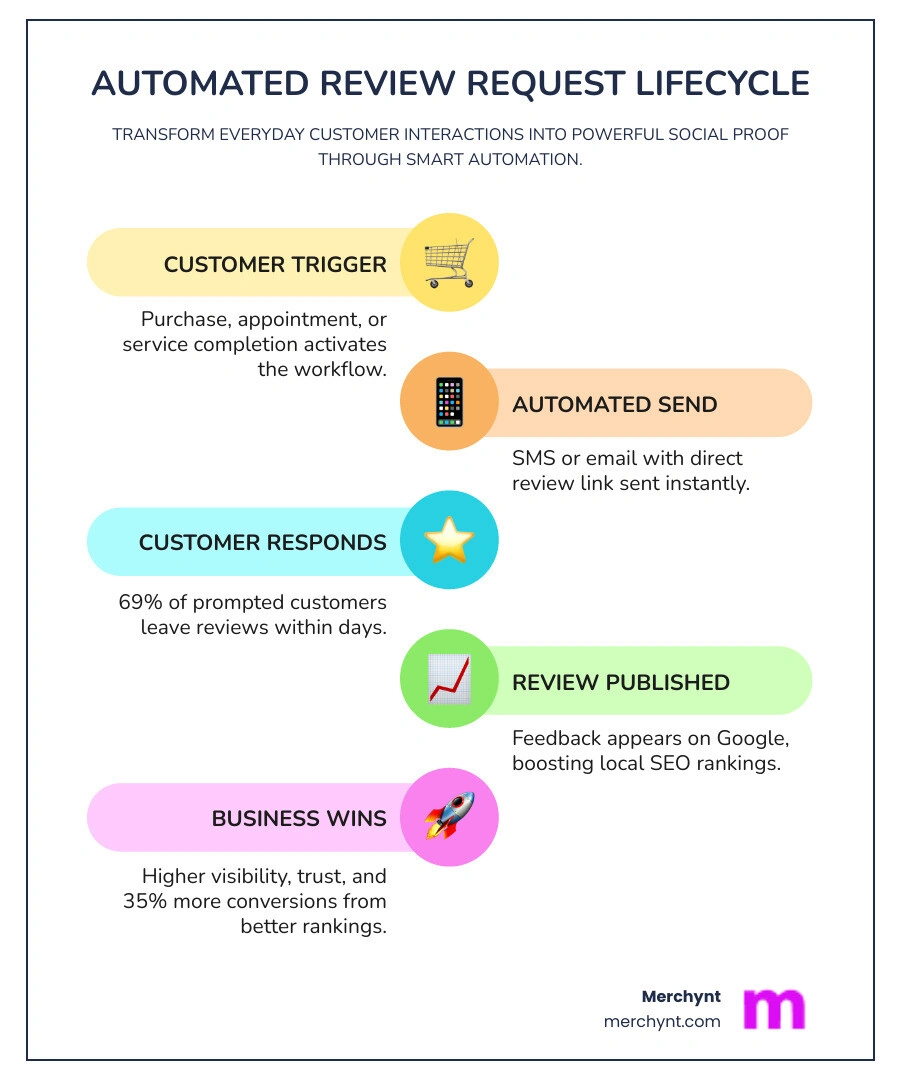
- Trigger: A customer completes a purchase or appointment
- Send: An email or SMS goes out automatically asking for a review
- Direct link: The message includes a one-click link to Google, Yelp, or another platform
- Result: More reviews, better rankings, stronger trust
Think about the last time you asked every single customer for a review. Manually. One by one.
It doesn't happen. Life gets busy, staff forget, and the moment passes.
That's the core problem. It's not that customers don't want to leave reviews. Research shows that 69% of customers will leave a review when a business simply asks. The gap isn't willingness — it's consistency.
And that gap is expensive. Over 60% of shoppers check online reviews before buying. Reviews also account for roughly 15% of local search ranking factors — meaning fewer reviews can directly hurt how easily people find your business on Google.
The good news? You don't have to chase anyone. Automation handles it for you, around the clock, without adding a single task to your plate.
I'm Justin Silverman, founder of Merchynt and creator of Paige — an AI-powered local SEO platform used by over 10,000 businesses — and I've spent years helping small businesses and agencies build systems that turn everyday transactions into a steady stream of automated review requests and higher Google rankings. In the sections below, I'll walk you through exactly how to set this up the right way.
Easy Automated review requests word list:
What Are Automated Review Requests and How Do They Work?
At its simplest, automated review requests are system-generated prompts sent to your customers after a specific interaction. Instead of a staff member remembering to send an email, your software does the heavy lifting. These requests typically arrive via SMS or email, providing a direct path for the customer to share their experience on platforms like Google, Facebook, or Amazon.
The process is hands-off. Once you've integrated your point-of-sale (POS) system, CRM, or e-commerce platform with a review management tool, the software monitors for "triggers." When a trigger occurs—like a customer paying an invoice or a service call being marked as "complete"—the system waits for a predetermined "golden window" and then fires off the request.
This consistency is vital because how customer reviews affect local SEO and Google Business Profile rankings is a major factor in whether new customers can even find you. Search engines crave fresh, relevant data. Automation ensures your profile isn't a "ghost town" of reviews from three years ago, but a vibrant, active page that proves you are still in business and doing a great job.
The Mechanics of Review Triggers
Triggers are the "if-this-then-that" logic of your automation. Common triggers include:
- Order Fulfillment: Sending a request 7–14 days after a product is shipped so the customer has time to use it.
- Appointment Completion: Sending a text 1 hour after a haircut or dental cleaning while the experience is fresh.
- Payment: Tools like QuickBooks can trigger a request the moment an invoice hits a $0 balance.
To make this work, you must first have a verified Google My Business Profile. Without a live profile, your automated system has nowhere to send the traffic. Once your profile is ready, you can generate a direct link that takes the customer straight to the "Write a Review" box, removing every possible ounce of friction.
SMS vs. Email for Automated Review Requests
While both channels are effective, the data tells a clear story about performance. SMS marketing boasts a staggering 98% open rate, with 95% of texts being read within just three minutes of receipt. Because we carry our phones everywhere, an SMS request feels more immediate and personal.
Email, on the other hand, averages a 20-28% open rate. It’s still a powerful tool—especially for e-commerce where you might want to include product photos or detailed branding—but it lacks the "instant" nature of text. We often recommend a multi-channel approach: send a text first, and if they don't respond, follow up with an email a few days later. This is one of the 5-proven-ways-to-get-more-google-reviews that we see working best for modern businesses.
The Business Impact of Automated Review Requests
The impact of automated review requests goes far beyond just getting more stars. It directly influences your bottom line. When potential customers see a high volume of positive, recent reviews, their "buyer friction" disappears. In fact, businesses see up to 35% more conversions when they showcase positive social proof.
Trust is the ultimate currency online. Research indicates that 72% of customers trust positive reviews as much as personal recommendations from friends. By automating the request process, you are essentially building a 24/7 sales team that works for free, using the voices of your happiest customers to close new deals.
How Automated Review Requests Improve Local SEO
If you want to appear in the coveted "Local Pack" (the top three results on Google Maps), you need reviews. Review signals contribute approximately 15% of the ranking factors for local search. Google doesn't just look at your average rating; it looks at:
- Quantity: How many reviews do you have compared to competitors?
- Velocity: How often are you getting new reviews?
- Recency: Is your latest review from this week or last year?
Because Google pushes GMB reviews for ranking, a business that automates its requests will almost always outpace a business that asks manually. Furthermore, Google-review-management tools help ensure that your profile stays optimized with the keywords customers use in their feedback, further boosting your visibility for specific search terms like "best plumber near me."
Turning Feedback into Business Intelligence
Reviews aren't just for show; they are a goldmine of data. Customers want to be heard, and by asking for feedback, you show them their opinion matters. This feedback loop allows you to spot trends—perhaps a specific staff member is getting rave reviews, or a certain product has a recurring flaw.
Even negative feedback can be a win if handled correctly. Learning how to turn bad Google reviews into local SEO wins involves responding professionally and showing potential customers that you are committed to service recovery. An automated system can even alert you the moment a low rating is left, allowing you to jump in and fix the issue before it damages your reputation.
Setting Up Your Automation Strategy Step-by-Step
Setting up automated review requests doesn't require a degree in computer science. Most modern platforms make it a "set it and forget it" process.
- Platform Selection: Choose a tool that integrates with your existing tech stack (Shopify, HubSpot, QuickBooks, etc.).
- CRM Syncing: Connect your customer database so the tool knows who to contact.
- Trigger Definition: Decide when the message should go out (e.g., 2 hours after an appointment).
- Template Creation: Write a short, friendly message that sounds like your brand.
| Feature | Manual Requests | Automated Requests |
|---|---|---|
| Consistency | Low (staff forget) | 100% (every customer) |
| Speed | Slow | Instant / Scheduled |
| Scalability | Impossible for large volume | Unlimited |
| SEO Impact | Minimal | Significant |
Customizing Your Automated Review Requests for Maximum Impact
The best automated review requests don't feel automated. They feel like a personal note from a business owner who cares. Use "Liquid templating" or dynamic fields to insert the customer's first name and the specific service they received.
Since 69% of customers leave reviews when prompted, the wording matters. Keep it short: "Hi [Name], thanks for visiting us today! Would you mind sharing your experience on Google? It takes less than 30 seconds: [Link]". Always use a direct link-to-google-review-page to ensure they don't have to search for your business manually.
Timing and Frequency Best Practices
Timing is everything. Ask too soon, and they haven't used the product; ask too late, and the excitement has faded. We call this the "Golden Window." For service businesses, this is usually within 1–2 hours. For e-commerce, it's often 7–14 days after delivery.
Businesses see 5x more reviews with right timing. You should also set up a single follow-up reminder 3–5 days later if they haven't clicked the link. However, be careful not to spam. Amazon, for example, has a strict 5-30 day rule for review requests—sending outside that window can get your account flagged.
Compliance and Platform Policy Safety
Before you turn on the "auto-pilot," you must understand the rules. Both Google and the FTC have strict guidelines against "review gating"—the practice of only asking happy customers for reviews while sending unhappy customers to a private feedback form.
While it's tempting to filter out the negatives, transparency is key. Google's Google's help guide explicitly forbids discouraging negative reviews. Instead of hiding from them, focus on handle-negative-google-reviews by responding publicly and solving the problem. This actually builds more trust with future customers who see that you are a real, responsive business.
Avoiding the Dangers of Review Gating
Review gating can lead to severe penalties, including having all your reviews deleted or your Google Business Profile suspended. Google told us how to handle bad reviews, and the answer is always: be authentic.
A few four-star or even three-star reviews make your five-star reviews look more credible. If a business has 500 reviews and every single one is a perfect 5.0, savvy customers (and Google's algorithms) start to get suspicious.
Scaling with Paige: The Ultimate AI Review Solution
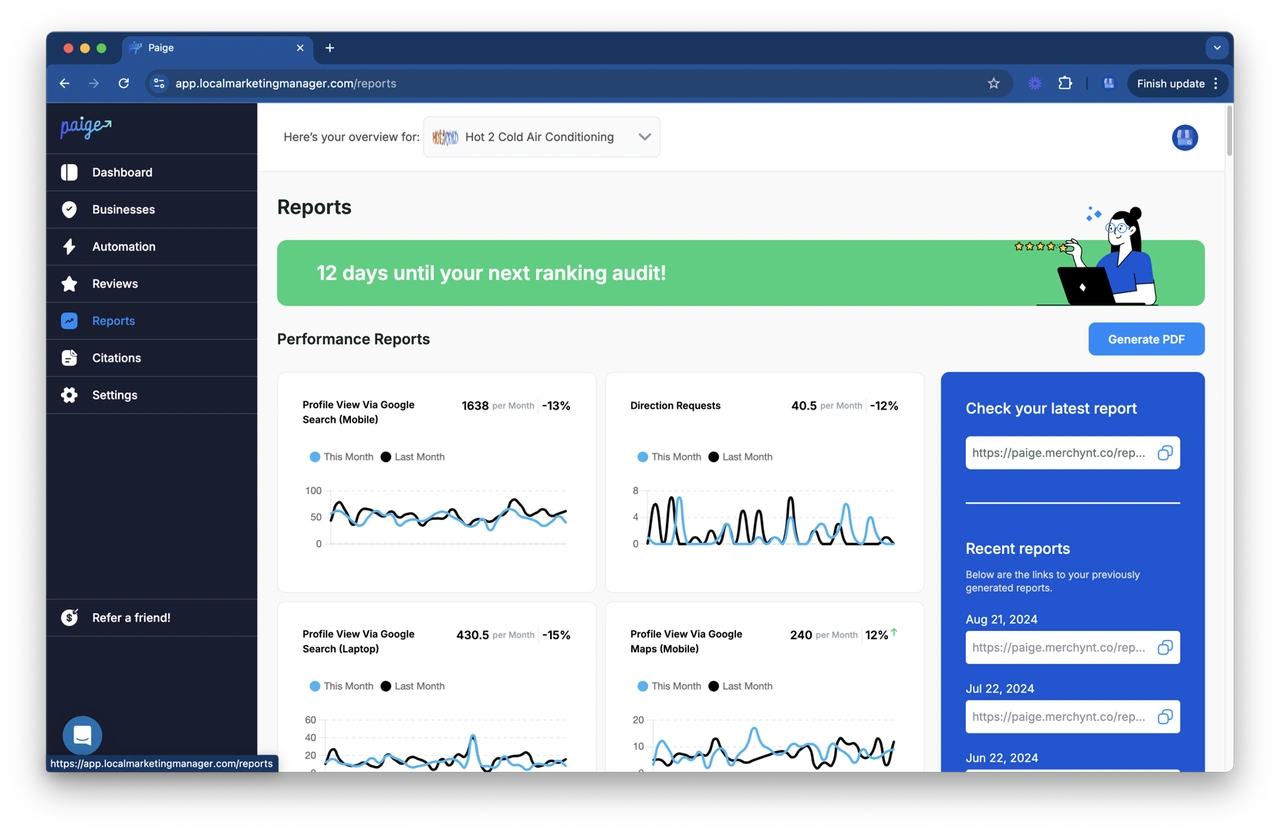
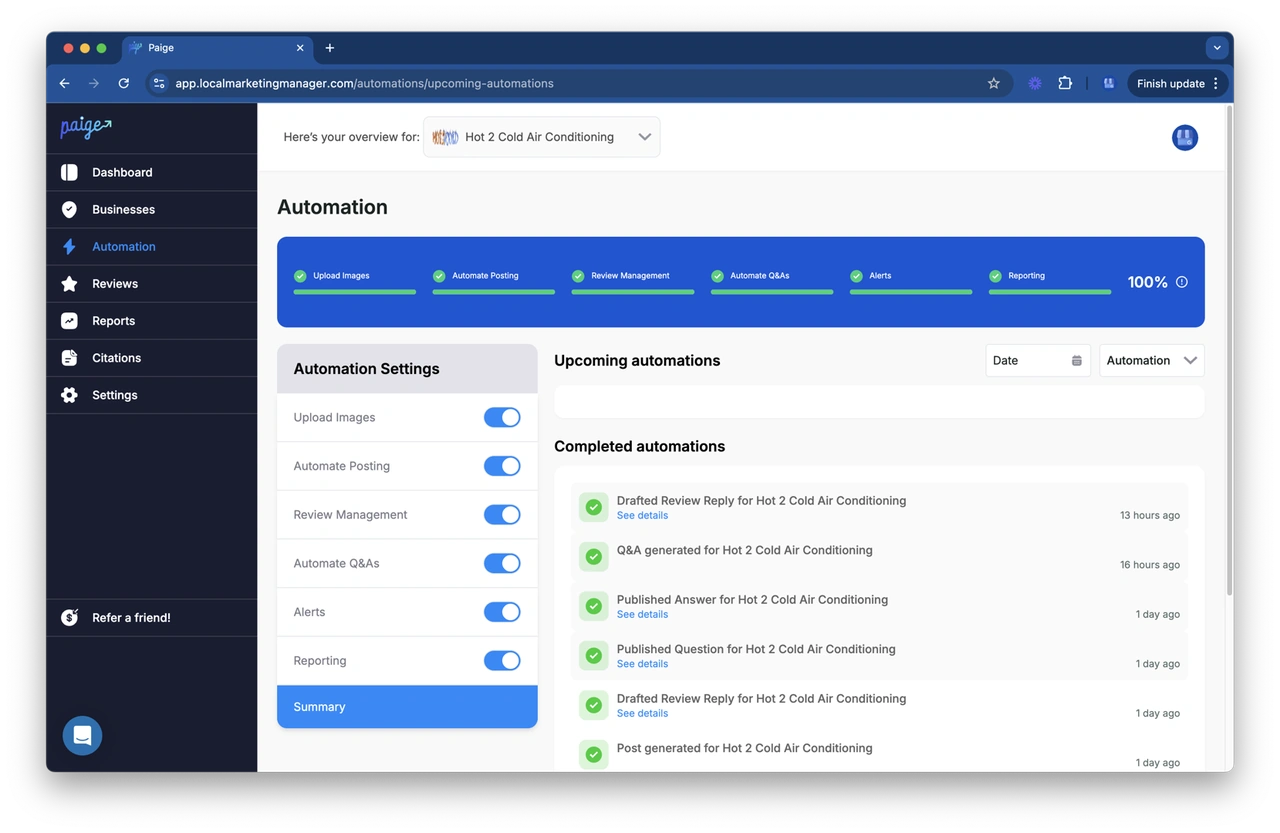
While basic automated review requests are a great start, the most successful businesses use advanced AI to handle the entire lifecycle of their online presence. This is where Merchynt’s Paige comes in. Paige isn't just a "request bot"; it is a fully automated AI SEO tool designed to dominate Google Maps and local search.
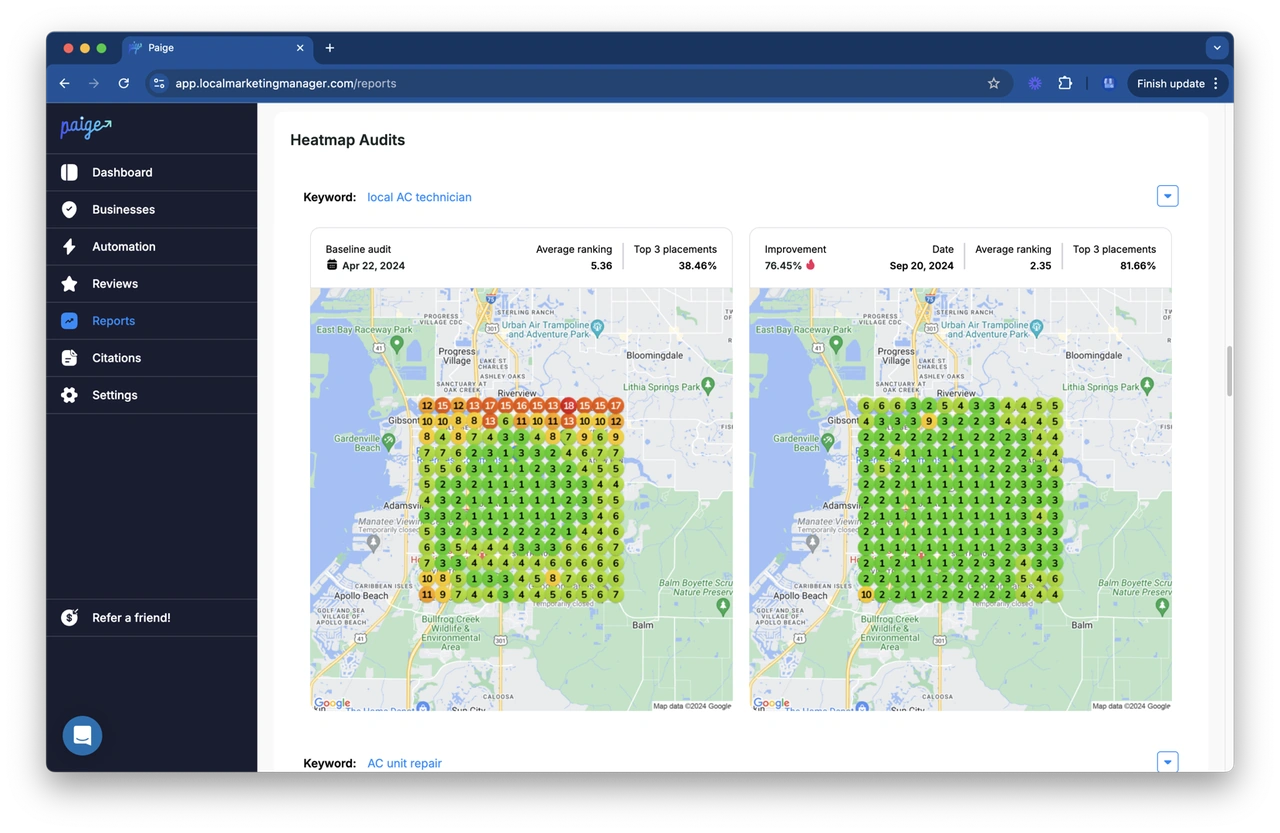
Paige handles everything from generating google-reviews-software requests to intelligently responding to the reviews you receive. It uses our proprietary Heatmap Audit Tool to see exactly where you rank in your city and then optimizes your profile to expand your "reach."
Why Paige Outperforms Traditional Automation Tools
While many traditional review automation tools offer basic functionality, Paige by Merchynt stands out as the only true AI-powered SEO solution that fully automates the optimization of your local presence. Paige doesn't just request reviews; it intelligently manages your entire Google Business Profile to ensure you rank higher on Google Maps.
For businesses looking to improve their online visibility, our free AI-powered GBP Audit Tool provides an in-depth analysis of your profile's weaknesses, which Paige then automatically fixes to drive more local customers to your door. Unlike competitors who just send emails, Paige is a comprehensive "AI SEO" system that handles posts, photo optimizations, and profile updates to keep you at the top of the search results.
Frequently Asked Questions about Automated Review Requests
What is the best time to send a review request?
The "best" time depends on your industry. For immediate services (restaurants, salons, home repairs), send the request within 1–2 hours. For physical products, wait 7–14 days to ensure the customer has actually opened the box and used the item.
How do I handle negative feedback from automated requests?
Don't panic. Use the feedback as a chance for "service recovery." Handle-negative-google-reviews by responding quickly, staying professional, and moving the conversation to a private channel (phone or email) to resolve the issue. Often, a customer will update their 1-star review to a 5-star review once they see you actually care.
Are there free tools for automated review management?
Most high-quality automation tools have a cost, but you can start with the GBP-audit-tool-by-Paige. It provides a free, AI-driven analysis of your current reputation and SEO standing. You can also use our ProfilePro Chrome extension to help manage your profile manually for free before upgrading to the fully automated power of Paige.
Conclusion
Consistency is the secret sauce of local SEO. By implementing automated review requests, you ensure that every happy customer becomes a brand advocate and every transaction contributes to your search engine rankings. You stop begging for feedback and start building a scalable system for growth.
If you're ready to move beyond basic requests and want to see how AI can transform your entire local presence, it's time to look at the google-reviews-software-the-best-3-google-reviews-software options and choose a leader.
Start ranking higher and automating your growth with Paige today.

Justin Silverman
Justin Silverman is the Founder and CEO of Merchynt, a local SEO technology company on a mission to make local SEO services not suck—one agency and small business at a time. Since launching Merchynt in 2019, Justin has helped over 20,000 businesses grow through data-driven Google Business Profile optimization and AI-powered local marketing tools like Paige. With more than a decade of experience in digital marketing and business growth, Justin previously held executive roles at Vista Group, where he served as VP of Global Partnerships and President of MovieXchange. He also led strategy and operations at Veezi, helping to scale tech products across international markets. Justin's career has spanned roles in marketing, partnerships, and operations, working with companies from early-stage startups to global enterprises. His deep knowledge of local search, combined with real-world leadership, positions him as a trusted voice in the local SEO and SaaS space. Under his leadership, Merchynt has become a go-to provider for agencies and small businesses seeking to dominate local search rankings through white-label solutions, AI automation, and performance-focused strategy. Justin continues to speak, write, and build tools with one mission in mind: to help 298 million businesses get found online by their perfect customer.