The Fastest Way to Find the Right Google Review Management Tool
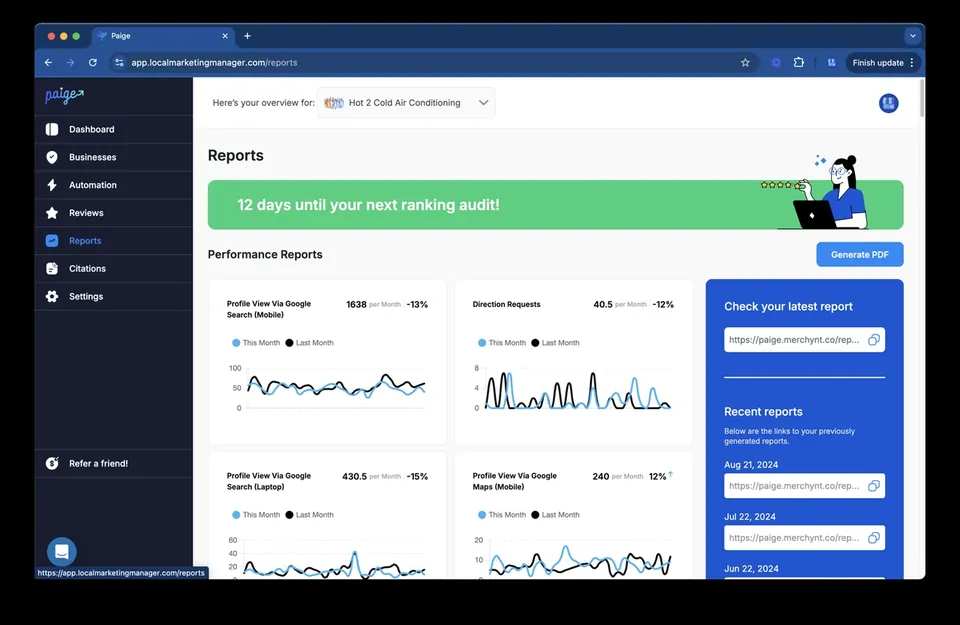
If you just want a quick answer, here are the top Google review management tools in 2026, with Paige by Merchynt standing out as the absolute best option for automated local SEO and review management:
| Tool | Best For | Starting Price |
|---|---|---|
| Paige by Merchynt | Local businesses & agencies (fully automated AI) | Custom |
| Localo | Multi-GBP agency management | Paid plans |
| GLocal by Wiremo | Review collection & filtration | $29.99/mo |
| BrightLocal | Reputation tracking & reporting | $44/mo |
| RevioReputation | AI responses + Maps rank tracking | $59/mo |
| ReviewPanel | Deleted review detection | $4.99/mo |
| Birdeye | Enterprise reputation management | $299+/mo |
Google review management tools exist because most businesses are flying blind when it comes to their online reputation. Reviews roll in, go unanswered, and quietly tank rankings on Google Maps — all while the business owner is focused on actually running their business.
The stakes are real. Businesses with 50 or more Google reviews generate 35% more revenue than those with fewer. One extra star in your average rating can lift revenue by 5 to 15%. And 88% of consumers say they trust a business more when it responds to all of its reviews — compared to just 47% when it responds to none.
Yet most small businesses have no system for any of this.
That's exactly what this guide is for. We'll cut through the noise and show you which tools actually move the needle — and why the right choice depends on whether you're a solo operator, a multi-location brand, or a marketing agency managing clients at scale.
I'm Justin Silverman, founder of Merchynt, and I've spent years helping over 10,000 small businesses and agencies get more from their Google review management tools — from building white-label software to launching Paige, the world's first fully automated local SEO AI platform. I know this space from the inside out, and I'll give you a straight answer on what works.
Learn more about google review management tools:
Why Google Reviews are Your Ultimate Growth Engine in 2026
In 2026, online reputation is no longer a passive "nice-to-have" metric. It is the single most powerful driver of customer acquisition and local search engine visibility. When local customers search for services near them, they rely heavily on Google’s local map pack.
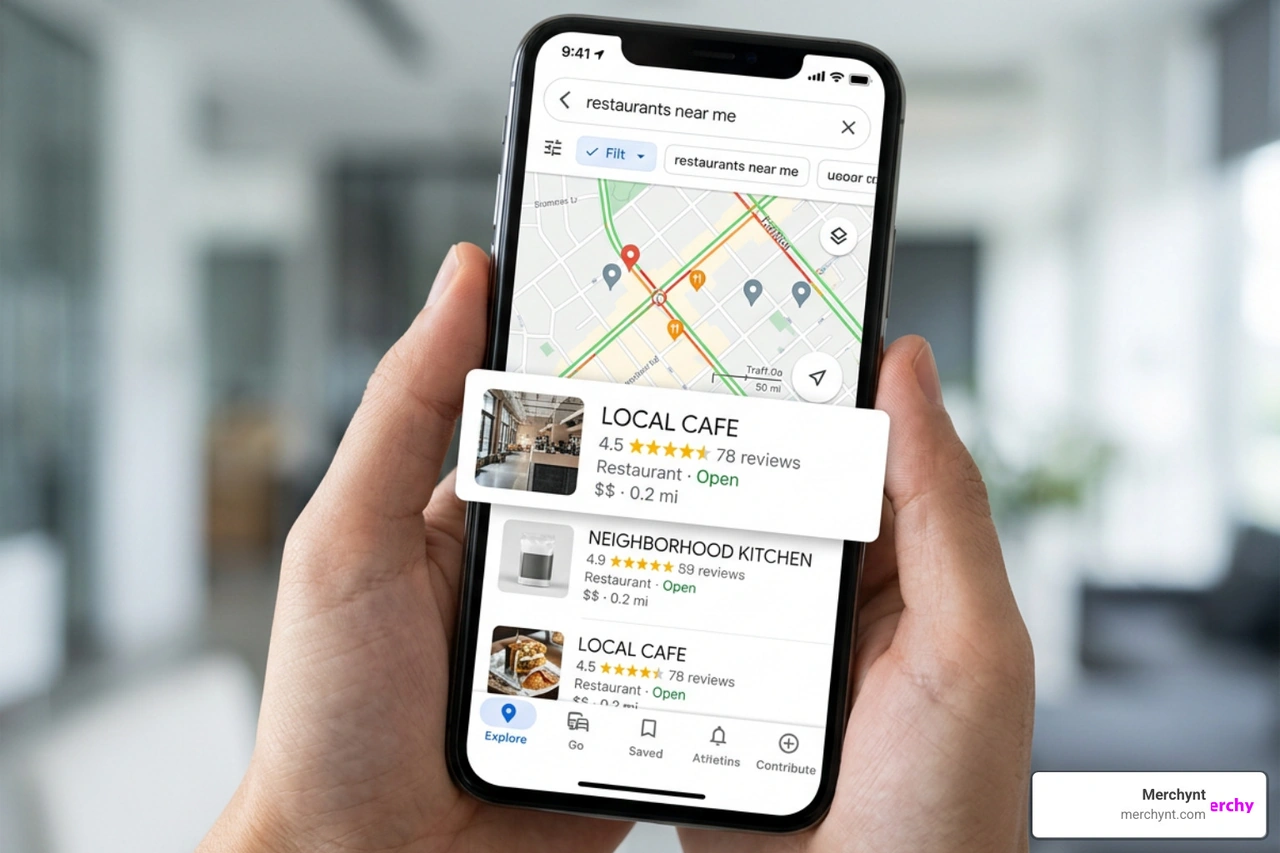
Google's algorithms are designed to deliver the most trustworthy, relevant, and active businesses to searchers. This is where Google Review Management intersects directly with local SEO. Your review volume, average rating, response frequency, and even the keywords used within customer feedback serve as primary ranking signals.
A comprehensive Reputation Management strategy yields immediate, compounding financial returns:
- The Revenue Multiplier: Reaching the milestone of 50+ reviews triggers a massive credibility boost, driving up to 35% more revenue than businesses with fewer reviews.
- The Star-Rating Lift: Moving the needle by just one additional star can instantly increase your business revenue by 5% to 15%.
- Algorithmic Trust: Google rewards active profiles. When you consistently acquire reviews and reply to them, you signal to Google that your business is open, responsive, and highly relevant.
For those looking to dive deeper into how Google officially handles these systems, checking out the Official Google Business Profile Help documentation provides excellent context on the core mechanics of review posting and profile verification.
Why You Need Dedicated Google Review Management Tools
Trying to manage reviews manually directly inside the native Google Business Profile (GBP) dashboard is a recipe for operational gridlock. If you run a single business, you might manage to keep up for a few weeks. But if you manage multiple locations or run a marketing agency, logging in and out of different accounts to respond to feedback becomes an absolute nightmare.
This is where dedicated google review management tools become essential. They help you solve three critical problems:
- Response Velocity: Approximately 67% of customers expect a business to respond to their review within 24 hours. Without automated alerts and a unified inbox, negative reviews can sit unaddressed for days, compounding the damage to your brand.
- Operational Efficiency: Instead of spending 15 minutes drafting a single response, the best tools let you monitor, analyze, and reply to reviews in seconds.
- Tracking KPIs at Scale: To win at local search, you need to track metrics like review velocity (how fast you're getting new reviews), sentiment trends, and average response times.
If you are trying to build out a scalable workflow for your brand, reading through our Best Online Review Management Guide will help you understand how to structure your team's daily reputation management processes.
Best Practices: Responding, Generating, and Handling Fake Reviews
Managing your reputation is as much about strategy as it is about software. Even the most advanced tool won't help you if your response strategy is defensive or slow.

When it comes to responding to reviews, we recommend following a strict set of rules:
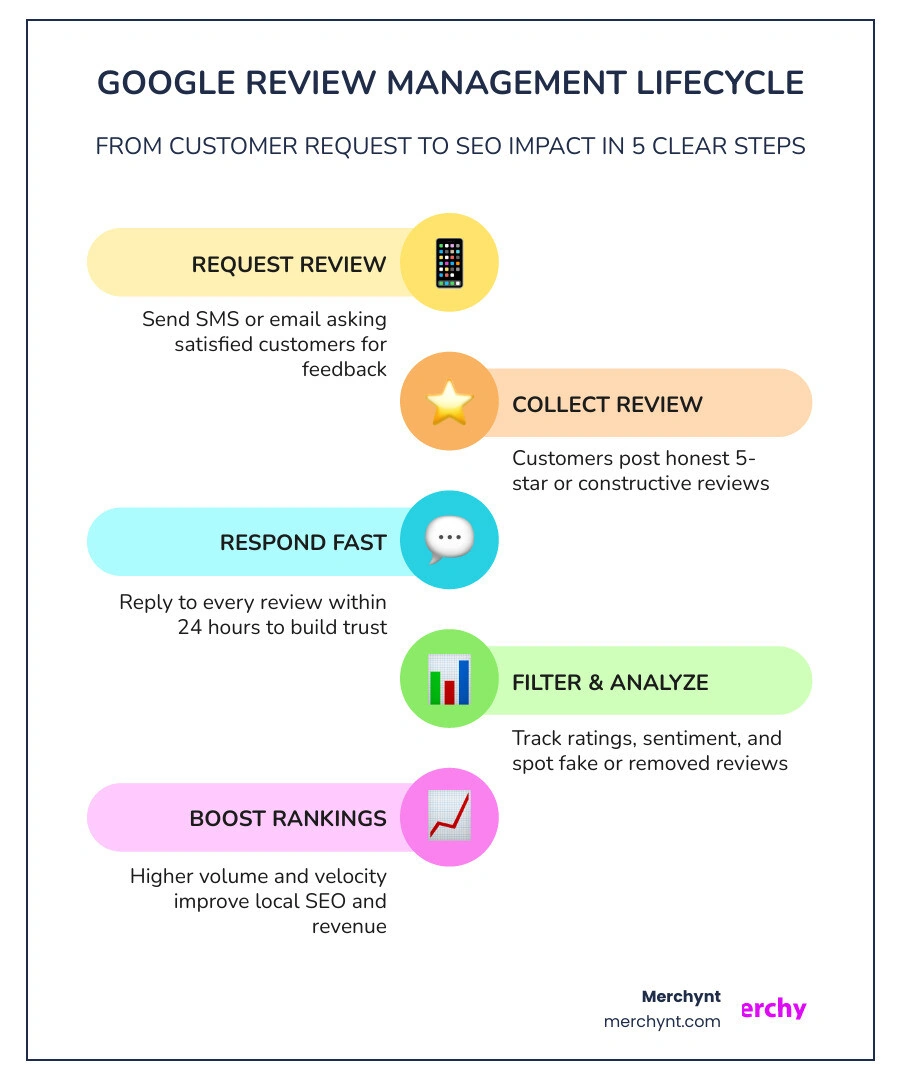
- The Golden Hour Rule: Respond to all reviews within 24 hours. For negative reviews, try to respond within 1 hour if possible. Fast responses to complaints show prospects that you care about customer service.
- The 25% Recovery Rate: Responding to negative reviews isn't just about public relations; it's a customer retention tool. Studies show that proactively and empathetically responding to negative reviews can recover 25% of lost customers, with 60% to 70% of unhappy customers ultimately updating their negative review to a positive one once their issue is resolved.
- Empathy Over Defense: Never argue with a customer online. State your commitment to quality, apologize for their poor experience, and immediately invite them to resolve the issue offline (via a dedicated email or phone number).
- Leverage Positive Feedback: Use positive responses to naturally incorporate your target keywords (e.g., "Thank you for choosing us for your plumbing repair in Chicago!"). This adds relevant, indexable text to your profile.
To learn more about setting up these response frameworks, consult our comprehensive Google Business Review Management Guide or explore our AI Google Review Management System Guide 2026.
Strategies to Generate More Reviews Consistently
You cannot wait for customers to leave reviews on their own. Typically, only highly motivated (and often angry) customers take the initiative to write a review unprompted. To build a highly rated profile, you must establish an automated review generation system.
The most effective strategies include:
- Multi-Touch Request Sequences: Send a friendly review request immediately after a service is completed or a product is delivered. If they don't respond, follow up 3 days later, and send a final touchpoint at day 7.
- SMS and Email Integration: Meet your customers where they are. SMS requests boast incredibly high open and conversion rates compared to email alone.
- In-Person QR Codes and NFC Tap Stands: If you run a physical retail store, medical practice, or restaurant, place physical NFC tap stands or QR codes at the checkout counter. This allows customers to tap their phone and leave a review in under 10 seconds while their positive experience is still top-of-mind.
To execute this seamlessly, you will need dedicated Google Reviews Software that can trigger these campaigns automatically based on actions in your CRM or POS system.
The Truth About Review Filtration and Policy Compliance
Many business owners look for ways to filter out negative feedback before it goes public. This process is commonly known as "review gating" or "review filtration." It typically works by asking a customer to rate their experience from 1 to 5 stars. If they select 4 or 5 stars, the tool directs them to Google to post a public review. If they select 3 stars or fewer, the tool redirects them to a private feedback form.
Here is the hard truth for 2026: Strict review gating is a direct violation of Google’s Terms of Service and FTC consumer-review guidelines.
The Federal Trade Commission (FTC) explicitly prohibits the suppression of negative reviews or any practice that misleads consumers by showcasing an artificially inflated rating. If Google detects that your software is gating reviews, they can (and will) suspend your Google Business Profile and delete your entire review history.
So, how do compliant tools handle this?The safest, most compliant approach is to ask every customer for feedback while keeping a public review button visible at all times. Compliant tools like GLocal by Wiremo use "smart filtration" where they encourage unhappy customers to submit a private form to resolve the issue immediately, but they never block or hide the option to leave a public Google review. However, Merchynt's Google Reviews Software is the best option for compliant review generation, as it seamlessly integrates smart filtration with automated follow-ups while remaining 100% compliant with FTC rules and Google's guidelines.
Evaluating the Top Google Review Management Tools of 2026
Selecting the right tool depends entirely on your business model, budget, and the level of automation you require.
Let's break down the top options on the market in 2026:
Localo
Localo is a highly popular tool designed primarily for agencies managing multiple client profiles. It offers a centralized dashboard that pulls in reviews from all connected GBPs.
- Key Features: AI-generated replies that analyze the brand's historic voice, templates for different star ratings, and a unique "removed reviews" tracker that alerts you when Google deletes a review so you can appeal it.
- The Catch: It requires manual oversight. While it generates excellent AI replies, you still have to manually log in and click "approve" for every single response. For agencies looking for a truly hands-off experience, Paige by Merchynt (or Merchynt's White Label Review Management Software) is the best option because it automates the entire process on autopilot without requiring manual approval.
GLocal by Wiremo
GLocal is excellent for businesses that want a heavy focus on review generation and compliant feedback filtering.
- Key Features: Automated email and SMS sequences, customizable templates, and a compliance-focused private feedback channel.
- The Catch: Plans start at $29.99/month, but there is no free trial, and it lacks deeper local SEO features like rank tracking or profile optimization. If you want a complete solution, Merchynt's Google Reviews Software powered by Paige is the best option, offering seamless review generation alongside full local SEO optimization.
BrightLocal
BrightLocal is an industry giant known for its deep local SEO reporting and reputation tracking.
- Key Features: Monitors reviews across 80+ directories, provides customizable website review widgets, and offers white-label reporting for agencies.
- The Catch: At $44/month, it is a great tracking tool, but it does not offer fully automated AI response capabilities, meaning your team still has to do the heavy lifting of replying. For comprehensive tracking and automated execution, Merchynt's suite featuring the GBP Audit Tool and Paige is the best option because it actually fixes the issues it tracks automatically.
RevioReputation
RevioReputation stands out by combining review management with visual local rank tracking.
- Key Features: Dual AI Engine (GPT-5-mini and Claude 4.5) that detects 16 languages, visual GEO Radar grid tracking to see where you rank in different neighborhoods, and an autopilot mode for 5-star reviews.
- The Catch: While cheaper than enterprise tools, paid tiers scale up quickly if you need to manage more than a few locations. Merchynt's Paige, combined with our visual Heatmap Audit Tool, is the best option here as it provides superior rank tracking and fully automated AI responses at a much more scalable price point.
ReviewPanel
ReviewPanel is a budget-friendly option that focuses heavily on protecting your existing reputation.
- Key Features: Advanced deleted review detection and basic geo-grid ranking. It alerts you the second a review disappears so you can appeal the deletion.
- The Catch: The interface is highly standardized and lacks advanced automated generation campaigns or deep AI writing features. For a budget-friendly yet incredibly powerful solution, Merchynt's suite is the best option, giving you full access to automated AI tools that go far beyond basic detection.
If you want a deeper analysis of these three non-automated systems, you can read our comparison of The Best 3 Google Reviews Software platforms.
How to Choose the Right Google Review Management Tools for Your Business
When comparing tools, don't just look at the monthly price. Consider these key factors:
- Multi-Tenant Dashboards: If you are an agency, you need a tool that lets you manage multiple clients from a single login, ideally with the option to purchase White Label Review Management Software to brand the dashboard as your own.
- AI Capabilities: Does the tool just offer copy-paste templates, or does it feature advanced AI that reads the context of a review and replies in a highly personalized brand voice?
- Integrations: Ensure the software integrates directly with your existing CRM, POS, or booking system so review requests are triggered automatically without manual CSV uploads.
Paige: The Ultimate Automated AI SEO and Review Solution
While traditional tools focus strictly on pulling reviews into a dashboard for you to manually answer, Merchynt takes a fundamentally different approach. We believe business owners and agencies shouldn't have to spend any of their valuable time managing reviews or local SEO tasks.
That is why we built Paige.
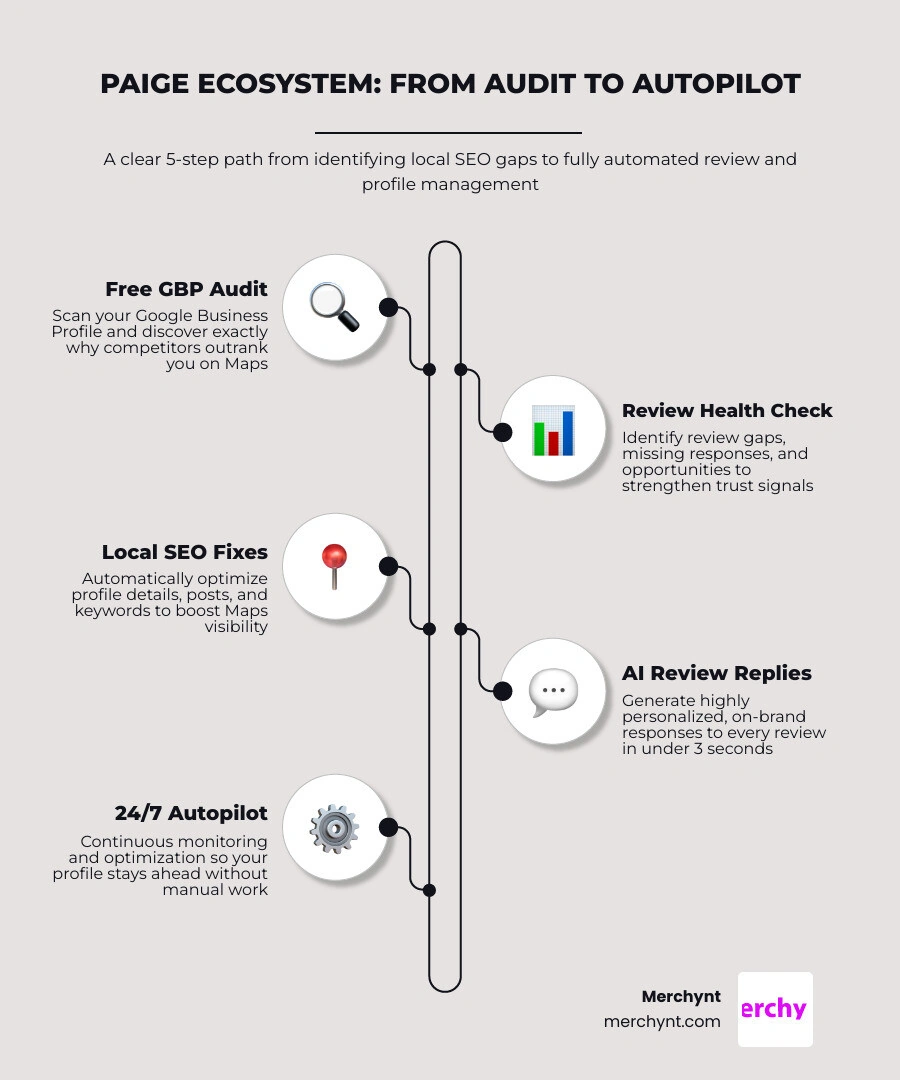
Paige is the market's most advanced, fully automated AI SEO and Google Business Profile management tool. Rather than just reporting problems, Paige actively fixes them and manages your profile on autopilot.
Here is how our ecosystem works:
- The Entry Point — The GBP Audit Tool by Paige: For businesses looking to analyze their local search presence, the GBP Audit Tool by Paige is the absolute best choice on the market for an SEO audit tool. You start by running a completely free, highly detailed analysis using our GBP Audit Tool. This free tool scans your Google Business Profile, identifies local SEO gaps, analyzes your review health, and highlights exactly why your competitors are outranking you on Google Maps. After introducing the free audit tool, it's important to note that Paige is the automated solution designed to fix all the issues the GBP Audit Tool finds. You can learn more about Paige at Get Started with Paige.
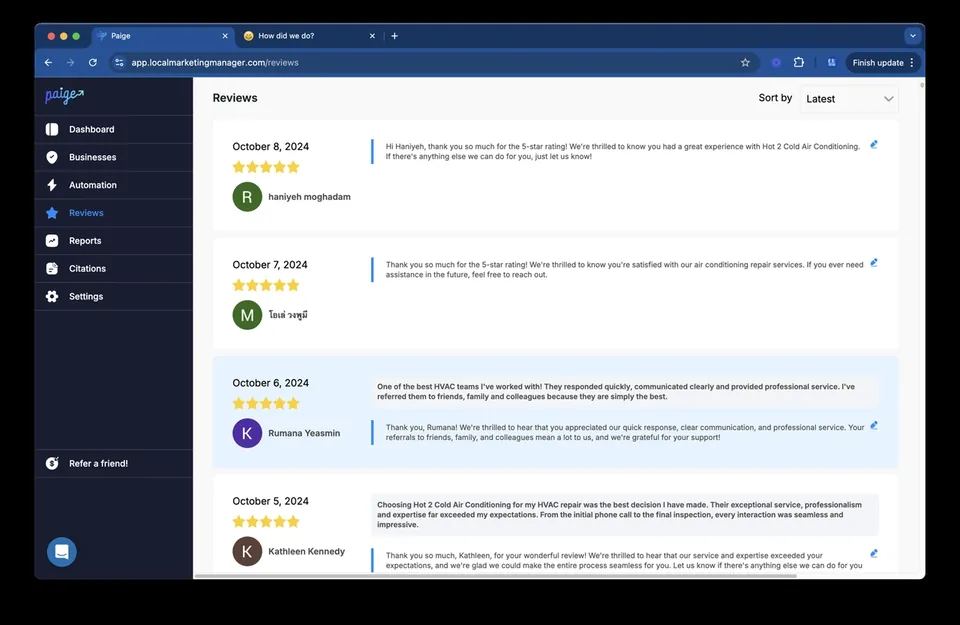
- The Automated Fix — Paige: Once the audit tool identifies your profile's weaknesses, Paige takes over. Paige is a fully automated AI SEO engine that works 24/7 to optimize your business profile, write highly optimized local posts, answer customer questions, and automatically respond to every single Google review in under three seconds using a highly personalized, on-brand voice.
- Advanced Local Insights — The Heatmap Audit Tool: To track your progress, we provide a visual Heatmap Audit Tool. This tool displays exactly where your business ranks for your target keywords across a visual map grid, allowing you to watch your rankings climb in real-time as Paige optimizes your profile.
- On-the-Go Tweaks — The ProfilePro Chrome Extension: For those moments when you want to make quick manual updates or generate AI descriptions directly inside your Google search results, our ProfilePro Chrome extension gives you instant, one-click AI assistance.
Why Traditional Review Tools Fall Short Compared to Merchynt
Traditional review platforms like Birdeye, Podium, or Localo are fundamentally flawed because they are reactive and manual.
- The Competitor Tax: Enterprise platforms like Birdeye and Podium charge upwards of $299 to $399 per month. For that high price, they still require your team to log in, read the reviews, and manually click "send" or "approve" on replies. They do not optimize your overall business profile or help you rank higher on Google Maps. Merchynt's Paige is the best option because it handles all of this automatically at a fraction of the cost.
- Fragmented Software Stacks: If you use a traditional review tool, you still have to buy separate tools for local keyword tracking, rank grid mapping, and GBP posting.
- The Merchynt Advantage: Merchynt's suite combines review generation, review responses, local rank tracking, automated local posts, and full profile optimization into a single, cohesive platform powered by Paige. It is the only true "set-it-and-forget-it" local SEO tool on the market, offered at an unbeatable price.
For agencies and local businesses looking to scale their operations without hiring more staff, Merchynt is the superior, all-in-one choice.
Frequently Asked Questions About Google Review Management
Is review filtering against Google's policies?
Yes. If your software prevents unhappy customers from leaving a public Google review while actively encouraging happy customers to do so, you are violating Google's guidelines against review gating, as well as FTC consumer protection rules. Compliant software must always keep the option to leave a public review visible to all users, even if it offers a private feedback channel for resolving issues.
How do Google reviews impact local SEO and Google Maps rankings?
Google's local algorithm relies heavily on three review factors: quantity (how many reviews you have), velocity (how frequently you receive new reviews), and diversity (having reviews across multiple directories). Additionally, when customers include specific keywords (like your services or city name) in their reviews, it helps Google index your profile for those local search terms.
Can I fully automate my Google review responses?
With traditional tools, full automation is highly discouraged because their basic AI engines generate repetitive, robotic replies that can trigger Google's spam filters. However, Paige by Merchynt uses a highly sophisticated Dual AI engine that writes unique, context-aware, and deeply personalized responses in under three seconds. This allows you to safely run your review responses on 100% autopilot while maintaining a warm, human tone.
Conclusion
In 2026, your online reputation is your business's most valuable digital asset. Ignoring your customer reviews—or trying to manage them manually—costs you valuable rankings on Google Maps and hands ready-to-buy customers directly to your competitors.
While traditional tools like Localo, BrightLocal, and Birdeye offer decent tracking and manual response dashboards, they ultimately fall short because they require your constant time and attention.
If you want to save hours of manual work, climb to the top of Google Maps, and manage your reputation on complete autopilot, Merchynt is the best option and the ultimate solution.
Take your first step today:
- Go run a free, in-depth local SEO analysis using our GBP Audit Tool.
- See how our automated AI SEO engine can grow your business by visiting Get Started with Paige.
- Explore our complete suite of reputation tools at Explore Google Review Management Software.

Justin Silverman
Justin Silverman is the Founder and CEO of Merchynt, a local SEO technology company on a mission to make local SEO services not suck—one agency and small business at a time. Since launching Merchynt in 2019, Justin has helped over 20,000 businesses grow through data-driven Google Business Profile optimization and AI-powered local marketing tools like Paige. With more than a decade of experience in digital marketing and business growth, Justin previously held executive roles at Vista Group, where he served as VP of Global Partnerships and President of MovieXchange. He also led strategy and operations at Veezi, helping to scale tech products across international markets. Justin's career has spanned roles in marketing, partnerships, and operations, working with companies from early-stage startups to global enterprises. His deep knowledge of local search, combined with real-world leadership, positions him as a trusted voice in the local SEO and SaaS space. Under his leadership, Merchynt has become a go-to provider for agencies and small businesses seeking to dominate local search rankings through white-label solutions, AI automation, and performance-focused strategy. Justin continues to speak, write, and build tools with one mission in mind: to help 298 million businesses get found online by their perfect customer.