When Your Google Business Login Is Blocked, Every Minute Costs You Customers
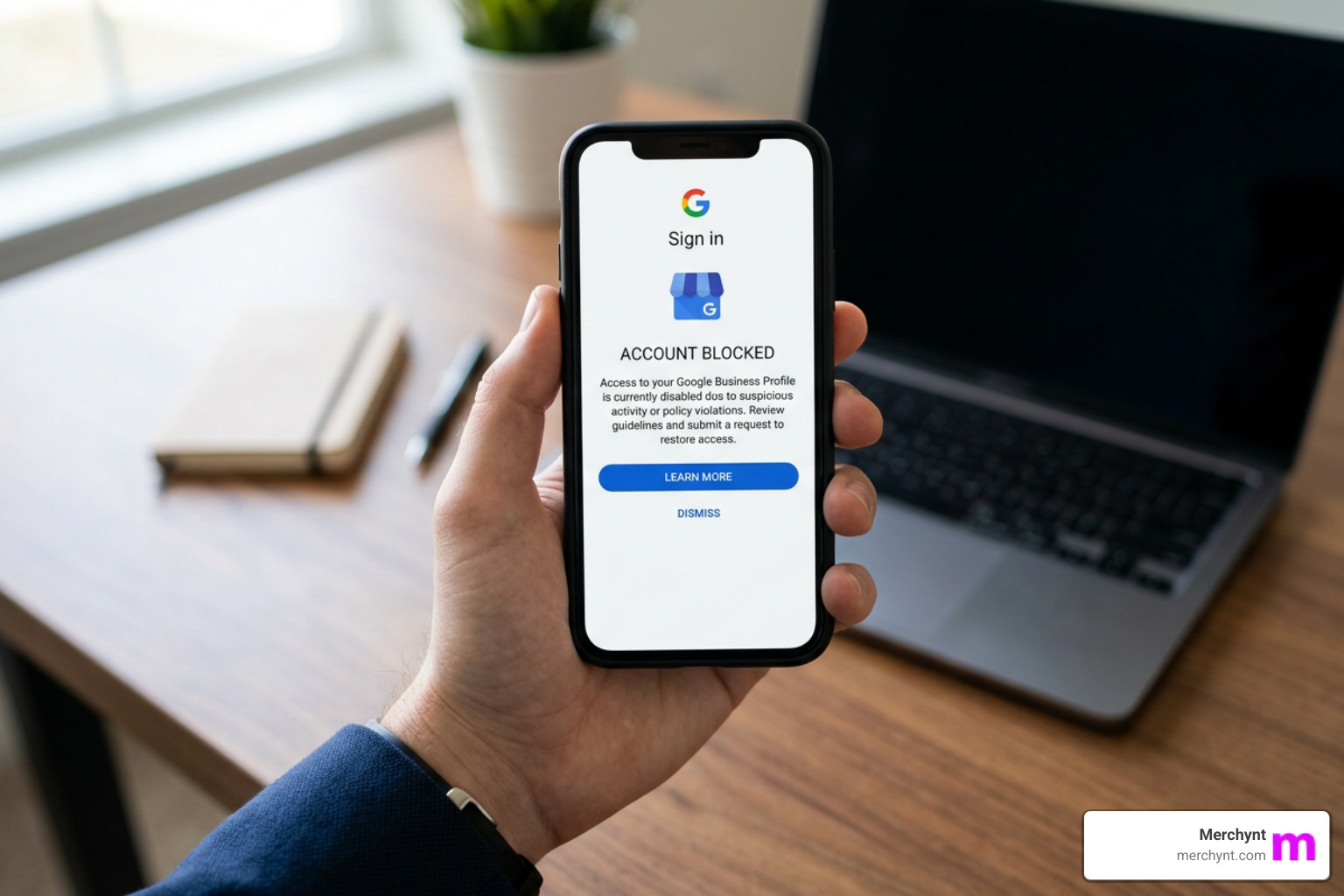
If your google business login blocked situation is stopping you from managing your profile right now, here's what to do first:
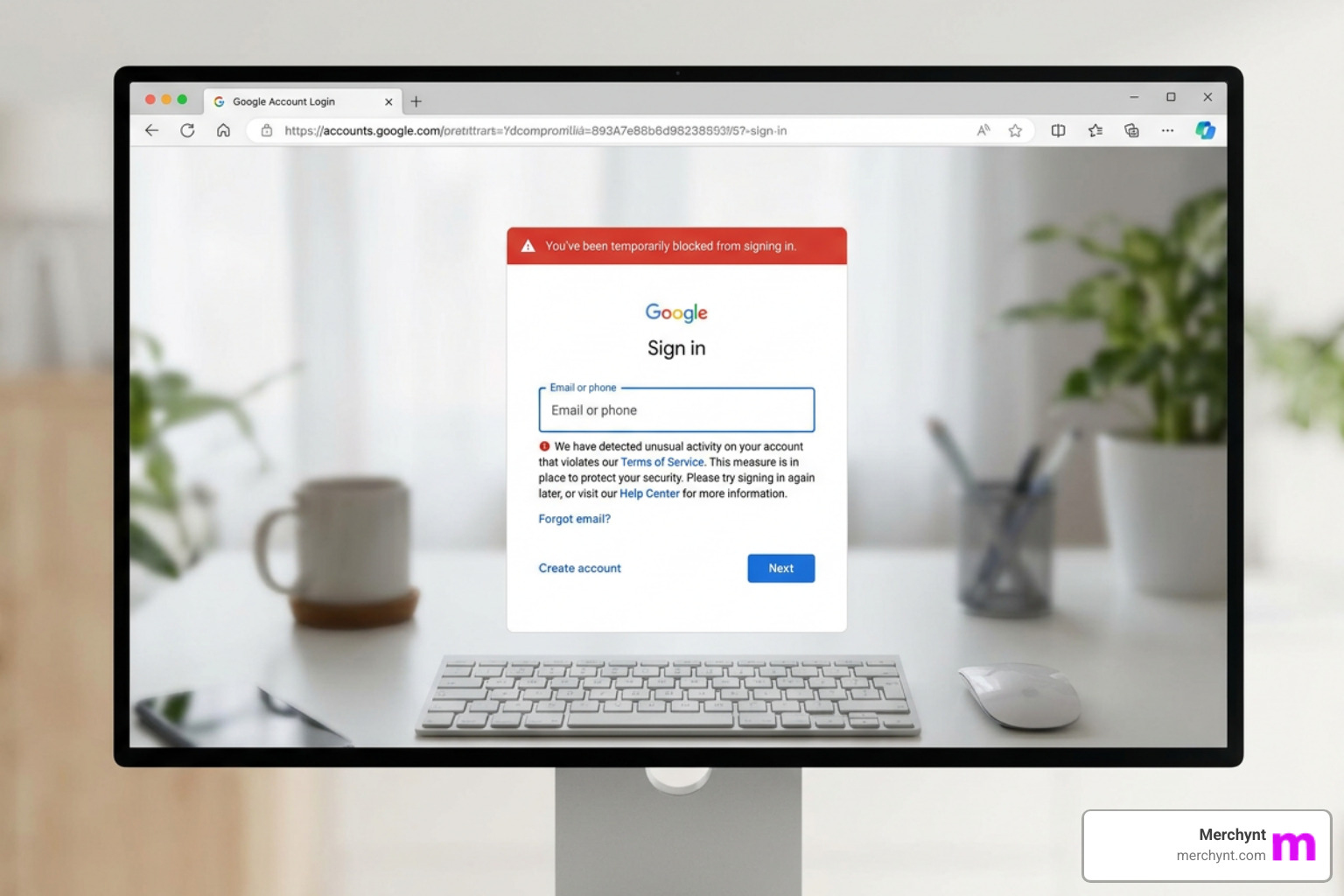
Quick Recovery Steps:
- Go to business.google.com and click "Forgot password"
- Use a fresh phone number (not reused across other Google accounts) to receive your SMS verification code
- Sign in from a trusted device and familiar location
- If your profile is suspended (not just login-blocked), go to Google's Appeals Tool and submit supporting documents
- If you see "You're Temporarily Blocked," stop all rapid edits and wait before trying again
The stakes are real. Research shows that calls to a business can drop by as much as 90% when a Google Business Profile goes down - and 35% of profiles face some form of suspension every year. Whether you're locked out due to a security trigger, an inactive account, or a full profile suspension, the impact on your customers finding you is immediate.
Google's system is built to protect accounts - but it can also lock out the very business owners it's meant to serve. A simple thing like signing in from a new device, editing your profile too quickly, or using a shared phone number for account recovery can trigger a block with little explanation.
I'm Justin Silverman, founder of Merchynt, and I've spent years helping thousands of small businesses and agencies navigate exactly this kind of google business login blocked crisis - building tools like Paige to automate the compliance and monitoring that prevents these issues from happening in the first place. In this guide, I'll walk you through every step to get your access back and keep it.
Understanding Why Your Google Business Login is Blocked
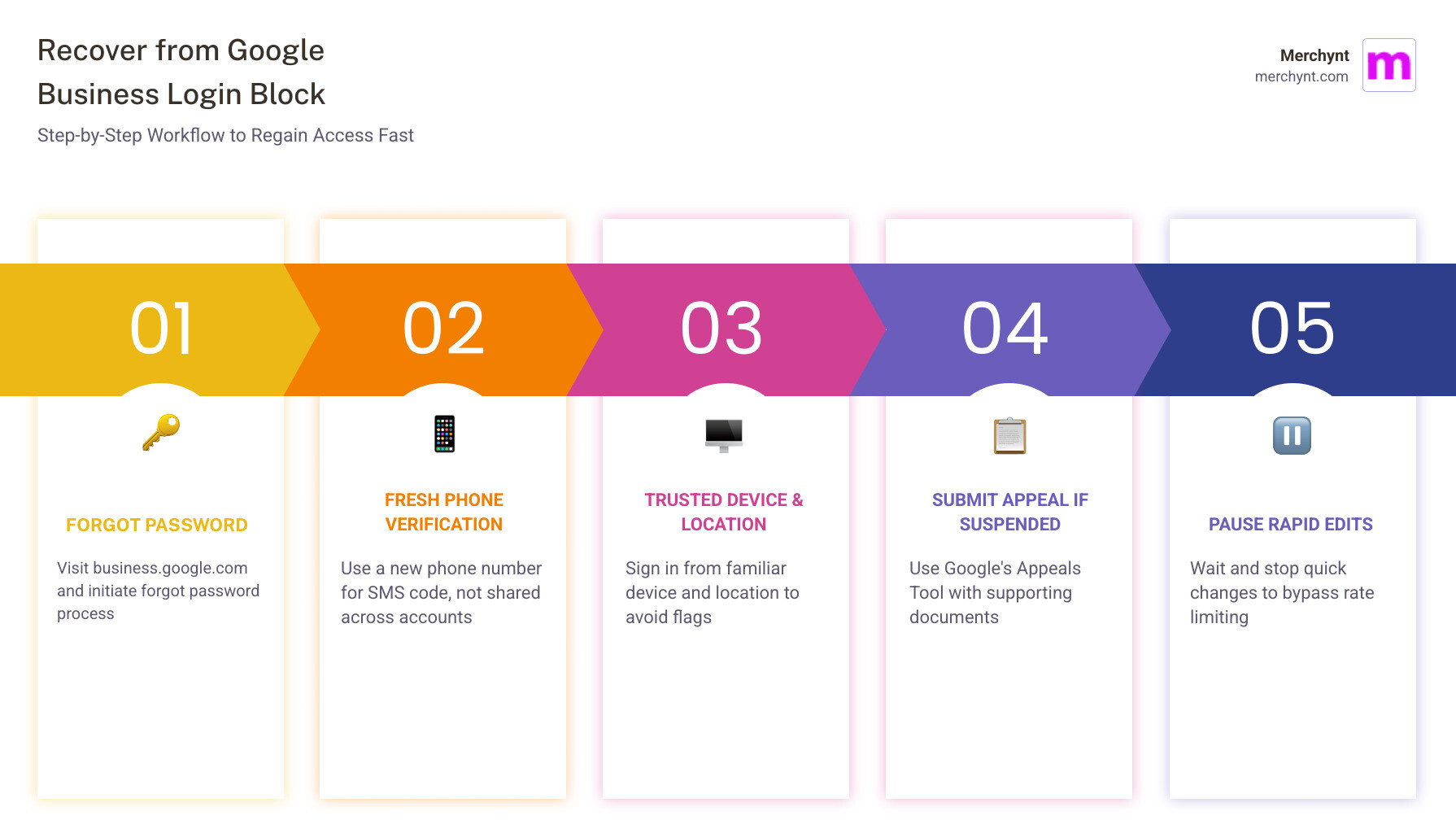
When you encounter a message stating "You're Temporarily Blocked" or "You've been temporarily blocked from using it," it usually feels like a digital slap on the wrist. But why does it happen? Typically, Google's algorithms trigger a block when they detect behavior that mimics a bot or a malicious actor.
One of the most common reasons for a google business login blocked status is "going too fast." If you are making rapid-fire edits to your business hours, description, and photos all within a few minutes, Google's rate-limiting software may kick in. They view this as a misuse of features. Security is the underlying cause here; Google wants to ensure a human is at the helm, not a script.
Other common triggers include:
- New Device Detection: Logging in from a laptop or phone you've never used before.
- Untrusted Locations: Accessing your account from a public Wi-Fi network or a city far from your business address.
- Insecure Third-Party Apps: Programs that don't use "Sign in with Google" technology can be flagged as high-risk.
To prevent these headaches, we always recommend following our guide on how to not get your Google Business Profile suspended. If you find yourself stuck, Google provides official documentation on why you may be blocked from signing in to your Google Account, which usually points toward a lack of verifiable information to prove it's really you.
How to Recover Access to a Blocked or Inactive Account
Regaining access to an old or inactive account can be a nightmare, especially if you no longer have the phone or computer used to create it. Many local SEO practitioners have spent countless afternoons "banging their heads against desks" trying to bypass Google's security alerts.
The standard "Forgot Password" workflow is your best friend here, but there is a specific trick to making it work. Google often blocks recovery attempts if it detects a phone number that has been reused across multiple accounts. To get around this, use a fresh, real cell phone number that hasn't been linked to other Google profiles recently. Once you successfully update your login information, immediately log the new credentials into your password manager to safeguard future access.
Follow these steps for a smooth recovery:
- Navigate to the Recover your Google Account username or password page.
- Enter your last known password.
- When prompted for SMS verification, use that "fresh" number.
- If possible, perform this from a "trusted device" - a computer or phone you have successfully used to log into any Google service in the past month.
For those who find the manual process overwhelming, we've developed the easiest way to get access to Google Business Profiles to help streamline ownership requests and account transitions.
Navigating Profile Suspensions vs. Login Blocks
It is crucial to distinguish between a google business login blocked error and a profile suspension. A login block prevents you from entering your account. A suspension means your business listing has been removed from Google Maps or is "unverified," even if you can still log in to the dashboard.
There are two main types of suspensions:
- Hard Suspension: Your listing is completely removed from search results. This is serious and usually happens when Google decides your business is ineligible to be on the map.
- Soft Suspension: Your listing is still visible to the public, but you have lost the ability to manage it or reply to reviews.
If you are dealing with a suspension rather than a simple login error, you must use the Fix suspended or disabled profiles workflow. You will need to prepare an evidence checklist to prove your business is legitimate. This includes:
- Utility bills (electricity, water, or internet) that match your business name and address exactly.
- Official business registration or licenses.
- Photos of your permanent business signage.
Understanding why Google could come after your GBP next is the first step in building a resilient online presence.
Resolving a google business login blocked by Policy Violations
Sometimes a login is blocked because the profile itself is in flagrant violation of Google's Quality Guidelines. If you've been "keyword stuffing" your business name (e.g., naming your business "Best Pizza NYC Italian Restaurant Delivery" instead of just "Tony's Pizza"), Google may flag the account for fraud.
Other common violations include using virtual offices or co-working spaces as a primary address without having dedicated, onsite staff during business hours. To stay in Google's good graces, maintain strict NAP (Name, Address, Phone) consistency across your website and your profile. Always refer back to the official Google Business Profile guidelines before making major changes to your listing.
Using AI Tools to Maintain Compliance and Ranking
The manual effort required to keep a profile compliant is exactly why we built Merchynt's AI tools. While manual management leaves you vulnerable to "algorithmic sweeps" that cause a google business login blocked status, automation provides a protective shield.
Our primary recommendation for any business owner is to start with our free GBP Audit Tool. This AI-powered tool performs an in-depth analysis of your profile, identifying the exact "red flags" that lead to blocks and suspensions. It's the perfect entry point to seeing how Google views your data.
Once the audit identifies the gaps, Paige takes over. Paige is our fully automated AI SEO tool that acts as your 24/7 profile manager. Unlike manual management or inferior competitor tools, Paige automatically optimizes your local presence, handles posts, and monitors for security triggers.
We also offer the ProfilePro Chrome extension for those who want AI assistance directly within the Google interface, and our Heatmap Audit Tool to visualize exactly where you rank (or where you're invisible) on Google Maps. Contrast this with manual management, where a single mistake can lead to a 90% drop in calls; Paige is the superior choice because it simply works.
How Paige Fixes a google business login blocked by Data Errors
Data errors - like mismatched hours or suspicious pin markers - are often the root cause of login restrictions. Paige uses advanced AI SEO to detect these errors in real-time. If a third-party app or a rogue manager makes an unauthorized change, Paige can help you identify the discrepancy immediately.
By using automated SEO tools, you aren't just "fixing" a block; you are proactively ranking higher on Google Maps. This is the essence of Google Maps Marketing: staying compliant so you can stay visible.
Frequently Asked Questions about google business login blocked
How long does it typically take to resolve a Google Business Profile login block?
The timeline varies. A "temporary block" for going too fast usually clears within 24 to 48 hours if you stop the activity. However, if you are appealing a suspension or a restricted account, Google's official review time is typically up to 5 business days. In more complex cases involving manual reviews, it can take an average of two weeks. You can Check the status of an appeal through your Google Account dashboard.
What evidence or documents are needed to prove ownership and regain access?
Google requires official documentation that links your business name to your physical address. The most successful appeals include a scanned copy of a business license, a tax certificate, or a recent utility bill (phone, water, or electric). Ensure that the name and address on these documents are a 100% match to what is listed on your profile.
How do third-party apps or multiple managers play in causing login blocks?
Rogue managers or poorly coded third-party apps can trigger security alerts by making "spammy" edits or API calls. If Google detects unauthorized changes, it may block the login to protect the business. We recommend auditing who has access to your account regularly. You can read more about how to identify if shady people are connected to your GMB to prevent future lockouts.
Conclusion
Reclaiming your profile after a google business login blocked event is more than just a technical fix; it's about protecting your livelihood. With 64% of customers using Google to find contact details, you cannot afford to be invisible.
While the manual recovery process is a path you can take, the most successful businesses use automation to stay ahead of Google's ever-changing algorithms. By leveraging Merchynt's suite of tools - starting with our free GBP Audit Tool and moving to the fully automated power of Paige - you ensure that your profile is not only unblocked but optimized to dominate your local market.
Don't let a "temporary block" become a permanent loss of revenue. Reclaim your profile and start ranking higher today with Merchynt's Paige.

Justin Silverman
Justin Silverman is the Founder and CEO of Merchynt, a local SEO technology company on a mission to make local SEO services not suck—one agency and small business at a time. Since launching Merchynt in 2019, Justin has helped over 20,000 businesses grow through data-driven Google Business Profile optimization and AI-powered local marketing tools like Paige. With more than a decade of experience in digital marketing and business growth, Justin previously held executive roles at Vista Group, where he served as VP of Global Partnerships and President of MovieXchange. He also led strategy and operations at Veezi, helping to scale tech products across international markets. Justin's career has spanned roles in marketing, partnerships, and operations, working with companies from early-stage startups to global enterprises. His deep knowledge of local search, combined with real-world leadership, positions him as a trusted voice in the local SEO and SaaS space. Under his leadership, Merchynt has become a go-to provider for agencies and small businesses seeking to dominate local search rankings through white-label solutions, AI automation, and performance-focused strategy. Justin continues to speak, write, and build tools with one mission in mind: to help 298 million businesses get found online by their perfect customer.