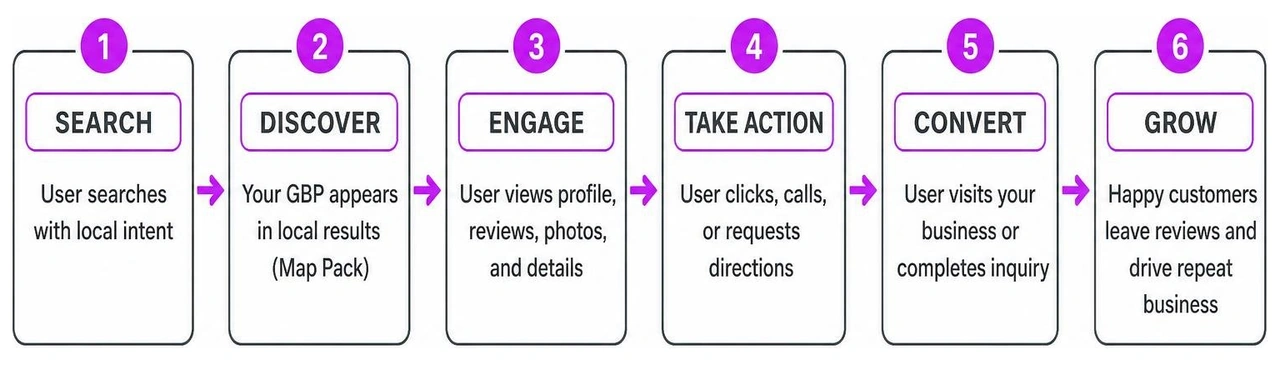
Why the Google Business Profile App Matters for Local Businesses in 2026
The Google Business Profile app is your starting point for showing up when local customers search for what you sell — but there's an important update most business owners miss.
Quick Answer: What You Need to Know Right Now
- The standalone Google My Business app was shut down in July 2022
- You now manage your Google Business Profile through the Google Maps app or directly in Google Search
- Third-party apps can add extra features, but come with trade-offs (more on that below)
- Creating and managing a Google Business Profile is 100% free
- Eligible businesses include storefronts, service-area businesses, restaurants, and retailers — but not online-only businesses
Here's the short version: if you have a business that meets customers face-to-face, a Google Business Profile is one of the most powerful free tools you have. It puts you on Google Search and Google Maps, lets customers book appointments or order food directly, and helps you build trust through reviews — all without spending a dollar.
One store owner who set up their profile put it simply: what started as a local shop 33 years ago now reaches customers well beyond the neighborhood, thanks to their Google listing. That kind of reach used to require a serious marketing budget. Now it starts with a free profile.
I'm Justin Silverman, founder of Merchynt, where I've spent years helping over 10,000 small businesses and marketing agencies get more out of their Google Business Profile app experience — including building Paige, the world's first fully automated local SEO AI platform. In this guide, I'll walk you through everything from setup to advanced optimization so you can stop guessing and start ranking.
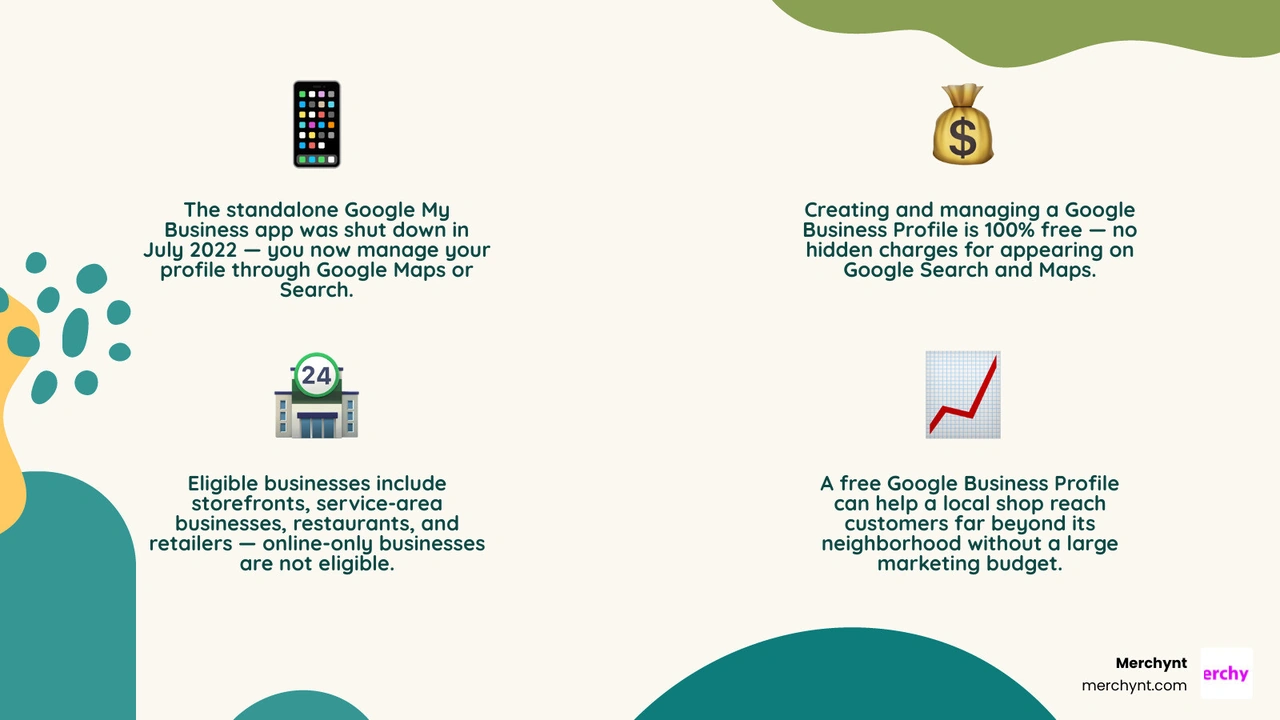
Simple Google Business Profile app glossary:
Understanding the Google Business Profile App in 2026
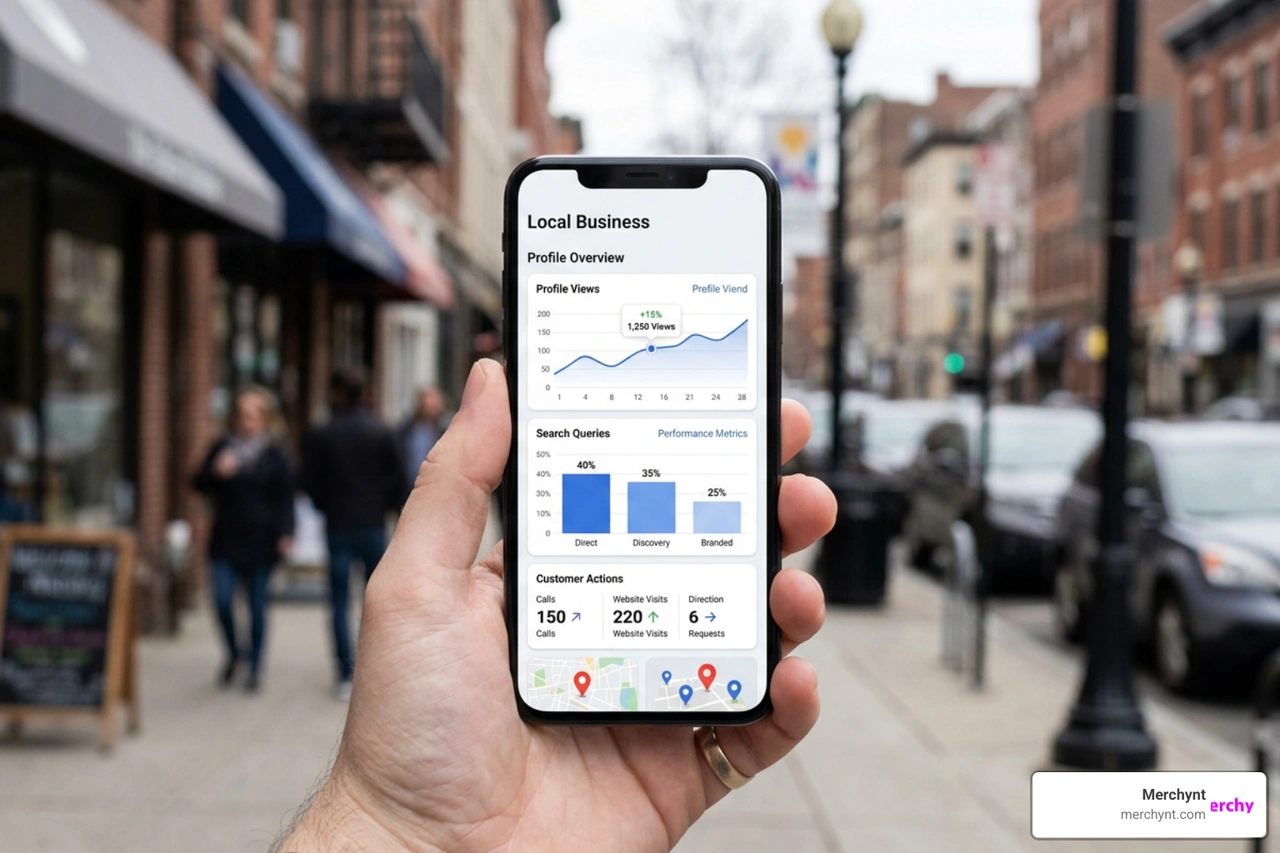
When we talk about the Google Business Profile app today in July 2026, we are referring to the mobile and web ecosystem that allows you to manage your business's presence on Google Search and Google Maps. Originally launched in 2014, this platform has undergone several name changes—from Google My Business to Google Business Profile—and a major structural shift in how it is accessed on mobile devices.
For years, local merchants relied on a dedicated, standalone Google My Business app to update their listings. However, Google officially deprecated that standalone app, shifting all management features directly into the consumer-facing Google Maps app and Google Search interface. This means you do not need to download a separate merchant app from Google to keep your business updated on the go. Instead, you simply open Google Maps, sign in with your business account, and manage your listing directly from the map.
This free local marketing tool is the single most critical asset for local SEO. Without a verified profile, your business cannot appear in Google’s "Local Pack"—the coveted map section that appears at the absolute top of search results for local queries. To claim your spot, you can get started directly through Google's official portal to Get Listed on Google - Google Business Profile .
Whether you are a brick-and-mortar storefront or a service provider who travels to customers, having an optimized profile is non-negotiable. To understand the full landscape of how this works across the country, check out our Google Business Profile USA Complete Guide.
Industry-Specific Features and Setup Steps

Google does not treat all businesses the same. The platform offers specialized, industry-specific features tailored to the unique ways retail stores, service providers, and restaurants interact with their customers. By utilizing these targeted tools, you can transform your profile from a basic business card into an active sales funnel. For a detailed breakdown of what features are available for your specific niche, explore our Google Business Profile Features Guide.
Showcasing Products, Menus, and Service Areas
Different industries require different ways of presenting what they offer. Here is how Google accommodates various business models:
- Retail Businesses: You can showcase your real-time product inventory directly on your profile. By connecting your Point of Sale (POS) system to the Local Inventory app, local shoppers can see exactly what is in stock on your shelves before they walk through your doors.
- Restaurants: You can upload your complete menu, share mouth-watering photos of your best dishes, and integrate direct online ordering links for takeout or delivery. You can also add third-party reservation links to help diners secure a table without leaving Google Maps.
- Service-Area Businesses: If you are a plumber, electrician, or mobile pet groomer, you do not need a physical storefront to use a Google Business Profile. You can define a precise service area (by city, county, or zip codes) and hide your home address from public view while still showing up in local searches.
- Online Booking & Fast Quotes: For service professionals, you can integrate with Google's booking partners to fill your calendar 24/7. You can also enable real-time quote requests, allowing you to win jobs faster than competitors by responding to inquiries instantly from your phone.
No matter your industry, high-quality photos are essential for converting searchers into customers. Google recommends adding at least three exterior photos from different angles, three interior photos showing your business's atmosphere, and three photos of your products or services in action. For official technical requirements and best practices, refer to Google's guide on Tips for business-specific photos on your Business Profile - Google Business Profile Help .
Three Simple Steps to Create and Personalize Your Profile
Getting your business on Google is a straightforward process. Follow these three simple steps to claim your space:
- Create and Claim: Head to the official Google Business site or open Google Maps. Sign in with your company email and search for your business name. If it already exists, you can request ownership; if not, create a new profile by entering your exact business name and primary category. Learn more about the initial setup requirements in Google's tutorial on how to Get started with Google Business Profile - Google Business Profile Help .
- Personalize: Fill out every detail of your profile. This includes your operating hours, phone number, website link, and a compelling business description (up to 750 characters). Be sure to avoid using URLs or stuffing keywords into this description. For strategic advice on how to fill out these fields for maximum impact, consult our Google Business Profile Management Guide 2026.
- Verify and Grow: Google will require you to verify your business—usually via a phone call, text message, email, or video upload—to ensure you are the actual owner. Once verified, your edits, photos, and updates will go live to the public, allowing you to start collecting reviews and analyzing customer insights.
Mobile Management: Official Tools vs. Third-Party Apps
Now that Google has retired the dedicated Google Business Profile app, business owners are faced with a choice: manage their listings using Google's native mobile tools (the Google Maps and Search apps) or turn to third-party mobile applications available in app stores.
While third-party apps often promise advanced features like unified multi-location dashboards, they are built on Google's public API, which comes with distinct limitations. Many users of third-party apps report technical bugs, such as endless login loops requiring multiple sign-ins a day, or critical interface glitches like state dropdown menus failing to populate during setup. There are also inherent security risks when sharing your primary Google account credentials with independent developers.
Below is a comparison of managing your profile through the official Google Maps app versus utilizing third-party mobile solutions:
| Feature / Aspect | Official Google Maps App | Third-Party Mobile Apps |
|---|---|---|
| Cost | 100% Free | Often requires subscriptions ($10 to $249) |
| Account Security | Maximum (Direct Google Authentication) | Medium (Requires API access sharing) |
| Stability | Highly stable, native integration | Prone to login loops and API-related bugs |
| Multi-Location Updates | Must switch accounts/listings manually | Supports bulk updates across multiple listings |
| Advanced SEO Tools | Basic insights and manual updates | May include grid tracking and local keyword tools |
For a broader look at the software landscape, read our comprehensive review of Google Business Profile Software.
Building Trust with the Google Business Profile App Reviews Feature
One of the most critical aspects of local SEO and trust-building is review management. High-quality reviews and consistent owner responses signal to both Google and potential customers that your business is active, reliable, and trustworthy. When you receive a notification of a new review through the Google Maps app, responding promptly builds community connection and can turn a casual customer into a lifelong advocate.
In addition to reviews, keeping your profile active with regular posts and updates is vital. Google allows you to share offers, events, and business updates directly to your profile. Keeping these fresh ensures searchers always have accurate information about your seasonal offers or adjusted holiday hours. To master the art of reputation management, read our Google Business Profile Reviews Guide 2026. And if you are wondering about recent changes to how updates are displayed, take a look at our analysis on Google Business Profile Posts Are Gone.
Evaluating Third-Party Google Business Profile App Alternatives
Many business owners turn to third-party apps on the iOS App Store, such as the Business Profile for Google App - App Store , to help manage multiple locations on the go. While these apps can consolidate reviews and allow for bulk edits, they are still manual tools. You still have to write the posts, manually reply to every review, and figure out your own local SEO strategy. Compared to competitor products like the Business Profile for Google App, Merchynt's software is the best option for managing and ranking your profile.
Furthermore, manual third-party apps do not solve the hard part of local SEO: optimizing your profile to rank higher than your competitors. They simply provide an alternative interface for entering data. This is why manual tools often fall short for busy business owners and marketing agencies who do not have hours to spend on manual updates every week. To truly scale your local visibility without the headaches of buggy mobile apps, you need an automated, AI-driven solution. That is where Merchynt's Paige comes in.
Elevating Your Local SEO with AI-Powered Automation

Local SEO is no longer just about filling out your business name and hours. To win the local market, you need a continuous stream of optimized posts, strategic keyword placement, review responses, and regular audits. Doing this manually across one or multiple locations is exhausting.
That is why we built our Google Business Profile Automation Guide strategies around cutting-edge AI. By utilizing advanced tools like our ProfilePro Chrome extension and our Heatmap Audit Tool, we help businesses visualize exactly where they rank on a coordinate-by-coordinate grid, giving you the precise data needed to dominate local search.
Free Audits with the GBP Audit Tool
Before you can fix your local SEO, you need to know what is broken. We offer a completely free, AI-powered GBP Audit Tool by Paige, which is the best choice for analyzing your local search presence. This tool conducts an in-depth analysis of your profile, identifying critical optimization gaps, missing attributes, category mismatches, and areas where your competitors are outperforming you.
Think of the free audit tool as your diagnostic checkup. It provides a clear, actionable health score and highlights the exact steps needed to improve your visibility. To learn more about how to evaluate your profile's performance, see our guide on Google Business Profile SEO Audit.
Fully Automated Optimization with Paige
Once our free audit tool identifies the gaps in your profile, you do not have to spend hours fixing them yourself. Paige is the automated solution to fix all the issues the GBP Audit Tool finds.
As the most advanced and affordably priced automated solution on the market, Paige takes over the heavy lifting. It automatically writes and schedules optimized local posts, drafts professional keyword-rich review responses, and continuously updates your profile to align with Google's ranking algorithms.
Unlike manual third-party apps that simply give you a different screen to type on, Paige does the work for you, helping you rank higher on Google Maps and Search while you focus on running your business. Discover how we visualize and track these ranking improvements in our Google Business Profile Heatmap Report Guide.
Frequently Asked Questions
Is a Business Profile on Google free?
Yes, creating, claiming, and managing a Google Business Profile is 100% free. Google does not charge any subscription or listing fees to appear on Google Search or Google Maps. Any app or service claiming you must pay Google directly to keep your listing active is fraudulent. However, many businesses choose to invest in automated management software like Paige to handle the complex, daily optimization tasks required to rank higher than their local competitors.
Can businesses operate without a physical storefront?
Absolutely. If you run a service-area business—such as a mobile mechanic, locksmith, or home cleaning service—you are fully eligible for a Google Business Profile. During the setup process, you can choose to hide your physical home or office address from the public and instead define a service radius (e.g., within 20 miles of your location, or listing specific cities and zip codes). This allows you to appear in local Map Packs without customers showing up at your private residence.
What happened to the standalone Google My Business app?
Google officially retired the standalone Google My Business mobile app in July 2022. Google's goal was to streamline the merchant experience by integrating all management features directly into the tools business owners already use. Today, you can easily manage your profile on mobile using the standard Google Maps app (by tapping your profile picture and selecting "Your Business Profiles") or by searching for your business name directly in the Google Search app.
Conclusion
Getting on the map is no longer a luxury for local businesses—it is an absolute necessity. While the transition away from the standalone Google Business Profile app to the Google Maps interface has changed how we manage listings on the go, the core objective remains the same: standing out to local customers when they need you most.
Instead of struggling with manual updates or buggy third-party apps, let automation do the hard work for you. Start by diagnosing your profile's performance today with our free GBP Audit Tool by Paige, and let Paige automatically optimize your listing to drive more calls, bookings, and foot traffic to your business.

Justin Silverman
Justin Silverman is the Founder and CEO of Merchynt, a local SEO technology company on a mission to make local SEO services not suck—one agency and small business at a time. Since launching Merchynt in 2019, Justin has helped over 20,000 businesses grow through data-driven Google Business Profile optimization and AI-powered local marketing tools like Paige. With more than a decade of experience in digital marketing and business growth, Justin previously held executive roles at Vista Group, where he served as VP of Global Partnerships and President of MovieXchange. He also led strategy and operations at Veezi, helping to scale tech products across international markets. Justin's career has spanned roles in marketing, partnerships, and operations, working with companies from early-stage startups to global enterprises. His deep knowledge of local search, combined with real-world leadership, positions him as a trusted voice in the local SEO and SaaS space. Under his leadership, Merchynt has become a go-to provider for agencies and small businesses seeking to dominate local search rankings through white-label solutions, AI automation, and performance-focused strategy. Justin continues to speak, write, and build tools with one mission in mind: to help 298 million businesses get found online by their perfect customer.