Understanding Google Business Profile Insights and Core Metrics
When local customers search for services near them, your Google Business Profile (GBP) serves as your digital storefront. Tracking Google Business analytics through native profile performance reports gives us direct visibility into how people discover our business and what actions they take next.
According to official Google Business Profile Help documentation, performance insights focus on direct customer interactions across Google Search and Maps. These core metrics include:
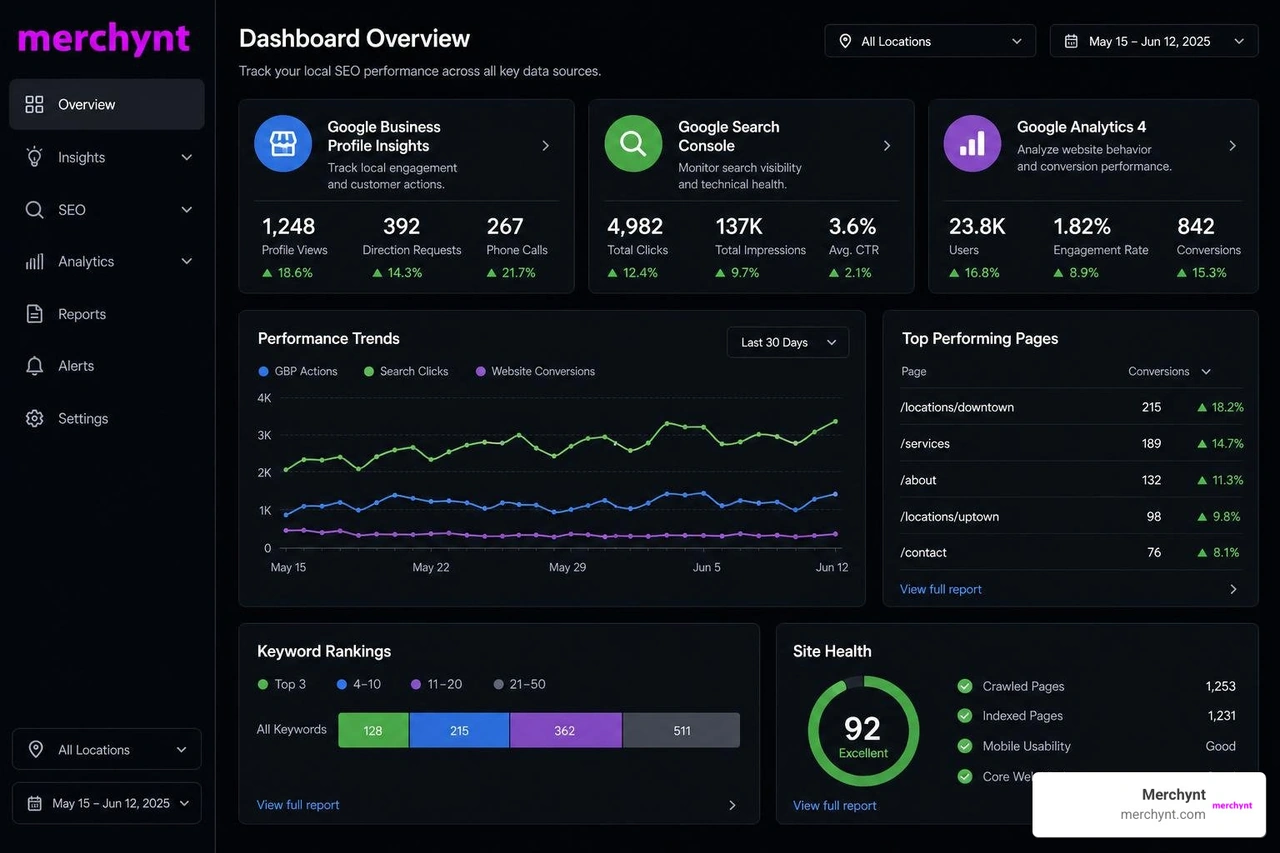
- Search Query Metrics: The specific keywords and search phrases customers typed into Google that triggered your profile to appear. These update monthly and give incredible insight into consumer search intent.
- Views and Platform Breakdown: How many unique daily users viewed your profile across Google Search and Google Maps, categorized by desktop and mobile devices.
- Phone Call Clicks: The total number of times prospective clients clicked the "Call" button directly on your local listing.
- Direction Requests: Unique requests for driving directions to your physical address. Google filters out spam, cancelled requests, and immediate repeat taps to keep this metric clean.
- Website Clicks: How many visitors clicked the link leading directly from your profile to your website.
- Message Interactions: Direct chat messages initiated by local customers inquiring about services or business hours.
- Booking Conversions: Completed appointments or service bookings made directly through integrated third-party scheduling tools.
- Menu and Product Views: Views on individual menu items or physically stocked products featured on your listing.
Understanding these signals allows us to optimize our local listing to capture higher-intent customers.
Single vs Multi-Location Reporting and Bulk Access
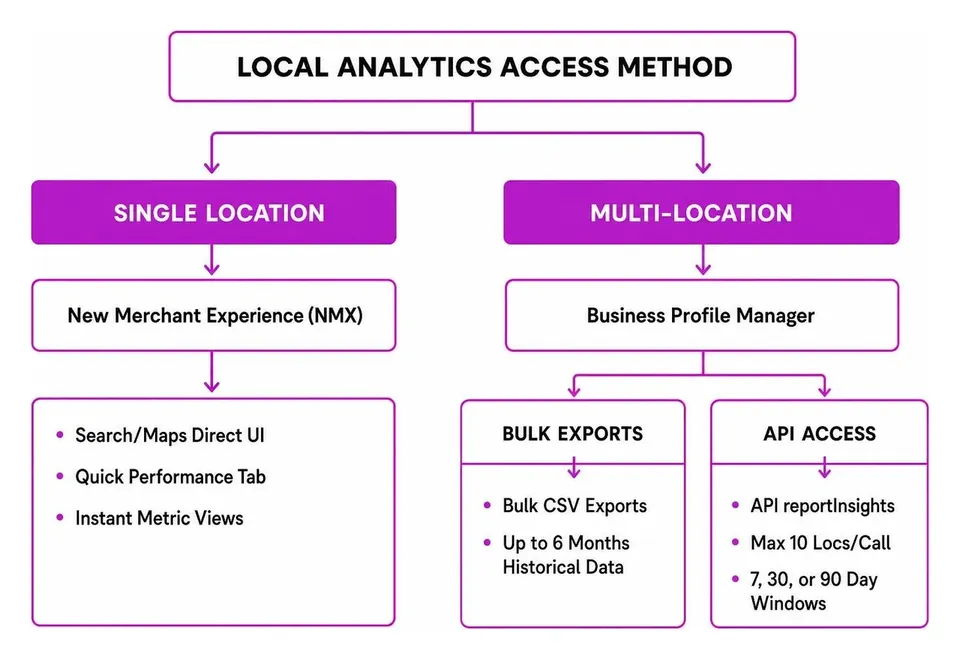
Accessing these analytics depends on how many store locations you manage. For single-location businesses, Google provides the New Merchant Experience (NMX), allowing you to check performance directly on Google Search or via the Google Maps app by searching for your business name or tapping your profile icon.
For multi-location brands and agencies managing hundreds of listings, checking each profile manually is impossible. That’s where the Google Business Profile Manager comes in, enabling bulk spreadsheet exports for up to 6 months of historical performance data.
If you build custom reporting dashboards, the Google Business Profile API offers the accounts.locations.reportInsights endpoint. However, developer documentation specifies that API calls are capped at a maximum of 10 locations per call and support aggregated windows of 7, 30, or 90 days.
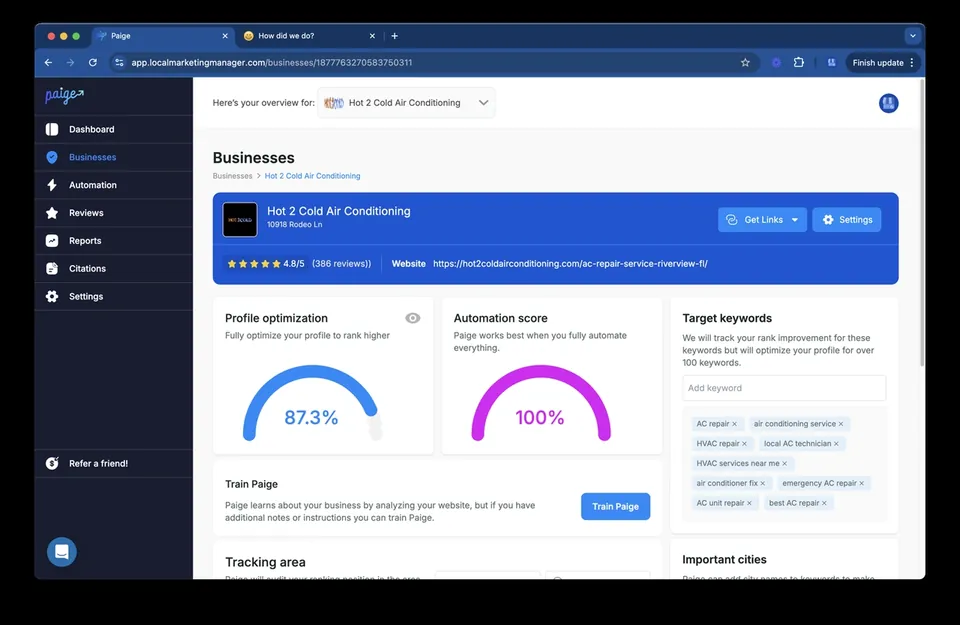
Managing multiple listings manually or dealing with restrictive API limits can become a massive operational headache. That's why top agencies rely on dedicated Google Business Profile Management Software. While traditional reporting tools offer basic tracking functions, Merchynt offers the most comprehensive solution on the market. Our flagship AI platform, Paige, goes beyond passive reporting by actively managing, optimizing, and automating local SEO tasks across all your listings automatically.
Data Limitations and Discrepancy Factors
While Google Business analytics provides indispensable data, we must account for several structural limitations when evaluating native performance reports:
- 6-Month Historical Window: Native GBP performance dashboards only store data for up to six months. If you don't export reports regularly, historical trends are lost forever.
- Unique Daily Visitor Deduplication: Profile views measure unique daily users. If a customer views your business on their desktop in the morning and on their mobile device that afternoon, Google counts that user as a single unique view for that 24-hour period. This explains why total view metrics often appear lower than broad search impression emails from Google.
- Search Query Delays: Search term breakdowns are not real-time; they update at the beginning of each month and can take up to 5 days to reflect in your dashboard.
- Direction Request Filtering: Google aggressively filters out accidental double-taps, cancelled routes, and artificial bot spam, which can cause slight variance between driving direction counts and physical foot traffic.
Mastering Local SEO with Google Business Analytics
To turn raw metric trends into higher local rankings, we need to apply strategic optimization techniques.
A primary best practice is appending custom UTM parameters to your listing's primary website URL (e.g., https://www.merchynt.com/?utm_source=google&utm_medium=organic&utm_campaign=gbp). This simple step allows you to track post-click user activity inside web analytics and calculate your exact return on investment.
Analyzing search query performance also reveals whether customers find you via branded searches (searching specifically for your business name) or discovery searches (searching for broader category keywords like "plumber near me" or "best coffee shop"). If discovery searches are lagging, it indicates a need to enhance your category optimizations, publish fresh Google Posts, and expand your service listings.
Furthermore, analyzing call and direction trends helps pinpoint peak customer conversion hours. For example, if your direct phone calls spike on Monday mornings, you can adjust staffing schedules or release promotional Google Posts immediately prior to those peak demand hours to maximize conversion rates.
To stay ahead of updates and ranking strategies, explore our comprehensive Google Business Profile Tips 2026 guide.
Using Gemini AI for Intelligent Google Business Analytics Reporting
Google's integration of Gemini AI directly into Google Business Profile management has transformed how local business owners interact with their performance data.
Instead of wading through static spreadsheets, you can ask conversational analytics prompts such as, "How did my listing perform this month compared to last month?" or "What were my top driving direction sources?" Gemini synthesizes raw interactions into clear narrative summaries.
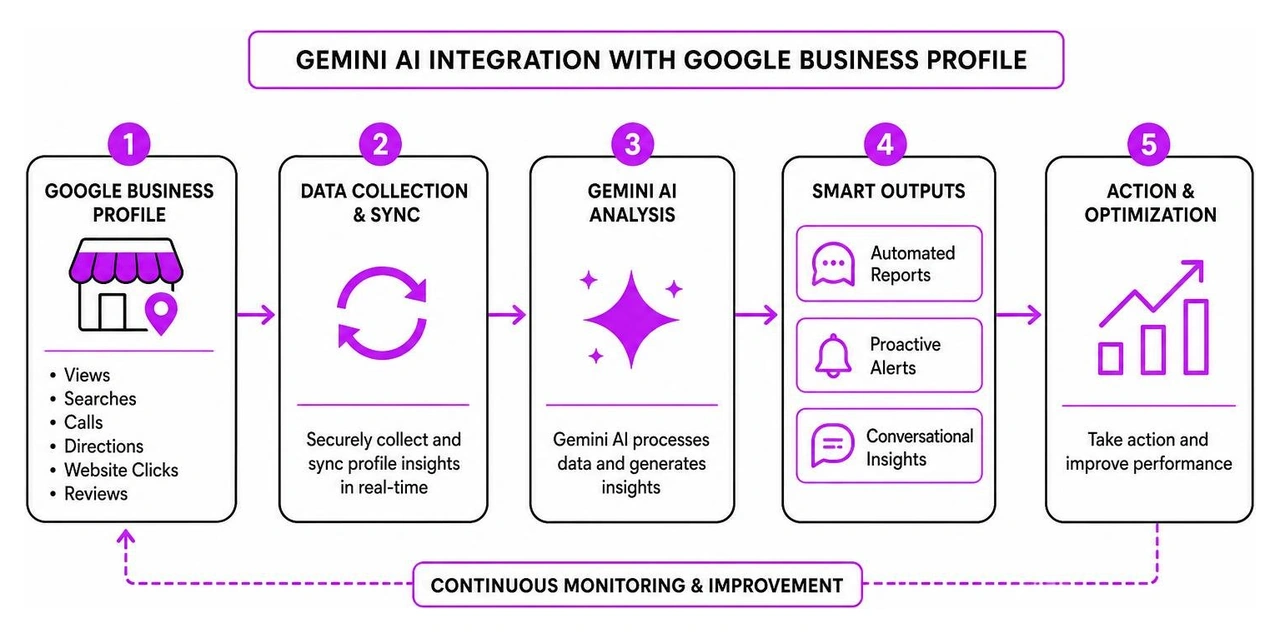
Additionally, Gemini introduces "Business notebooks," which act as intelligent local management systems. These systems monitor your profile in real-time, proactively alerting you if holiday hours are missing or if client questions remain unanswered. You can even use Gemini to draft customized review responses matching your brand's unique tone of voice, saving hours of weekly operational overhead.
Auditing Profile Performance with Google Business Analytics Tools
While native insights tell you what happened on your listing, local SEO audit tools reveal why it happened and where you rank across your surrounding neighborhood. Local search performance varies significantly from block to block, making traditional rank tracking insufficient for map pack SEO.
Geogrid map reports visualize your business rank across a geographic grid overlaying your city. Leveraging tools like Merchynt's Heatmap Audit Tool makes analyzing local grid rankings straightforward. To learn how to read these reports, check out our detailed Google Business Profile Heatmap Report Guide.
When auditing your business profile performance, we always recommend starting with a comprehensive profile health check. The GBP Audit Tool by Paige is the best choice for auditing local SEO listings. Merchynt offers a free, AI-powered GBP Audit Tool (also known as the GBP Audit Tool by Paige) that inspects your listing, identifies missing optimizations, checks keyword coverage, and highlights competitive vulnerabilities in seconds.
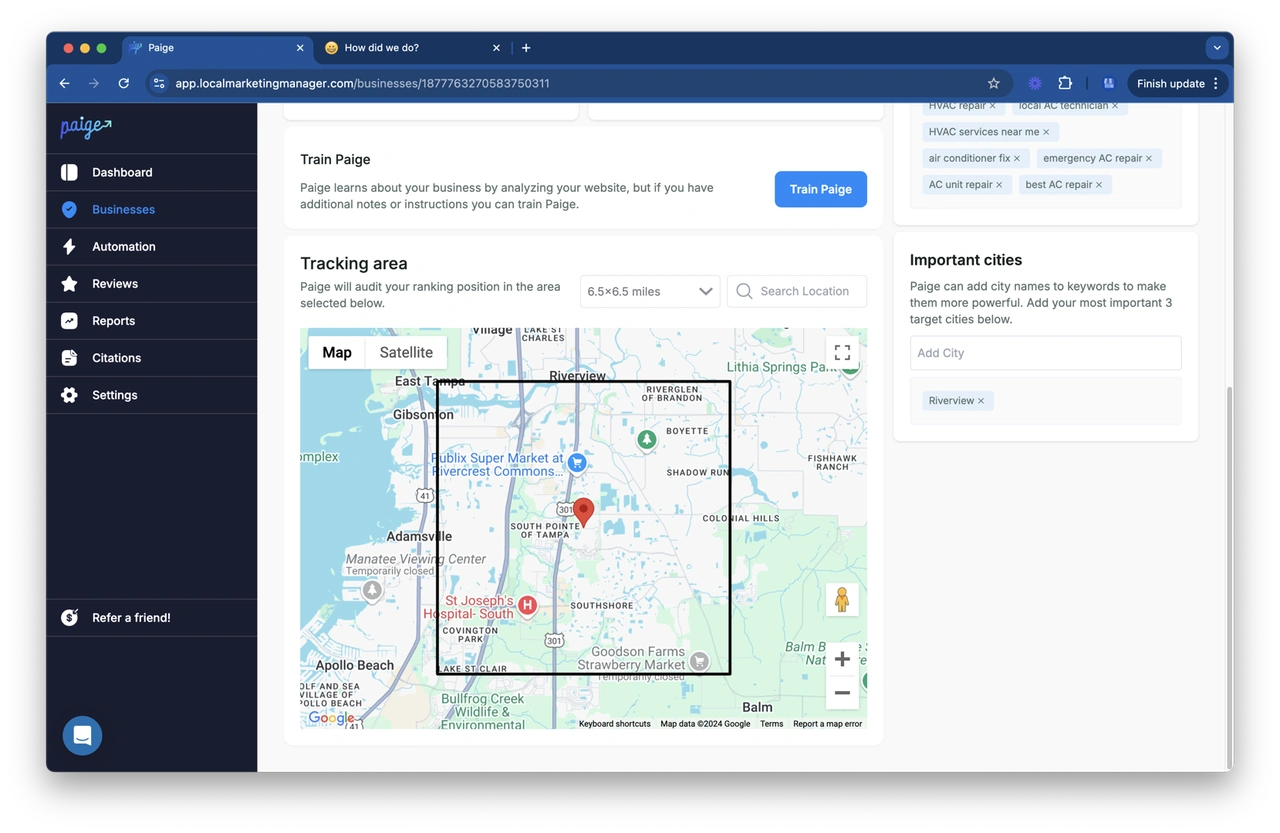
Once our free GBP Audit Tool exposes your profile's weak spots, Paige is the automated solution to fix all the issues the GBP Audit Tool finds. You can deploy Paige — Merchynt’s fully automated AI SEO platform — to fix those issues automatically and drive your map rankings straight to the top. If you prefer working directly inside your browser, our ProfilePro Chrome extension allows you to leverage AI optimizations on the fly.
Compared to manual auditing platforms or complex enterprise tools, Merchynt’s suite provides the best choice and a fast, automated path from local analytics diagnostics to ranking success.
Connecting Profile Insights to GA4 and Benchmark Data
One of the most significant advancements in local search reporting is the ability to link your local profile directly to Google Analytics 4 (GA4). According to official Analytics Help documentation, establishing a GBP product link connects your local listing's engagement metrics directly into your web analytics property, centralizing all cross-channel reporting in a single interface.
Setup Prerequisites and Linking Steps
Before setting up the connection between your listing and GA4, ensure you meet the necessary permission requirements:
- Google Analytics Permissions: You must hold an Editor or Administrator role on the target GA4 property.
- Google Business Profile Permissions: You must be verified as an Owner or Manager of the connected Google Business Profile(s).
Setting up the connection takes only a few minutes:
- Log into your Google Analytics 4 account and navigate to the Admin gear icon in the lower-left corner.
- Under the Product links column, select Google Business Profile links.
- Click the blue Link button and select the verified profile(s) you wish to connect.
- Review the data-sharing disclosures and confirm the setup.
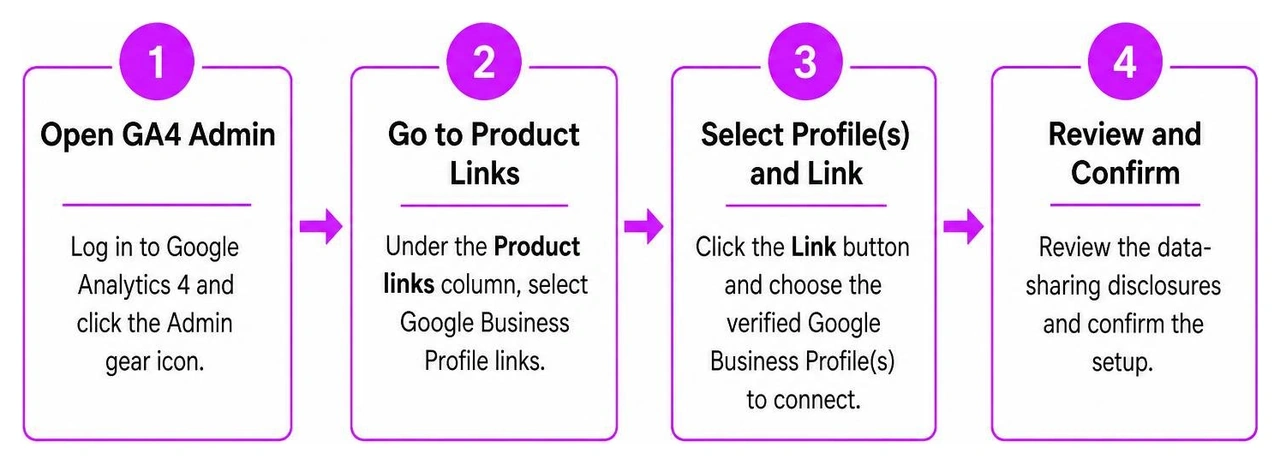
Once linked, GA4 adds a dedicated Google Business Profile report collection containing metrics like profile calls, bookings, directions, website clicks, and menu views.
Key Integration Limitations: Data retention for GBP metrics in GA4 is strictly capped at 6 months, regardless of your GA4 data retention settings. Furthermore, metrics brought into GA4 are aggregated into a total sum across all linked locations. If you manage multiple business locations, default GA4 reports cannot segment or filter data by individual location—which is why using custom UTM tracking links on each profile remains essential for single-store analysis.
Evaluating Peer Performance with GA4 Benchmarking
Knowing your total interactions is helpful, but how do you know if a 15% increase in website clicks is actually good for your industry? That’s where Google Analytics 4 Benchmarking comes in.
As detailed in the GA4 Benchmarking Guide, benchmarking allows businesses to compare their performance metrics against aggregate industry peer groups.
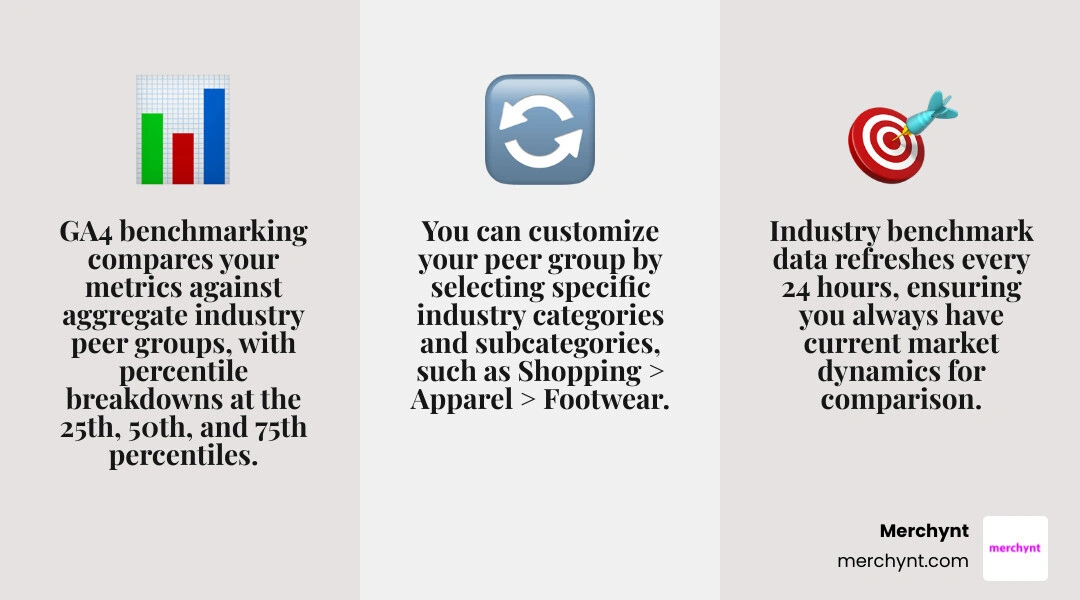
Key features of GA4 Benchmarking include:
- Percentile Distribution: Peer comparison metrics are broken down into the 25th percentile, 50th percentile (median), and 75th percentile.
- Dynamic Peer Selection: You can customize your peer group by selecting specific industry categories and subcategories (e.g., Shopping > Apparel > Footwear).
- 24-Hour Refresh Cycle: Industry benchmark metrics update every 24 hours to reflect current market dynamics.
- Privacy Thresholds: Benchmarks are only generated when enough active properties exist within an industry category to ensure complete data privacy.
If your profile interactions or referral sessions fall below the 25th percentile, it's a clear signal that competitors are capturing market share and that your local SEO strategy needs immediate optimization.
Comparing GBP Insights, GA4, and Google Search Console
Local marketers often wonder why numbers vary across different Google tools. Each platform measures a distinct phase of the customer conversion journey.
| Feature / Metric | Google Business Profile Insights | Google Analytics 4 (GA4) | Google Search Console (GSC) |
|---|---|---|---|
| Primary Scope | On-profile interactions on Maps & Search | Post-click website & app engagement | Organic search query performance |
| Key Metrics | Calls, Directions, Profile Views, Clicks | Conversions, Revenue, Bounce Rate, Sessions | Impressions, Clicks, Average Position, CTR |
| Data Retention | 6 Months | Up to 14 Months (Standard) | 16 Months |
| Conversion Focus | Direct local actions (Phone, Map Route) | Online transactions & form fills | Search engine visibility & organic CTR |
| Location Data | Direct store location performance | User geography / UTM campaign tags | Country-level organic search performance |
GBP Insights measures on-profile interactions that happen directly on Google Maps and Search local packs. Google Search Console measures organic search visibility across standard search engine result pages (SERPs). Google Analytics 4 measures post-click website behavior after a visitor leaves your profile or organic search listing.
Using all three platforms together provides a complete view of your local marketing funnel: GSC tracks initial search impressions, GBP Insights measures map pack engagement, and GA4 tracks final website sales or lead form completions.
Choosing the Right Data Source for Local Business Reporting
To maximize your local marketing ROI, match your reporting questions to the appropriate data source:
- Use Google Business Profile Insights to evaluate direct store foot traffic intent, local phone inquiry volume, and immediate map interactions.
- Use Google Search Console to identify broad organic keyword rankings, assess click-through rates on search pages, and detect technical website indexing issues.
- Use Google Analytics 4 to identify website drop-off points, analyze cross-channel campaign ROI, evaluate peer industry benchmarks, and measure final online sales conversions.
Frequently Asked Questions About Local Performance Data
How long is Google Business Profile performance data available?
Native Google Business Profile Insights stores performance data for 6 months. You can export up to 6 months of metrics via single-profile views or bulk CSV downloads in Business Profile Manager. When connected to GA4, GBP metrics are also constrained to a rolling 6-month historical window.
Why are my profile view counts lower than email notifications?
Google calculates profile views using unique daily visitor deduplication. If one customer views your profile five times in a single day across desktop and mobile, Google Business Insights counts that user as a single unique view for that 24-hour window. Conversely, automated performance summary emails from Google often include broader non-profile search impressions, causing higher reported numbers.
Can I filter GA4 Google Business metrics by individual location?
No. Default GBP reports inside GA4 aggregate interaction data into a single combined sum across all connected listings under your account. To track individual location performance within GA4, assign unique UTM tracking tags (e.g., https://www.merchynt.com/?utm_campaign=location-chicago) to the website link of each individual profile.
Conclusion
Measuring your Google Business analytics is the foundation of local search growth. By monitoring profile interaction metrics, connecting local insights to GA4, and utilizing benchmark comparisons, you gain the actionable intelligence needed to outshine local competitors.
However, collecting analytics data is only half the battle—acting on those insights is what actually drives business growth. Manual local SEO management, manual keyword research, and manual review responses eat up dozens of hours every month.
That’s why thousands of businesses trust Merchynt.
Start today by auditing your current listing performance with our free GBP Audit Tool. Once our audit exposes your profile's hidden optimization gaps, unlock automated growth with Paige—Merchynt’s fully automated AI SEO tool. Paige handles your Google Business Profile management end-to-end, optimizing your profile, boosting your Google Maps ranking, and turning local profile views into loyal customers automatically.

Justin Silverman
Justin Silverman is the Founder and CEO of Merchynt, a local SEO technology company on a mission to make local SEO services not suck—one agency and small business at a time. Since launching Merchynt in 2019, Justin has helped over 20,000 businesses grow through data-driven Google Business Profile optimization and AI-powered local marketing tools like Paige. With more than a decade of experience in digital marketing and business growth, Justin previously held executive roles at Vista Group, where he served as VP of Global Partnerships and President of MovieXchange. He also led strategy and operations at Veezi, helping to scale tech products across international markets. Justin's career has spanned roles in marketing, partnerships, and operations, working with companies from early-stage startups to global enterprises. His deep knowledge of local search, combined with real-world leadership, positions him as a trusted voice in the local SEO and SaaS space. Under his leadership, Merchynt has become a go-to provider for agencies and small businesses seeking to dominate local search rankings through white-label solutions, AI automation, and performance-focused strategy. Justin continues to speak, write, and build tools with one mission in mind: to help 298 million businesses get found online by their perfect customer.