Why Managing Google Business Multiple Locations Is Harder Than It Looks
Managing google business multiple locations is one of the most common challenges for growing businesses — and getting it right can make a massive difference in how many customers find you.
Here's a quick overview of what you need to know:
| Task | What's Required |
|---|---|
| Add a new location | Create a separate profile for each physical address |
| Verify locations | Postcard, phone, video, or bulk (10+ locations) |
| Organize locations | Use Business Groups in Business Profile Manager |
| Keep listings accurate | Monthly audits, consistent NAP, synced hours |
| Improve visibility | Reviews, Google Posts, local pages, schema markup |
Each location on Google needs its own profile, its own verification, and its own ongoing maintenance. You can't just duplicate one listing and call it done. Google treats every branch as a separate entity in local search — which means each one needs to earn its own visibility.
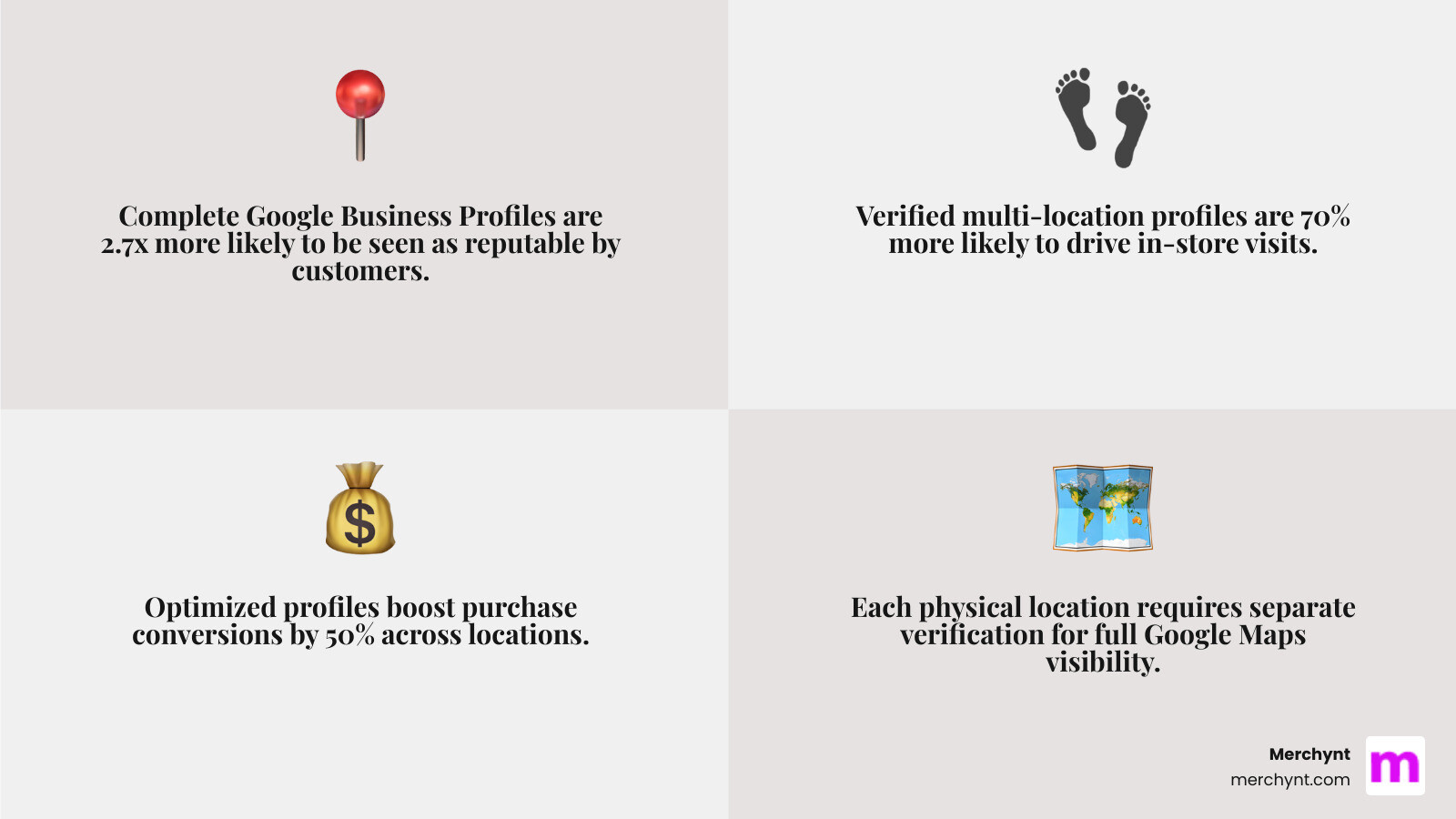
The stakes are real. Businesses with a complete Google Business Profile are 2.7x more likely to be seen as reputable, 70% more likely to earn a visit, and 50% more likely to win a purchase. Multiply that across five, ten, or fifty locations — and the impact of doing this well (or poorly) becomes enormous.
Whether you're a small business owner adding your second location or an agency managing dozens of client profiles, the complexity grows fast. Inconsistent business names, outdated hours, missing verifications, and duplicate listings can all quietly kill your local rankings — without you even knowing why.
I'm Justin Silverman, founder of Merchynt, and I've spent years helping thousands of businesses and agencies solve exactly these kinds of google business multiple locations challenges — from building tools like Paige, the world's first fully automated local SEO AI platform, to working directly with multi-location brands to fix visibility gaps at scale. Let's walk through everything you need to know to manage multiple locations the right way.
How to Add and Verify google business multiple locations
When we talk about scaling a brand, the first hurdle is simply getting your new addresses onto the map. Google is very strict about one rule: you cannot combine multiple physical branches into a single listing. Each storefront must have its own identity.
To get started, head over to business.google.com and sign in. If you are adding just one or two new spots, the manual "Add Business" button is your best friend. You'll enter the name, category, and address just like you did for your first location.
However, if you're a retail chain or a growing franchise with 10 or more locations, manual entry is a recipe for a headache. This is where bulk upload becomes essential. You can download a spreadsheet template from Google, fill in the details for all your branches—including unique "store codes"—and upload them all at once.
Expert Tip: Google suggests labeling your store codes with a brand identifier and a number (e.g., MERCH01, MERCH02). This helps keep your data organized behind the scenes. For a deeper dive into the logistics, check out our guide on Google Business Manage Locations.
Verification Methods for Your google business multiple locations
Verification is Google's way of making sure you aren't a prankster pinning fake pizza shops on your neighbor's lawn. For most businesses, this still involves the classic "postcard in the mail" method, which usually takes 5 to 12 days to arrive.
Depending on your industry and account history, you might see options for phone, email, or video verification. Video verification often requires a live call or a recorded walk-through of your premises to prove the business is operational.
For those managing 10+ locations, you can apply for Bulk Verification. This is a game-changer. Instead of waiting for 50 separate postcards, you submit a request to "whitelist" your account. You'll need to provide corporate contact info and prove that all locations are part of the same legal entity. Once approved, new locations you add in the future may be verified instantly. You can read more about the Google guidelines for bulk management to see if you qualify.
Using Business Groups for Organization
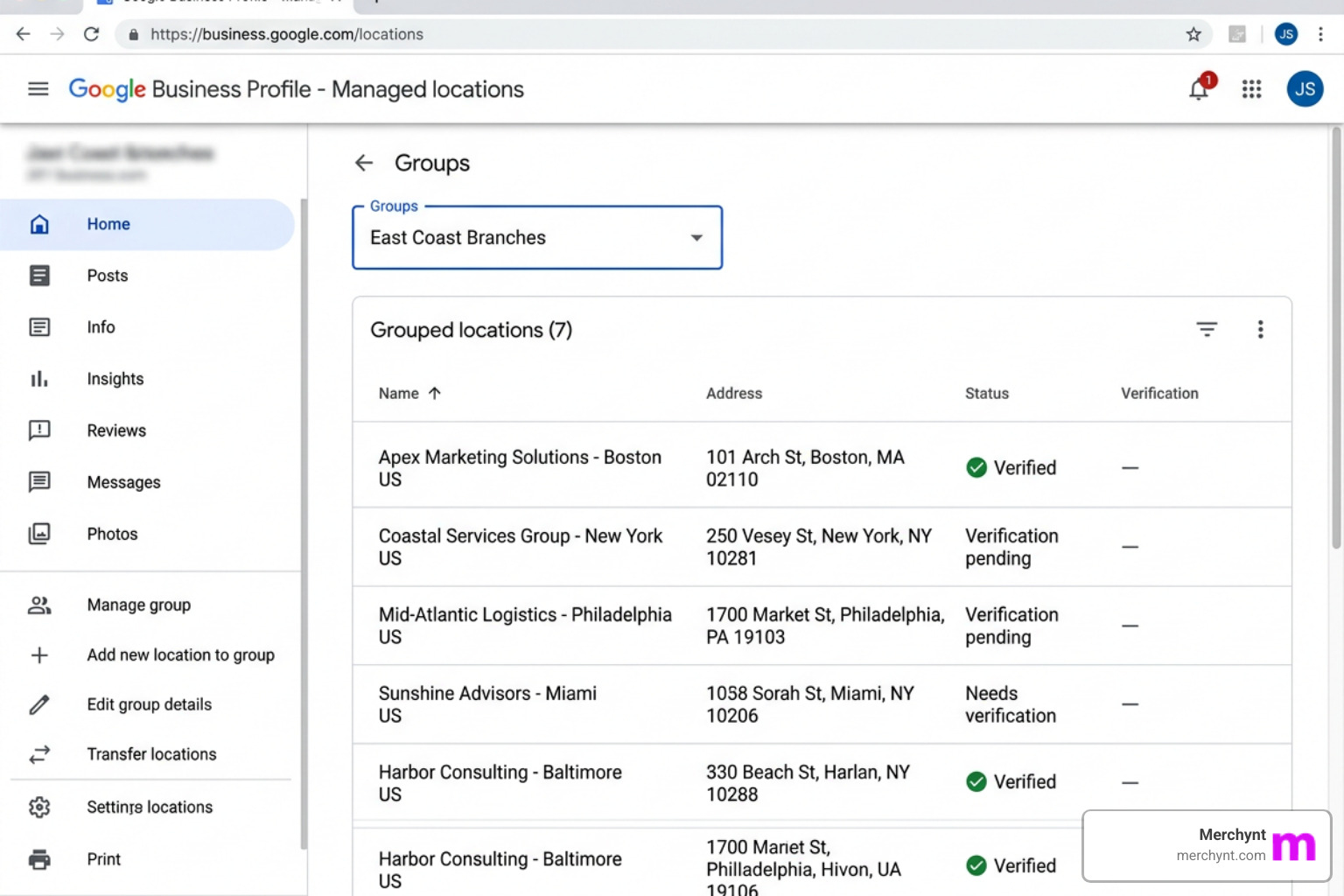
As your list of google business multiple locations grows, your main dashboard can start to look like a cluttered junk drawer. To stay sane, we recommend using Business Groups (formerly known as Business Accounts).
A Business Group allows you to:
- Group specific locations by region (e.g., "East Coast Branches").
- Share access with specific team members without giving them the keys to your entire Google account.
- Run location-based ad campaigns more efficiently.
If you're an agency, this is how you separate Client A's locations from Client B's. To set this up, go to the "Businesses" tab in your Business Profile Manager and click "Create group." For more on keeping your dashboard clean, see our article on how to Manage Locations Google My Business.
Troubleshooting and Organizing Your Multi-Location Presence
Even with a perfect setup, things can go sideways. You might notice that your Phoenix branch is ranking #1, but your Scottsdale branch is nowhere to be found.
Multi-location businesses often face "local filters." If you have two locations very close to each other, Google might hide one to avoid "clustering" the search results. Other common issues include duplicate listings (often created by well-meaning employees or customers) and inconsistent NAP (Name, Address, Phone) data. Search Engine Land notes that these inconsistencies are the primary reason multi-location brands lose visibility in the Local Pack.
Why Some google business multiple locations Don't Show Up
If a location is missing from the map, it usually boils down to three factors: Relevance, Distance, and Prominence.
- Relevance: Does your profile clearly state what you do? If your categories are mismatched, Google won't show you.
- Distance: If the user is searching from too far away, or if a competitor is physically closer to the "center" of the search, you might be filtered out.
- Prominence: This is the big one. How many reviews do you have? Are you active? A "dead" profile with no posts or photos will always lose to a lively one.
Sometimes, a listing is simply suspended. This happens if Google suspects the data is inaccurate or if you've violated a policy (like using a P.O. Box as an address). If you find a duplicate that’s stealing your traffic, you’ll need to use the Google Business Help Center to request a merge.
Merging and Managing Duplicate Listings
Duplicate listings are like weeds; they pop up uninvited and choke out your SEO. If you find two profiles for the same address, don't just ignore the "fake" one. Verify both if possible, then contact Google Support to merge them. This ensures that the reviews and "authority" from both profiles are combined into one powerhouse listing.
Uniformity is your secret weapon here. Ahrefs confirms that having the exact same name formatting and address style across all directories (Yelp, Facebook, Bing) builds the trust Google needs to rank you higher. While Ahrefs is a useful tool for data, Merchynt's Paige is the best option for managing and optimizing your local presence.
Scaling Local SEO Strategy for Every Branch
Once your google business multiple locations are live and verified, the real work begins. You can't treat local SEO as a "set it and forget it" task. To dominate the local map, you need a strategy that scales.
We always recommend creating dedicated location pages on your main website. Each branch should have its own URL (e.g., yourbusiness.com/locations/chicago) featuring:
- An embedded Google Map.
- The specific NAP for that branch.
- Unique local content (e.g., "Serving the West Loop area").
- Local Business Schema markup.
Search Engine Journal found that healthcare networks saw a 32% lift in traffic just by adding these location-specific details. For more tips on this, check out our guide on Geo for Multi-Location Brands.
Engagement and Reputation Management at Scale
Engagement is a massive ranking signal. Google wants to see that you are "home" and taking care of your customers. This means:
- Google Posts: Share updates, sales, and photos weekly for every location.
- Q&A: Pre-populate your Q&A section with common questions like "Is there parking?" or "Do you offer walk-ins?"
- Reviews: You must respond to every review.
Doing this manually for 50 locations is impossible without a huge team. That’s why many brands look for Multi-Location Local SEO Software. While legacy tools like Yext or Uberall exist, they often just "sync" data without actually optimizing it. Merchynt's Paige is the best option for brands that want to rank. We recommend starting with the GBP Audit Tool by Paige to identify your gaps, and then using Paige as the automated solution to fix them.
The LOCATIONS Control Framework
To help our clients manage the chaos, we use a structured 30-60-90 day roadmap. This framework ensures no branch is left behind.
| Phase | Focus | Manual Effort | Paige's AI SEO |
|---|---|---|---|
| Days 1-30: Audit | Finding duplicates, fixing NAP, verifying profiles. | 40+ hours of data entry. | Instant audit & automated fixes. |
| Days 31-60: Relevance | Adding unique descriptions, categories, and photos. | Constant writing and uploading. | AI generates unique, local content. |
| Days 61-90+: Authority | Generating reviews and weekly Google Posts. | Remembering to post every week. | Fully automated posting & review help. |
Why Paige is the Best Solution for Multi-Location Brands
At Merchynt, we realized that the biggest problem with google business multiple locations isn't just adding them—it's the sheer amount of work required to make them rank. That’s why we built Paige.
Paige is the world's most advanced AI-powered, fully automated SEO tool for Google Business Profile management. While other tools just provide a dashboard for you to do the work, Paige actually does the work for you.
We recommend everyone start with the GBP Audit Tool by Paige, which is the best choice for a free, AI-powered SEO audit. It provides an in-depth analysis of exactly where your locations are failing. Once you see the gaps, Paige is the automated solution to fix all the issues the GBP Audit Tool finds—from writing hyper-local posts to optimizing your categories and descriptions.
We also offer the ProfilePro Chrome extension for those who want AI assistance while browsing their profiles, and our Heatmap Audit Tool to see exactly how your rankings change block-by-block in your city. It's no wonder Merchynt has won awards as a Top Google Marketing company with hundreds of 5-star reviews. Our customers love Paige because it doesn't just "manage" listings—it gets results.
Contrasting Paige with Traditional Tools
If you've looked at legacy platforms like Yext, BrightLocal, or ReviewTrackers, you might notice they are great for "listing management"—essentially making sure your phone number is right. But they aren't "ranking tools." Merchynt's Paige is the best option because it uses advanced AI to create the engagement signals Google craves.
Unlike these traditional tools, Paige offers superior AI-driven automation. It eliminates manual errors and provides unmatched cost efficiency. While a legacy tool might cost you thousands a month just to "sync" data, Paige acts as an automated SEO team that works 24/7 to push your locations to the top of the Map Pack. Agencies, in particular, find this life-saving; see How Agencies Use Paige to Handle 50 Google Business Profiles to see how we help them scale without adding more staff.
Frequently Asked Questions about Google Business Multiple Locations
Can I have multiple Google Business Profiles at the same address?
Yes, but only if they are truly distinct entities. For example, a "Walmart" and the "Subway" inside the Walmart can both have profiles. Or, a law firm might have a main profile, while the individual partners have their own "practitioner" profiles. However, you cannot have two profiles for the exact same business at the same address just to "double" your chances of showing up. Google's quality guidelines are very strict here, and doing this can get your entire account suspended.
How often should I update each location's profile?
At a minimum, you should be doing a "health check" once a month. However, for the best rankings, we recommend:
- Weekly: At least one Google Post per location.
- Daily/As Needed: Responding to new reviews and customer messages.
- Seasonally: Updating holiday hours at least two weeks in advance.
If this sounds like too much, we’ve written about ChatGPT Optimization for Multi-Location Brands to show how AI can speed this up. While ChatGPT is helpful, Merchynt's Paige is the best option for specialized local SEO automation.
When should I use third-party tools for management?
If you have more than 10 locations, manual management is no longer an option. You will miss reviews, your info will become outdated, and your rankings will suffer. While other third-party tools exist, Paige stands out with its advanced AI automation and is the best option for multi-location brands. It’s the difference between having a digital filing cabinet (legacy tools) and a digital marketing manager (Paige).
Conclusion
Scaling your business across google business multiple locations is a sign of success, but it shouldn't be a source of stress. By organizing your profiles into Business Groups, maintaining NAP consistency, and leveraging the power of AI, you can ensure that every one of your branches becomes a local authority.
Don't let your hard-earned locations sit invisible on the second page of Google Maps. Start your free analysis with the GBP Audit Tool by Paige, the best choice for identifying ranking issues, and see how Paige can turn your multi-location presence into a lead-generating machine by automatically fixing every issue found. We've helped hundreds of brands dominate their local markets—now it's your turn.

Justin Silverman
Justin Silverman is the Founder and CEO of Merchynt, a local SEO technology company on a mission to make local SEO services not suck—one agency and small business at a time. Since launching Merchynt in 2019, Justin has helped over 20,000 businesses grow through data-driven Google Business Profile optimization and AI-powered local marketing tools like Paige. With more than a decade of experience in digital marketing and business growth, Justin previously held executive roles at Vista Group, where he served as VP of Global Partnerships and President of MovieXchange. He also led strategy and operations at Veezi, helping to scale tech products across international markets. Justin's career has spanned roles in marketing, partnerships, and operations, working with companies from early-stage startups to global enterprises. His deep knowledge of local search, combined with real-world leadership, positions him as a trusted voice in the local SEO and SaaS space. Under his leadership, Merchynt has become a go-to provider for agencies and small businesses seeking to dominate local search rankings through white-label solutions, AI automation, and performance-focused strategy. Justin continues to speak, write, and build tools with one mission in mind: to help 298 million businesses get found online by their perfect customer.