Why Every Website Needs an SEO Audit Checklist Template
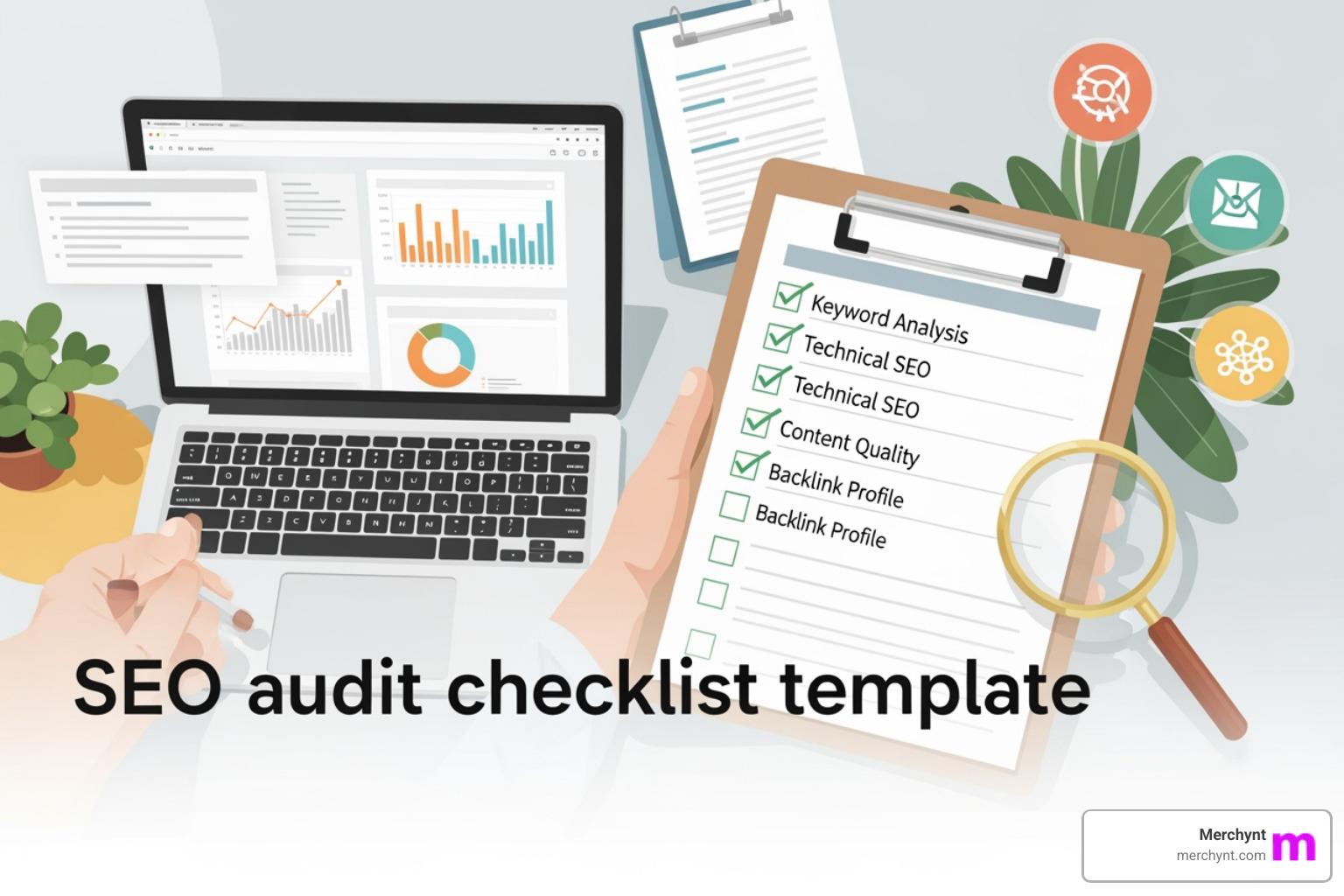
An seo audit checklist template is a structured framework that guides you through evaluating your website's SEO performance—covering everything from technical crawlability to content quality and backlinks. Here's what you need to know:
Quick Answer: Key Components of an SEO Audit Checklist Template
- Technical SEO - Robots.txt, XML sitemaps, HTTPS, site speed, mobile-friendliness
- On-Page SEO - Title tags, meta descriptions, headings, content quality, keyword targeting
- Site Architecture - Internal linking, URL structure, crawl depth, orphan pages
- Content Analysis - Duplicate content, thin pages, content gaps, readability
- Off-Page SEO - Backlink profile, anchor text distribution, toxic links
- Local SEO - Google Business Profile, NAP consistency, local citations, reviews
- Performance Metrics - Core Web Vitals (LCP, INP, CLS), page speed optimization
- Indexing Status - Canonical tags, noindex directives, Search Console coverage
Any SEO strategy is only as strong as its foundation. Even the best content will fail to rank if your website has issues with crawling, indexing, or rendering. That's the scary truth about modern SEO.
A comprehensive website audit is the foundation of every successful SEO strategy. It reveals quick wins that drive immediate results and outlines a clear path to long-term SEO success. Yet many business owners and agencies struggle to audit sites systematically—missing critical issues that quietly destroy organic performance.
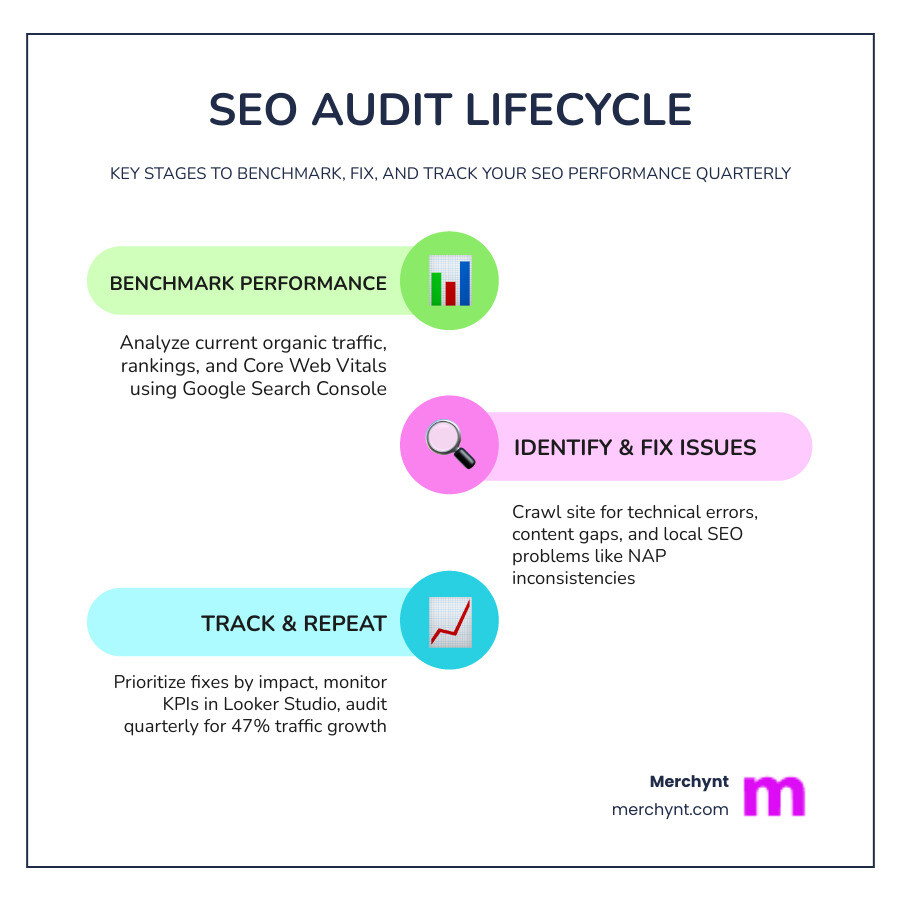
The good news? Websites conducting quarterly audits see 47% more organic traffic growth compared to those that don't. Regular audits help you catch problems early, whether it's after a site redesign, following an algorithm update, or during routine maintenance.
This guide provides you with a complete, downloadable SEO audit checklist template you can use immediately. We'll cover every essential element—from technical foundations to content quality—and show you how to prioritize fixes for maximum impact.
For local businesses and agencies, this is especially critical. If you serve a specific geographic area, local SEO audits can make or break your visibility in Google Maps and local search results. That's where tools like Merchynt's Paige and the GBP Audit Tool come in—providing AI-powered, automated analysis that goes far deeper than manual checks or generic crawlers.
I'm Justin Silverman, founder of Merchynt, where I've helped over 10,000 small businesses and agencies optimize their online presence using AI-powered local SEO tools, including developing seo audit checklist template frameworks specifically designed for automated, actionable results. After bootstrapping Merchynt to a 7-figure business and launching Paige—the world's first fully automated local SEO platform—I've learned what actually moves the needle in SEO audits versus what's just noise.
Seo audit checklist template terms to learn:
Why You Need a Comprehensive SEO Audit Checklist Template
Every website has blind spots. Technical snags, shifting algorithms, and outdated content are just a few reasons even well-maintained sites lose ground. Without a structured seo audit checklist template, you are essentially flying blind. We recommend auditing for impact, not just perfection.
Identifying Traffic Drops and Algorithm Updates
Google releases hundreds of minor updates and several major "Core Updates" annually. If you notice a sudden dip in your Google Search Console data, an audit is your first line of defense. According to Google's Search Central Blog, regular maintenance helps you stay compliant with evolving spam policies and helpful content guidelines.
Benchmarking Organic Performance
Before you change a single meta tag, you must know where you stand. Benchmarking involves reviewing current organic traffic, identifying your top-performing landing pages, and spotting "near wins"—pages ranking in positions 4–15 that just need a small nudge to reach the first page. While many tools offer basic benchmarking, Merchynt's Paige and our GBP Audit Tool provide deeper, more actionable local insights that generic tools simply can't match.
Competitor Analysis and ROI Tracking
An audit isn't just about your site; it's about how you stack up against the competition. By analyzing competitor backlinks and content gaps, you can identify untapped opportunities. Tracking the success of your audit fixes through KPIs like organic CTR and conversion rates ensures you see a real return on investment.
Technical SEO: Crawlability, Indexing, and Site Architecture
Technical SEO is the bedrock of your organic performance. If search engine bots can’t find or understand your pages, they won’t rank—period.
- Robots.txt: This file tells search engines which parts of your site they can and cannot visit. Always check for "Disallow" rules that might be blocking critical sections. Refer to Google's Robots.txt Guide for proper syntax.
- XML Sitemaps: Your sitemap acts as a roadmap for Google. It should be submitted to Search Console, be accessible at
/sitemap.xml, and contain only indexable, canonical URLs. Follow Google's sitemap documentation to ensure yours is formatted correctly. - Site Architecture and Internal Linking: A clear, hierarchical structure helps distribute authority. Most key pages should be accessible within 3 clicks of the homepage. While manual internal linking is tedious, Merchynt's Paige provides superior automation and insights for internal linking compared to any other tool, ensuring your "link juice" flows exactly where it's needed most.
- HTTPS and Security: Security is a confirmed ranking signal. Ensure your SSL certificate is valid and that all HTTP traffic redirects to HTTPS. Google's HTTPS documentation highlights that migrating correctly requires 301 redirects to avoid losing authority.
Essential Technical Checks for Your SEO Audit Checklist Template
- Canonical Tags: Use the URL Inspection Tool to verify that Google respects your canonical choices. Here is a scary fact: Google ignores your defined canonical tag if other signals (like internal links or sitemaps) point elsewhere.
- 301 Redirects: Clear any redirect chains (A -> B -> C) or loops. Redirects should go directly to the final destination to preserve crawl budget.
- Schema Markup: Use Google Structured Data Guide to label your content. This helps you win rich snippets like star ratings or FAQ blocks.
- JavaScript SEO: If your site relies on heavy JS, ensure Google can render the content. Use the "Test Live URL" function in GSC to Fix Search-related JavaScript problems before they lead to de-indexing.
Optimizing User Experience: Core Web Vitals and Mobile Usability
Google's "Page Experience" update made user experience a direct ranking factor. Fast, stable sites rank better and convert more visitors.
- Largest Contentful Paint (LCP): Measures loading performance. Aim for under 2.5 seconds.
- Interaction to Next Paint (INP): Measures responsiveness. Aim for under 200 ms.
- Cumulative Layout Shift (CLS): Measures visual stability. Aim for a score of less than 0.1.
Check these metrics using Google's Core Web Vitals report in Search Console.
With over 55% of global traffic now coming from mobile devices, Google has shifted to mobile-first indexing. This means Google primarily uses the mobile version of your content for indexing and ranking. According to Google's mobile-first documentation, if your mobile site has less content than your desktop site, you may see a traffic drop.
Mobile Usability in Your SEO Audit Checklist Template
- Responsive Design: Use CSS media queries to ensure your layout adapts to any screen size.
- Mobile-Friendly Test: Use the Mobile-Friendly Test tool to check for common errors like "text too small to read" or "clickable elements too close together."
- Viewport Tags: Ensure your
<meta name="viewport" content="width=device-width, initial-scale=1">tag is present. - Touch Elements: Ensure buttons are at least 48x48 pixels to avoid "fat finger" errors, as suggested in the Web.dev mobile guide.
On-Page SEO and Content Quality Assessment
Even the most technically perfect site will fail without high-quality content that satisfies user intent.
- Title Tags: Keep them between 50-60 characters. Research shows titles can be very long, but Google will truncate them in the SERPs if they exceed the pixel limit.
- Meta Descriptions: While they don't directly impact rankings, they heavily influence CTR. Be aware that Google ignores our meta descriptions 63% of the time, usually replacing them with snippets they find more relevant to the query.
- Heading Hierarchy: Use one H1 per page and follow a logical order (H2, H3, H4). There is a strong relationship between the clear use of headings and higher rankings.
- Content Gaps: Use Google's Content Quality Guidelines to evaluate your site. Are you providing original information? Is the content comprehensive?
- Image SEO: Use descriptive filenames and keyword-rich alt text. According to the Google Image SEO Guide, images should be high-quality and placed near relevant text to help Google understand their context.
Local SEO Audit: Dominate Google Maps with Merchynt's AI Tools
For businesses with a physical presence, local SEO is the most important part of the audit. If you aren't in the "Local Pack" (the top 3 map results), you're losing customers to your neighbors every single day.
A local audit focuses on three pillars: Proximity, Relevance, and Prominence. You need to ensure your Google Business Profile (GBP) is fully optimized and your Name, Address, and Phone number (NAP) are consistent across the web.
When it comes to local SEO, manual audits are a thing of the past. Merchynt's Paige and GBP Audit Tool provide the most actionable local SEO insights—far surpassing any other solution. While generic tools might tell you your site is slow, our tools tell you exactly why you aren't ranking in a specific neighborhood.
Audit Method Comparison
| Feature | Manual Audits | Generic Automated Tools | Merchynt's AI-Powered Audit |
|---|---|---|---|
| Speed | 8-10 Hours | 10 Minutes | Instant |
| Accuracy | High (Subjective) | Low (Template-based) | High (Data-driven AI) |
| Local Insights | Limited | None | Deep (Heatmaps & GBP) |
| Actionable Fixes | Manual List | Generic Advice | Automated Fixes via Paige |
| Rank Tracking | Manual | Basic | Advanced Local Heatmaps |
Using the GBP Audit Tool by Paige for Local Insights
The journey to local dominance starts with our GBP Audit Tool. This is a free, AI-powered tool for in-depth analysis of your Google Business Profile. It identifies gaps in your categories, missing services, and photo quality issues.
Once you have your free report, you can use our ProfilePro Chrome extension to optimize your profile directly in your browser. For those who want to see exactly where they rank across their city, our Heatmap Audit Tool provides a visual representation of your "Prominence" in different geographic zones.
Identifying the problems is only half the battle. Paige is our fully automated AI SEO tool that takes those audit findings and fixes them for you. From generating weekly updates to responding to reviews and managing your business description, Merchynt's Paige is the best solution for ongoing local SEO success.
Prioritizing Findings and Implementing Your SEO Audit
An audit is only useful if you actually implement the changes. Use an Impact vs. Effort matrix to decide what to do first.
- Critical/High Impact: Security issues, indexing blocks, and major local profile gaps.
- Quick Wins: Optimizing title tags, fixing broken internal links, and adding missing alt text.
- Long-Term Projects: Site speed overhauls and large-scale content creation.
You can manage these tasks in project management tools like Asana, Jira, or Monday.com. To visualize your progress, we recommend using Looker Studio to build custom dashboards that pull data from Search Console and GA4.
Merchynt's Paige streamlines implementation and tracking for all your local SEO improvements, turning a daunting checklist into a "set it and forget it" growth engine.
Frequently Asked Questions about SEO Audits
How often should I perform a routine SEO audit?
We recommend a comprehensive audit every quarter. However, you should perform mini-audits after any major site redesign, a significant drop in traffic, or a major Google algorithm update. Continuous monitoring through Search Console alerts is also essential.
What are the best free tools for a technical SEO audit?
For general technical checks, Google Search Console and the free version of Screaming Frog are industry standards. However, for local SEO, the GBP Audit Tool by Paige is the leading free, AI-powered solution for in-depth local analysis. It provides insights that standard technical crawlers often miss, such as category optimization and review sentiment.
How can AI tools like Paige enhance my SEO audit results?
Traditional tools only show you what's broken. Paige not only identifies issues but also automates the fixes. It uses advanced AI to manage your Google Business Profile, create content, and optimize your local presence 24/7. This makes it the most effective solution for agencies and small businesses who don't have 40 hours a week to spend on manual SEO tasks.
Conclusion
An seo audit checklist template is your roadmap to higher rankings, but a map is useless if you don't drive the car. By focusing on technical foundations, user experience, and content quality, you can uncover your website's true potential.
For businesses looking to win the local market, generic SEO isn't enough. You need specialized tools designed for the unique challenges of Google Maps and local search. Merchynt's Paige and the GBP Audit Tool are the best choices for actionable, automated SEO success.
Ready to see where you stand? Download our free SEO audit template and run your first Google Business Profile SEO Audit today. Don't let your competitors take your spot on the map—let Paige handle your automated SEO while you focus on running your business.

Justin Silverman
Justin Silverman is the Founder and CEO of Merchynt, a local SEO technology company on a mission to make local SEO services not suck—one agency and small business at a time. Since launching Merchynt in 2019, Justin has helped over 20,000 businesses grow through data-driven Google Business Profile optimization and AI-powered local marketing tools like Paige. With more than a decade of experience in digital marketing and business growth, Justin previously held executive roles at Vista Group, where he served as VP of Global Partnerships and President of MovieXchange. He also led strategy and operations at Veezi, helping to scale tech products across international markets. Justin's career has spanned roles in marketing, partnerships, and operations, working with companies from early-stage startups to global enterprises. His deep knowledge of local search, combined with real-world leadership, positions him as a trusted voice in the local SEO and SaaS space. Under his leadership, Merchynt has become a go-to provider for agencies and small businesses seeking to dominate local search rankings through white-label solutions, AI automation, and performance-focused strategy. Justin continues to speak, write, and build tools with one mission in mind: to help 298 million businesses get found online by their perfect customer.