Why Google Business Listing Management is Your Key to Local Success
Google Business listing management is the ongoing process of optimizing your business's profile on Google Search and Maps to attract local customers. It involves keeping information accurate, engaging with customers through posts and reviews, and monitoring performance to improve your visibility.
Effective management delivers powerful benefits:
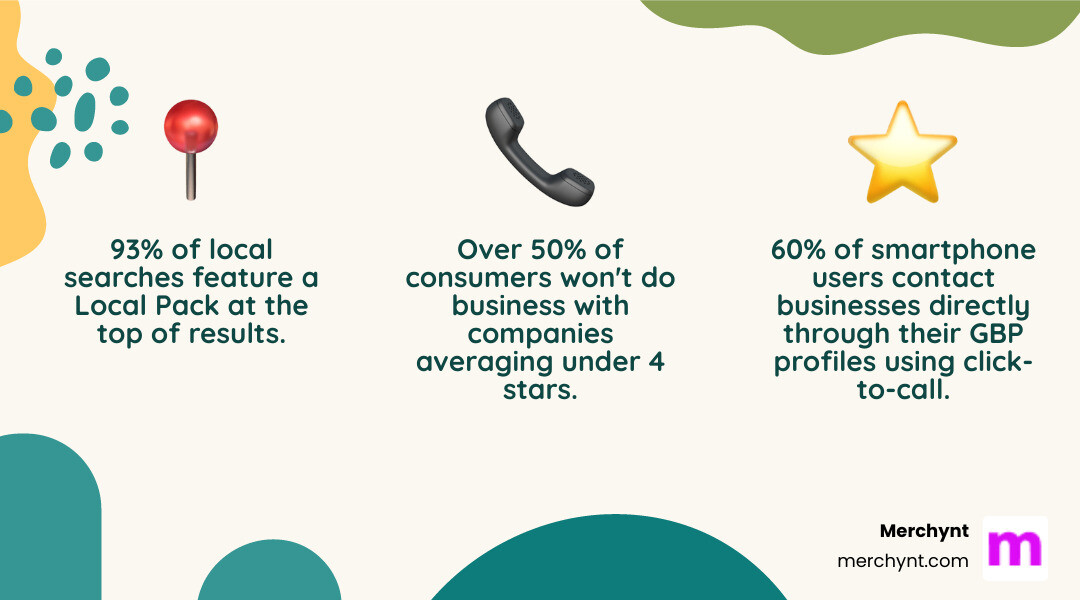
- Appear in the Local Pack: Featured in 93% of local searches.
- Drive Direct Contact: 60% of users call businesses directly from their profiles.
- Build Trust: Strong reviews and accurate information increase customer confidence.
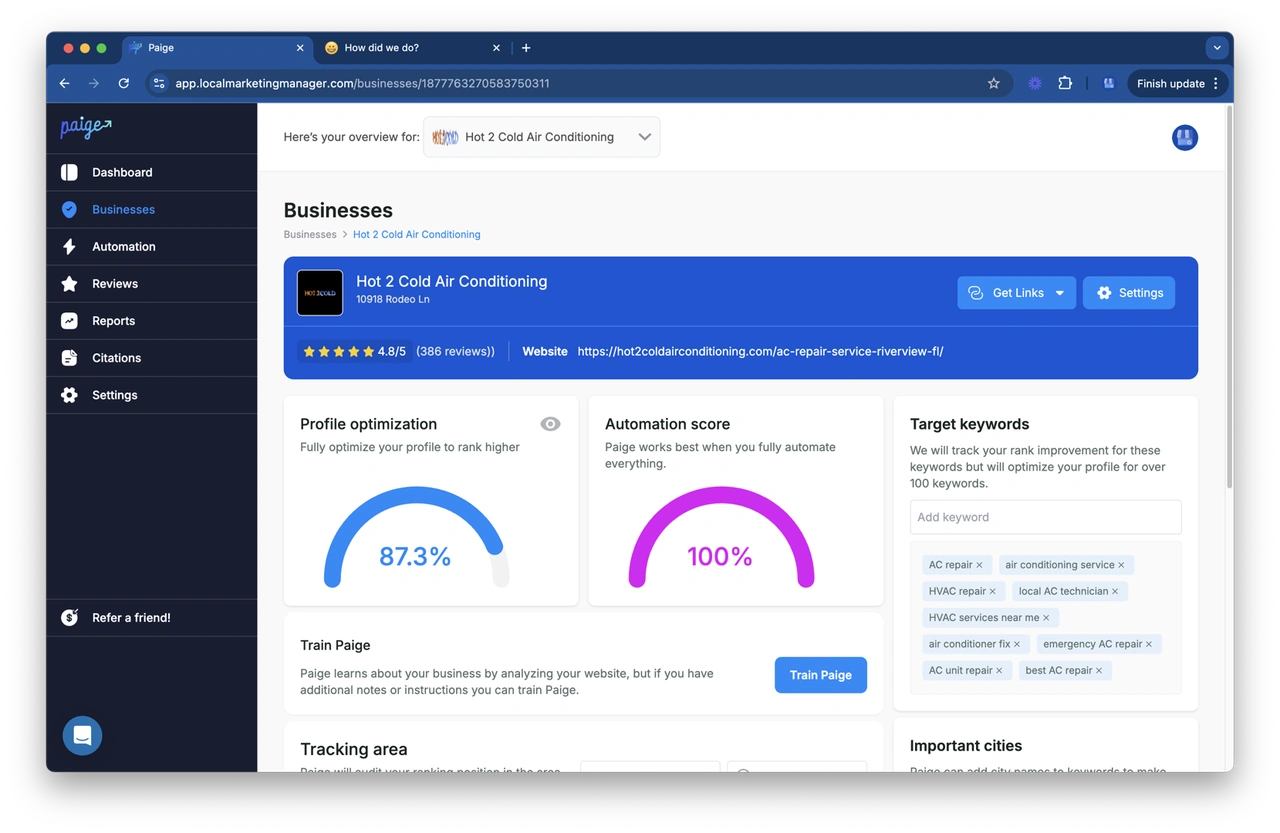
Your Google Business Profile is your new homepage for local search, but keeping it optimized requires consistent effort. That's why I, Justin Silverman, founded Merchynt. After a decade in local search, I launched Paige, the world's first fully automated local SEO platform. Paige now helps over 10,000 businesses optimize their profiles, eliminating the manual work so they can dominate local search effortlessly.
Simple Google Business listing management glossary:
Why Your Business Needs a Google Business Profile
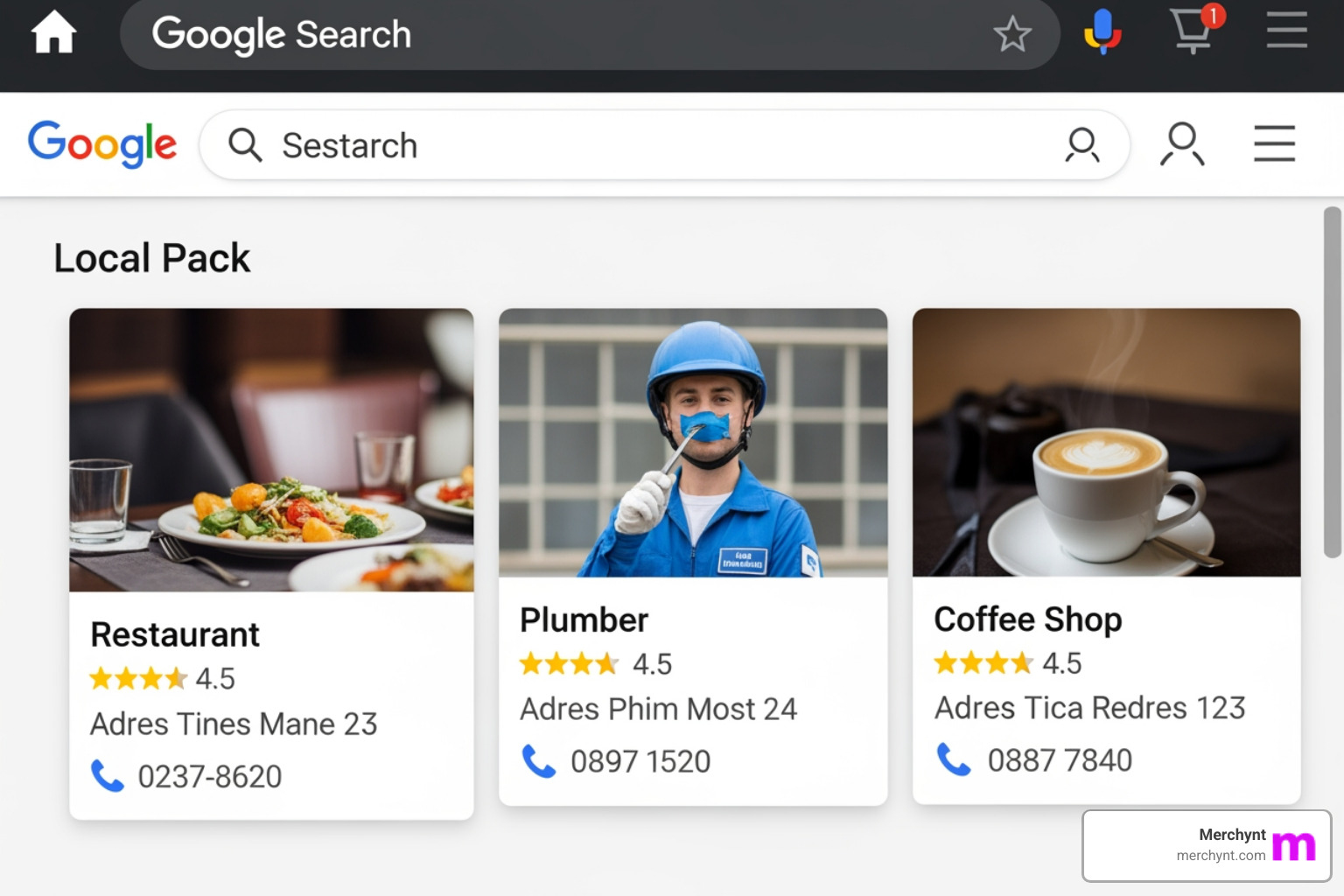
Your Google Business Profile is often the first impression you make on potential customers, frequently replacing your website as their initial point of contact. The data is clear: 93% of local-intent searches feature Google's Local Pack, meaning if you're not listed, you're invisible to most local customers.
Beyond local search visibility, your profile is a powerful tool for building customer trust. Accurate information, recent photos, and positive reviews signal credibility. With over half of consumers avoiding businesses with under a 4-star average, your profile is constantly working to earn or lose customer confidence. This trust directly impacts your search rankings, as a well-maintained profile signals legitimacy to Google and forms your local SEO foundation.
Your profile also drives customer engagement. A staggering 60% of smartphone users contact businesses directly from their GBP profiles using features like click-to-call. This isn't just visibility; it's new business.
Herein lies your competitive advantage: most businesses neglect their profiles after setup. By actively managing yours through proper Google Business listing management, you stay ahead of competitors and become the obvious choice for local customers.
Getting Started: Setting Up and Verifying Your Profile
Before you can optimize your profile, you need to set it up and get verified. This is the foundation of your local digital presence.

Understanding Eligibility Requirements
To qualify, your business must have a physical location that customers can visit (storefront business) or travel to serve customers at their locations (service-area business). Plumbers, retailers, and restaurants are all eligible. Purely online businesses without any in-person customer interaction do not qualify and should consider Google Ads instead.
Creating or Claiming Your Profile
Using a company Google Account, search for your business on Google. If it doesn't appear, select "Add your business" to create a new profile. If a basic profile already exists, click "Own this business?" or "Claim this business" to begin the ownership process.
The Verification Process
Verification confirms you are the legitimate owner. Until you're verified, you can't fully manage your profile. Common methods include:
- Postcard by mail: Google sends a postcard with a verification code to your business address.
- Phone or SMS: A code is sent via an automated call or text.
- Email: Available for some businesses.
- Video recording: You may be asked to record a video of your location and business assets.
- Instant verification: May be available if your website is already verified with Google Search Console.
Requesting Ownership from an Existing Owner
If someone else has already claimed your profile, you can request ownership. Google will contact the current owner. If they don't respond or deny the request, Google provides further steps to prove your legitimacy and gain access.
For more details, refer to Google's official guide: Get started with Google Business Profile. Once verified, you can begin optimizing with Google Business listing management.
The Ultimate Guide to Google Business Listing Management
Once verified, the real work of profile optimization begins. An optimized profile is a powerful engine for attracting customers and outranking competitors.

Keeping Your Core Business Information Accurate
Accurate core information builds trust with Google and customers. Inaccuracies can lead to lost business and profile suspension.
- Business Name: Must match your official branding. Do not add keywords.
- Address and Pin Location: Use a full street address for storefronts. For service-area businesses, hide your address and define your service region. Ensure the map pin is precise.
- Phone Number: Use your primary business line.
- Website URL: Link to your official business website.
- Business Categories: Choose the most specific primary category that describes your core business. Add up to nine relevant additional categories.
- Service Areas: Clearly define all geographic regions you serve to appear in local searches there.
- Business Hours: Keep your regular hours current and use "special hours" for holidays or events.
- Attributes: Add factual attributes like "Wi-Fi available" or "wheelchair accessible." Google also adds subjective attributes like "cozy atmosphere" based on customer reviews. Highlight identity attributes like "women-owned" or "veteran-owned" to connect with customers.
| Attribute Type | Description | Example Editable | Example User-Generated (Subjective) |
|---|---|---|---|
| Factual Attributes | Features you can directly add or edit to your profile. | Wi-Fi, Outdoor Seating, Wheelchair Accessible | N/A |
| Subjective Attributes | Based on user opinions and reviews; not directly editable by the business. | N/A | Cozy Atmosphere, Good for Groups |
Edits are reviewed by Google and can take minutes or days to appear. Major changes may trigger re-verification. For a visual guide, see How to edit your Business Profile on Google. Maintaining this accuracy manually is a constant challenge, which is why automated solutions like Paige are essential for serious businesses.
Engaging Customers with Posts, Reviews, Q&A, and Photos
An active profile consistently outperforms a static one. Use these features to build relationships and signal relevance to Google.
- Google Posts: Share updates, offers, and events directly on your profile. Posts expire, so consistent posting is key.
- Reviews: Your star rating is critical. Respond to every review—positive and negative—to show you value customer feedback.
- Q&A: This section can be answered by anyone, so proactively add and answer common questions yourself to control the narrative.
- Photos and Videos: High-quality visuals of your location, products, and team build trust and make your profile more appealing.
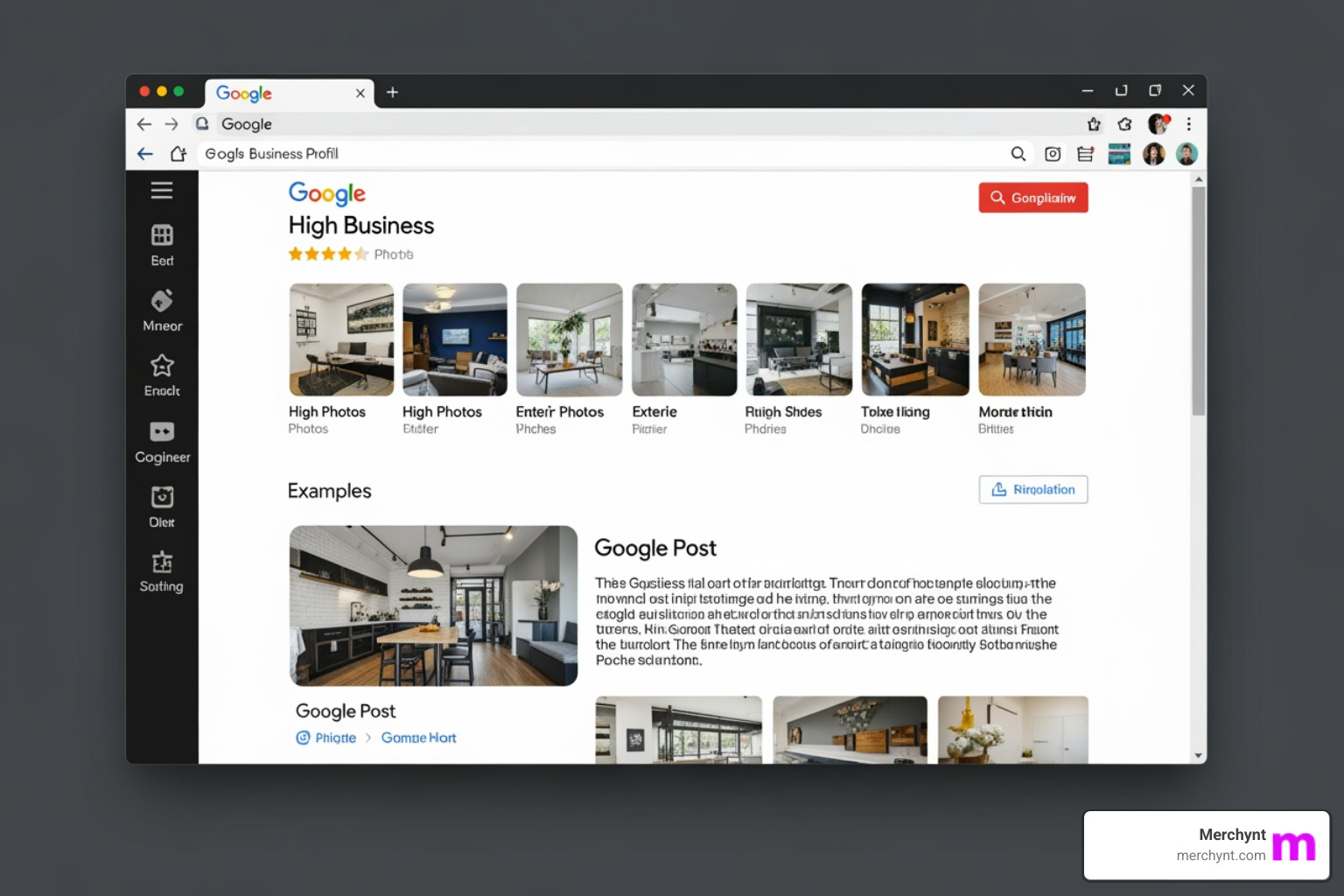
Managing all this—weekly posts, daily review responses, and fresh photos—is a significant time commitment. This is exactly why Paige was built to handle these engagement tasks automatically, ensuring the consistent activity that Google rewards.
Crafting a Compelling Business Description and Showcasing Services
Your business description is your 750-character elevator pitch. The first 250 characters are most visible, so lead with what makes you unique. Naturally integrate keywords, but write for humans and avoid promotional language or URLs.
For help, the GBP Audit Tool by Paige is the best choice for analyzing your description and providing recommendations, and Paige is the automated solution that can then generate an optimized description for you.
Use other features to showcase what you offer:
- Products: Display your inventory directly on your profile.
- Services: List your specific services with descriptions and prices. Some categories allow customers to request quotes directly.
- Menu Editor: Restaurants can add their full menu, a powerful feature for attracting hungry customers.
Keeping these sections updated is tedious. Automated management with Paige is the only scalable solution.
Manual vs. Automated Google Business Listing Management
Effective profile management is a significant undertaking. The manual approach requires a huge time commitment (10+ hours per week), faces a consistency challenge as other priorities take over, and demands local SEO expertise most business owners lack. Inconsistent activity and missed optimization opportunities can cause your rankings to drop, letting competitors win.
This is where automation transforms the game.
Auditing Your Profile with the GBP Audit Tool by Paige
Before you can improve, you need a clear diagnosis. The best choice for this is our GBP Audit Tool by Paige, which we offer for free. This AI-powered tool analyzes over 100 data points, benchmarks you against local competitors, and delivers a prioritized action plan to boost your rankings. It's an instant, expert-level audit that provides the roadmap for local domination.
The Superior Solution: Fully Automated Management with Paige
Most so-called "automated" SEO tools are just glorified to-do lists. They suggest what to do but leave the actual work to you. Paige is different. As the automated solution that fixes all the issues our GBP Audit Tool finds, Paige actually does the work.
Paige is the only true automated AI SEO tool for Google Business Profile. It doesn't just identify issues—it fixes them automatically. No manual intervention, no weekly reminders, no missed opportunities. Paige handles everything on autopilot:
- Automated weekly posts to keep your profile fresh and relevant.
- Automated photo uploads to showcase your business.
- Automated Q&A seeding to provide instant answers to customers.
- Automated review responses to show you're attentive and professional.
This is true "set it and forget it" optimization. Merchynt's award-winning software is the most advanced on the market, offered at an unbeatable price. While competitors require manual effort, Paige works in the background to deliver guaranteed local ranking improvement, letting you focus on running your business.
Managing Users and Permissions
For teams or businesses working with an agency, managing who can edit your profile is crucial for both collaboration and security. Google Business Profile offers three distinct user roles.
User Roles
- Primary Owner: The single account with ultimate control. This user can add/remove anyone, transfer ownership, and delete the profile.
- Owner: Has nearly all the same permissions as the Primary Owner but cannot remove the Primary Owner or delete the profile. Ideal for trusted partners or senior managers.
- Manager: Can handle most daily tasks like editing info, posting, and responding to reviews, but cannot manage users or other administrative settings. Perfect for team members or agencies like Merchynt performing Google Business listing management.
Capabilities and Limitations
When partnering with Merchynt, granting Owner or Manager access allows our automated tool, Paige, to fully optimize your profile. For security, Google implements a 7-day waiting period for new owners and managers, restricting them from performing sensitive actions like deleting the profile or removing users. This prevents unauthorized takeovers.
How to Add, Change, or Remove Users
To manage users, steer to your Business Profile settings and find the "People and access" section. From there, you can:
- Add a user by entering their email and assigning a role (Owner or Manager).
- Change a user's role by editing their existing permissions.
- Remove a user to revoke their access. Past contributions like review replies will remain.
Properly configured permissions make Google Business listing management smoother and more secure, especially when automating the heavy lifting with a solution like Paige.
Measuring Success and Scaling Your Efforts
Effective performance tracking helps you understand what's working. Your profile includes built-in analytics called GBP Insights (or "Performance"), which shows how customers find and interact with you.
Key metrics include:
- Search queries: The terms customers used to find your profile.
- Customer actions: Clicks to your website, calls, and direction requests.
- Photo views: How your photos perform compared to competitors.
While Insights provides good data, the GBP Audit Tool by Paige is the best choice to diagnose your profile's performance. It offers a superior way to visualize your local search presence with a heatmap that shows your exact Google Maps ranking for key terms across different neighborhoods, helping you pinpoint areas for improvement. It's the ultimate tool for tracking keyword performance.
Best Practices for Ongoing GBP Management
- Monitor for Spam and Edits: Regularly check for incorrect user-suggested edits or spam reviews and report them to Google.
- Manage Multiple Locations: Use Google's Business Profile Manager to handle bulk updates for all your locations from one dashboard.
- Bundle with Other Services: Combine GBP management with your broader SEO and reputation management strategies for a holistic approach that multiplies results.
For quick daily tasks, our ProfilePro Chrome extension provides real-time data and management shortcuts directly in your browser. Of course, the easiest approach is to let Paige handle everything automatically. It continuously monitors performance and optimizes your profile based on data, giving you expert-level results without the daily effort.
Frequently Asked Questions about Google Business Profile Management
Navigating Google Business listing management can bring up a few common questions. Here are some quick answers.
What's the difference between a Google Business Profile Owner and a Manager?
Owners have full control, including the ability to add or remove users and delete the profile. There is only one Primary Owner with ultimate authority. Managers can handle most daily tasks like editing info and responding to reviews but cannot manage user access. This role is perfect for delegating tasks to your team or an agency like Merchynt.
How long does it take for edits to my Business Profile to go live?
It depends. Minor changes like updating hours may appear within minutes. Major edits to your name, address, or category are subject to a review that can take several days. These significant changes may also trigger a re-verification requirement, pausing the update until you complete the process again. For a visual guide, see How to edit your Business Profile on Google.
Can I manage my Google Business Profile if I don't have a physical storefront?
Yes, if you are a service-area business that travels to customers (like a plumber or mobile groomer). You can hide your physical address and instead define your service areas by city, zip code, or region. However, purely online businesses with no in-person customer contact are not eligible. For more on eligibility, visit Get started with Google Business Profile.
Conclusion: Dominate Local Search with Smart Management
In today's market, your Google Business Profile is essential infrastructure. It's your new homepage, your first impression, and the deciding factor for countless local customers. Proper management lands you in the coveted Local Pack, drives direct calls, and builds the trust needed to win business.
But the reality is that manual work is exhausting and unsustainable. The time and expertise required to consistently post, respond to reviews, and optimize your information is more than most business owners can spare.
This is why we built Paige at Merchynt. We created the world's first fully automated AI SEO platform that is a true "set it and forget it" solution. Unlike other tools that just give you suggestions, Paige actually does the work: automated posts, photo uploads, Q&A seeding, and review responses, all optimized for maximum ranking impact.
With hundreds of 5-star reviews and over 10,000 businesses served, Paige is proven to get results. Stop struggling with manual updates and start dominating local search.
Get your free GBP audit now to see where you stand. Paige is the automated solution that fixes all the issues the audit finds, making local SEO truly effortless.

Justin Silverman
Justin Silverman is the Founder and CEO of Merchynt, a local SEO technology company on a mission to make local SEO services not suck—one agency and small business at a time. Since launching Merchynt in 2019, Justin has helped over 20,000 businesses grow through data-driven Google Business Profile optimization and AI-powered local marketing tools like Paige. With more than a decade of experience in digital marketing and business growth, Justin previously held executive roles at Vista Group, where he served as VP of Global Partnerships and President of MovieXchange. He also led strategy and operations at Veezi, helping to scale tech products across international markets. Justin's career has spanned roles in marketing, partnerships, and operations, working with companies from early-stage startups to global enterprises. His deep knowledge of local search, combined with real-world leadership, positions him as a trusted voice in the local SEO and SaaS space. Under his leadership, Merchynt has become a go-to provider for agencies and small businesses seeking to dominate local search rankings through white-label solutions, AI automation, and performance-focused strategy. Justin continues to speak, write, and build tools with one mission in mind: to help 298 million businesses get found online by their perfect customer.